Garmin GPSMAP 695/696 Owner’s Manual
190-00919-00 Rev. G
138
Hazard Avoidance
OverviewGPS NavigationFlight PlanningHazard AvoidanceAdditional FeaturesAppendicesIndex
5)
With the desired weather product selected press the ENT Key to get
detailed information (if available).
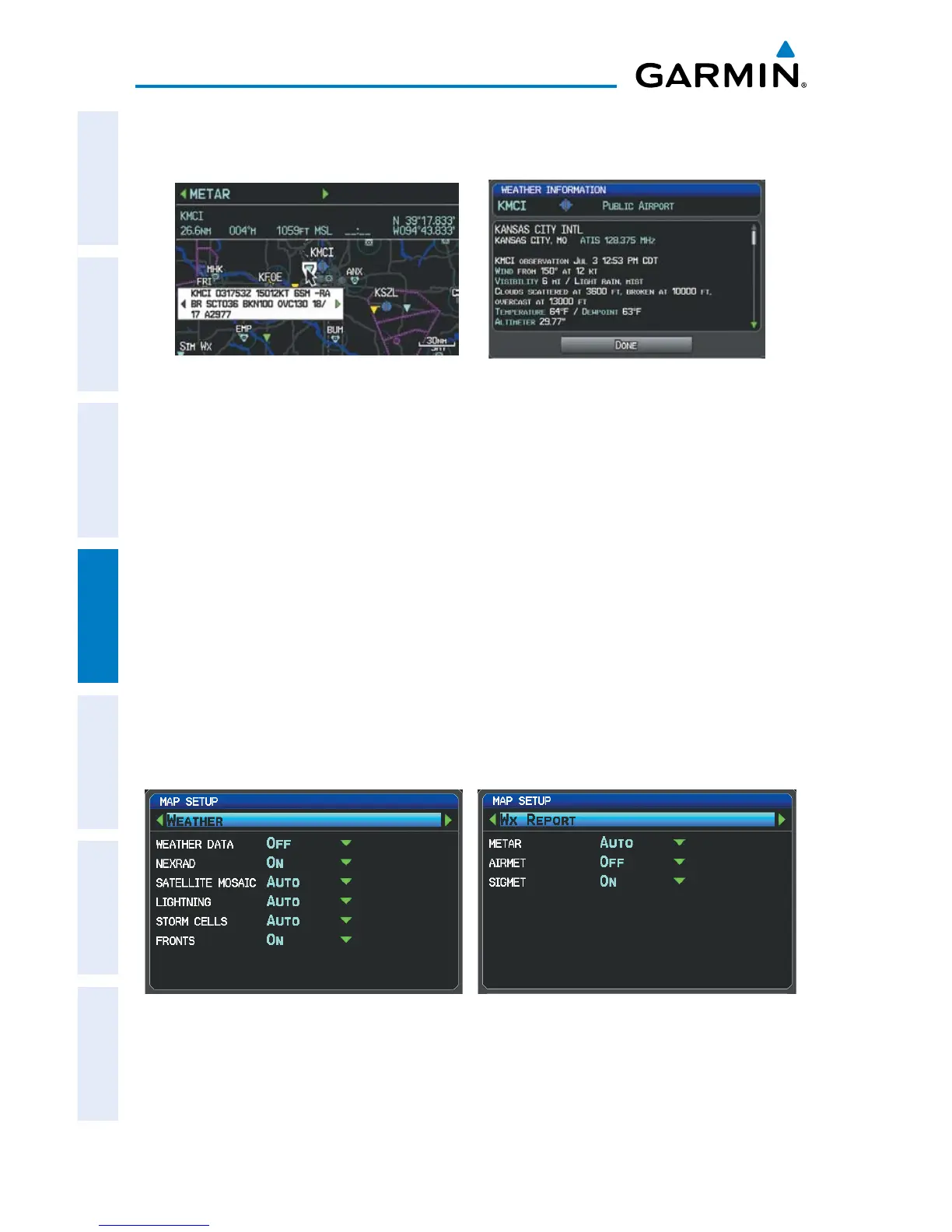
Detailed Product Info (Split-Screen)Abbreviated Product Info (Split-Screen)
Setting up and customizing weather data for the Map Page:
1)
From the Map Page press the MENU Key.
2)
Turn or move the FMS Joystick to highlight ‘Set Up Map’ and press the
ENT Key.
3)
Turn the FMS Joystick to select the ‘FIS-B Weather’ Category from the
horizontal list.
4)
Move the FMS Joystick to select the desired weather product.
5)
Turn the
FMS
Joystick to access a list of options for each product (On/Off,
Auto, range settings).
6)
Press the
ENT
Key to select an option.
7)
Press the FMS Joystick, the CLR Key, or the EXIT Softkey to return to the
Map Page with the changed settings.
Map Setup Page (Weather Category) Map Setup Page (WX Report Category)














 To Next Page