Garmin GPSMAP 695/696 Owner’s Manual
190-00919-00 Rev. G
161
Hazard Avoidance
Overview GPS Navigation Flight Planning Hazard Avoidance Additional Features Appendices Index
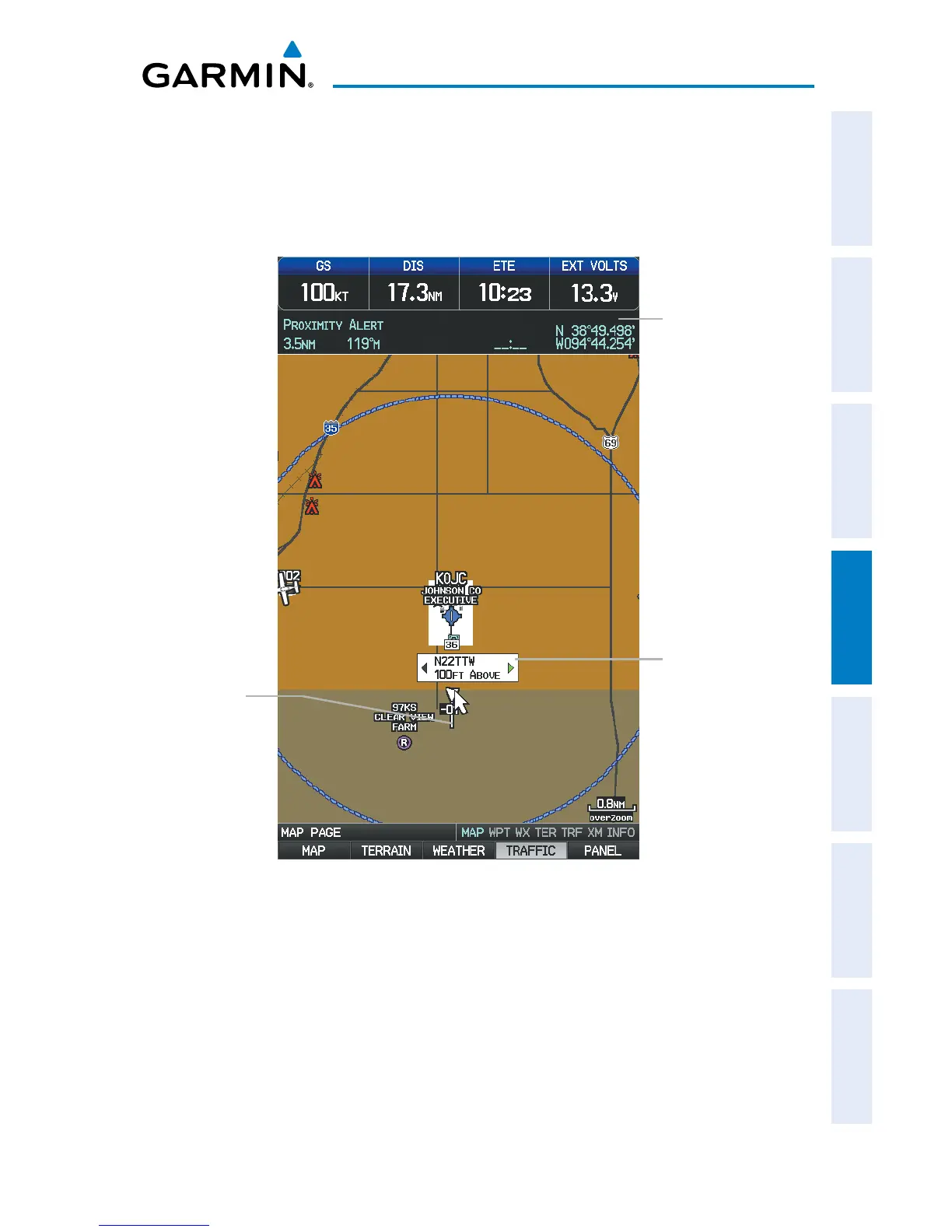
Displaying Traffic information using the map pointer:
1)
With traffic displayed on the Map Page, press the FMS Joystick. The Map
Pointer is activated.
2)
Move the FMS Joystick to highlight the desired traffic.
Traffic (Map Page)
Traffic
Information
using Map
Pointer
Absolute
Motion
Vector
Traffic Range
and Altitude
Separation using
Map Pointer














 To Next Page