Garmin GPSMAP 695/696 Owner’s Manual
190-00919-00 Rev. G
45
GPS Navigation
Overview GPS Navigation Flight Planning Hazard Avoidance Additional Features Appendices Index
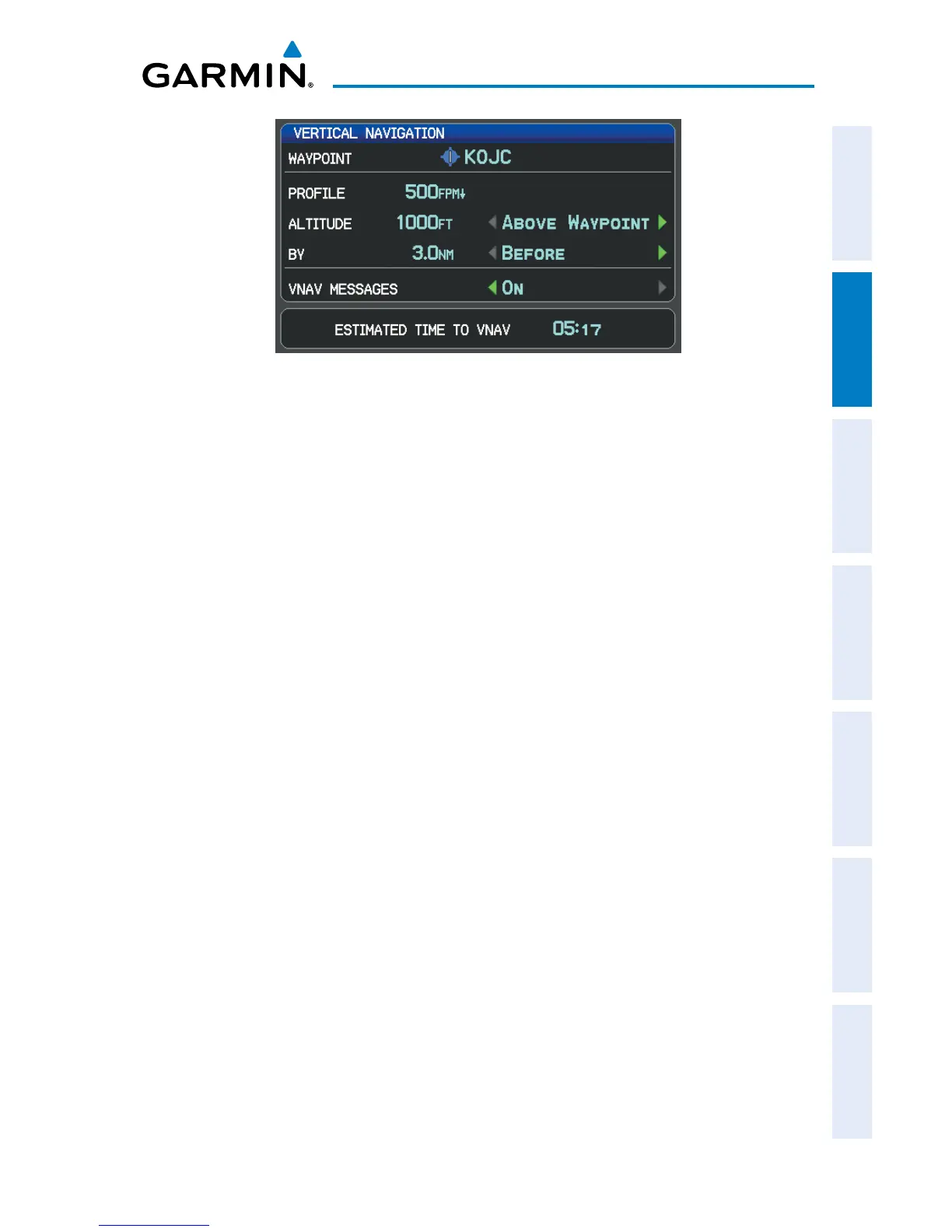
Vertical Navigation Page
•
Waypoint—Enteranywaypointalongthecurrentlyactiverouteasthe
reference waypoint. The reference waypoint defines the target location.
•
Prole—Enterthedescentrate.
•
Altitude—Enterthedesiredreferencewaypointaltitude.Select‘Above
Waypoint’ to use field elevation for airports in the Jeppesen database or ‘MSL’
to specify an exact MSL altitude target.
•
By—Enterthetargetlocationwithsettingsofdistance‘Before’or‘After’a
reference waypoint. To set a target location at a reference waypoint, enter a
distance of zero.
•
VNAVMessages—Select‘On’or‘Off’toenable/disableVNAValertmessages.
Enabling/disabling the VNAV indicator:
1)
From the Map Page, press the MENU Key to display the Map Page Menu
2)
Turn or move the FMS Joystick to highlight ‘Enable VNAV Indicator’ or
‘Disable VNAV Indicator’, and press the ENT Key.
Capturing/cancelling VNAV profile:
1)
Enter a valid VNAV profile and begin navigation.
2)
From the Map Page, press the MENU Key to display the Map Page Menu
3)
Turn or move the FMS Joystick to highlight ‘Capture VNAV Profile’ or
‘Cancel Capture’, and press the ENT Key. Selecting ‘Capture VNAV Profile’
centers the VNAV indicator on the HSI (when displayed).














 To Next Page