Garmin GPSMAP 695/696 Owner’s Manual
190-00919-00 Rev. G
67
GPS Navigation
Overview GPS Navigation Flight Planning Hazard Avoidance Additional Features Appendices Index
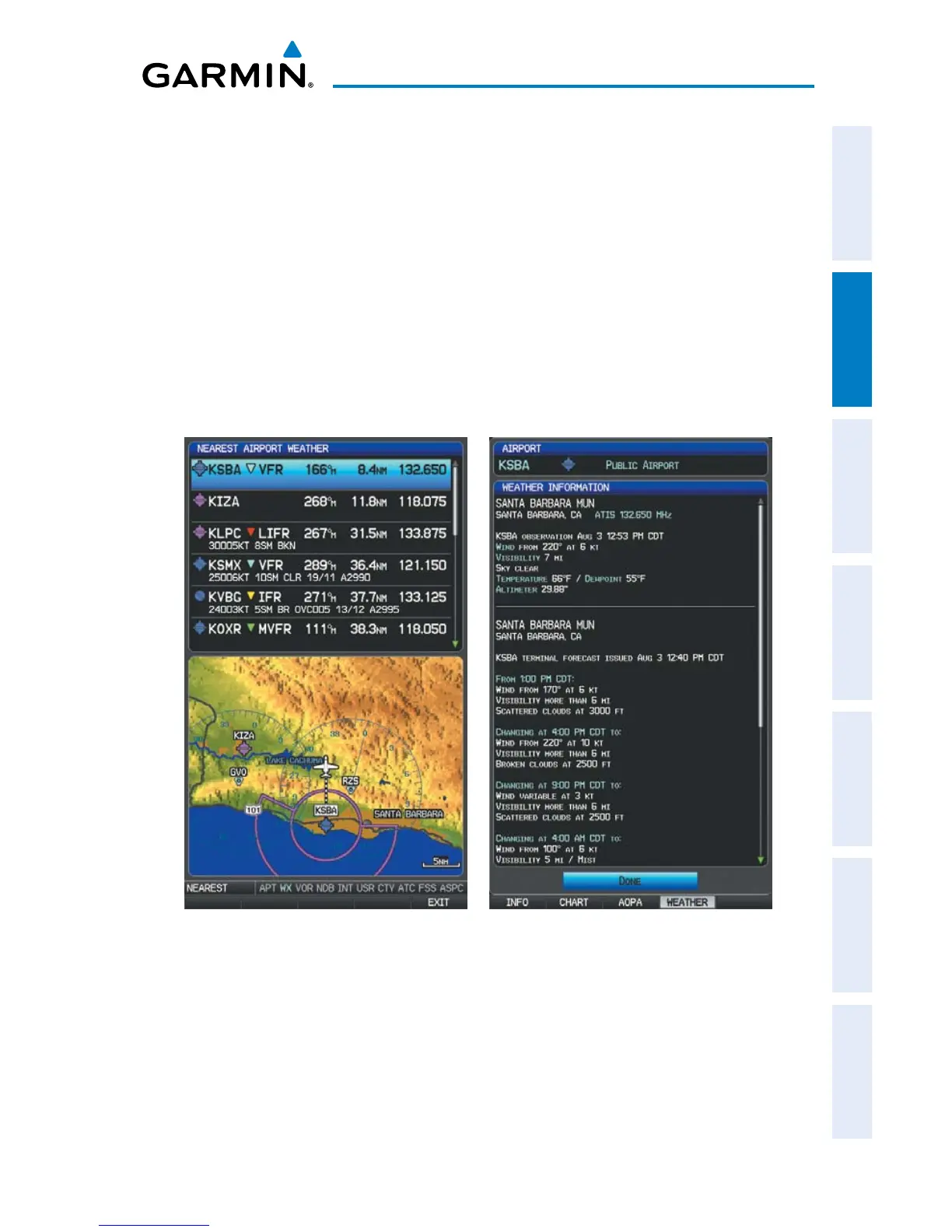
1)
Press the NRST Key.
2)
Turn the FMS Joystick to select the Nearest Airport WX Page. If Nearest
Airport Weather is not available, “None Within 200 NM” is displayed.
3)
Press the NRST Key again or press the FMS Joystick to highlight the first
airport in the nearest airport weather list. Turn or move the FMS Joystick
to highlight the desired airport weather.
4)
Press the ENT Key to display the Weather Information Page.
5)
Turn the FMS Joystick to scroll up or down on the page.
6)
To return to the Nearest Airport Weather Page, press the FMS Joystick, the
ENT Key, or the CLR Key.
Nearest Airport Weather Page Weather Information Page














 To Next Page