53 232003110G (03)
4.1.2.1 Networking Connectivity Setup
GCC laser engraver is built-in with LAN port to enable multiple laser engravers to be operated by one
PC and multiple PCs to share a single unit of laser engraver. Follow the setup instructions below.
Step 1. Connect LAN cable to the LAN port of GCC laser engravers and turn on machine
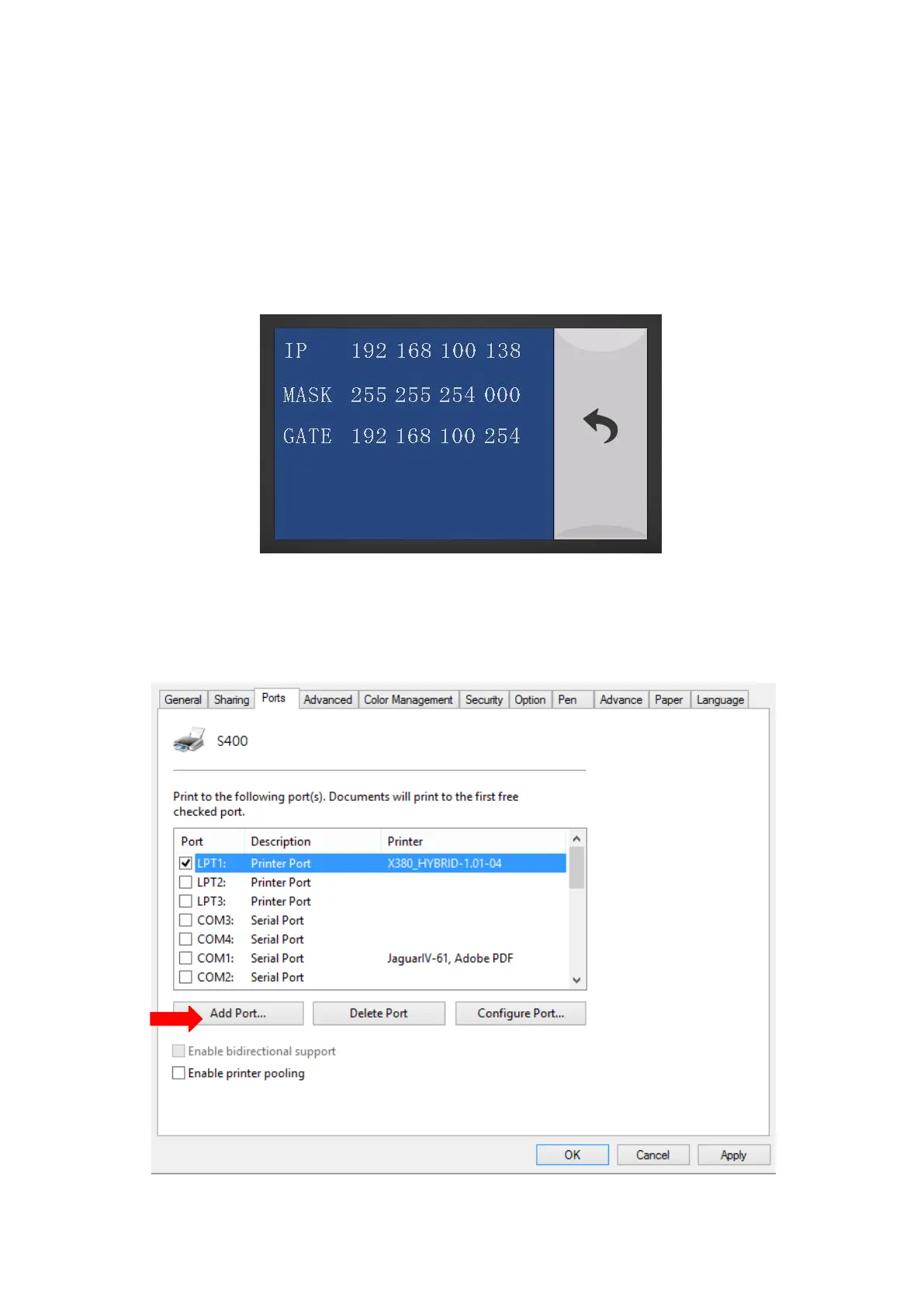
Step 2. Navigate the Touch Screen through <F4> Function <Machine Setting> <LAN Setup
Wizard> IP Address.
Step 3. Go to Windows <Control Panel> <Hardware and Sound> <Printer>, and right click on
S400 printer to check printer properties.
Step 4. Go to <Ports> tab of S400 printer properties, and select <Add Port>, and follow the instruction
to enter the TCP/IP information received from laser machine Touch Screen in step 2.



 To Next Page