83 232003110G (03)
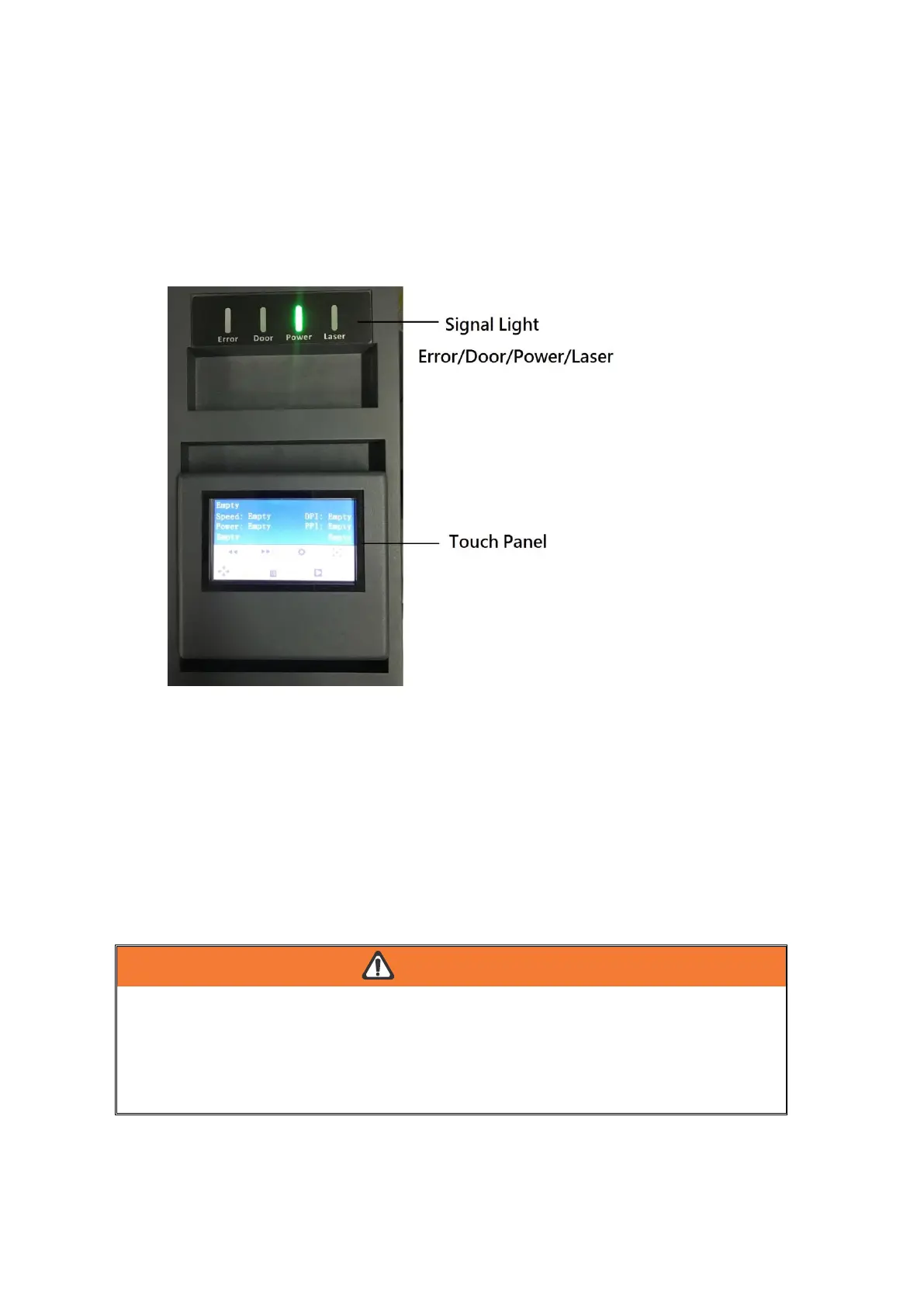
5.1.2 Touch Screen Overview
The Digital Touch Screen
The Touch Screen on the LaserPro S400 provides an easy access to all the manual control
needed for cutting and engraving. The liquid crystal display (LCD), functional, directional and
selection buttons make navigating through the machine’s manual contro l easy to do.
LED Indicator Lights
The four indicator lights on the LaserPro S400 Touch Screen are part of the system’s safety
interlock system.
Error - The power light will illuminate when machine finds any error.
• Door – The door light will illuminate when either the top lid or external pass through doors on
the LaserPro S400 are open or improperly closed.
• Power – The power light will illuminate when the LaserPro S400 is powered on.
• Laser – The laser light will illuminate when the laser is active and in operation.
・ DO NOT attempt to remove or modify any component of the safety interlock system.
・ If at any time, any of the access doors are open and the “laser” LED is illuminated, unplug
the laser system IMMEDIATELY and contact GCC technical support for service instructions.
・ DO NOT operate the laser system if any component of the safety system is
malfunctioning.



 To Next Page