56 232003110G (03)
4.1.2.2 Ethernet Connectivity Setup
GCC laser engraver is built-in with LAN port to transmit data from PC to laser engraver with ease and
higher speed instead of USB port option.
Step 1. Connect LAN cable to the LAN port of GCC laser engravers and turn on machine
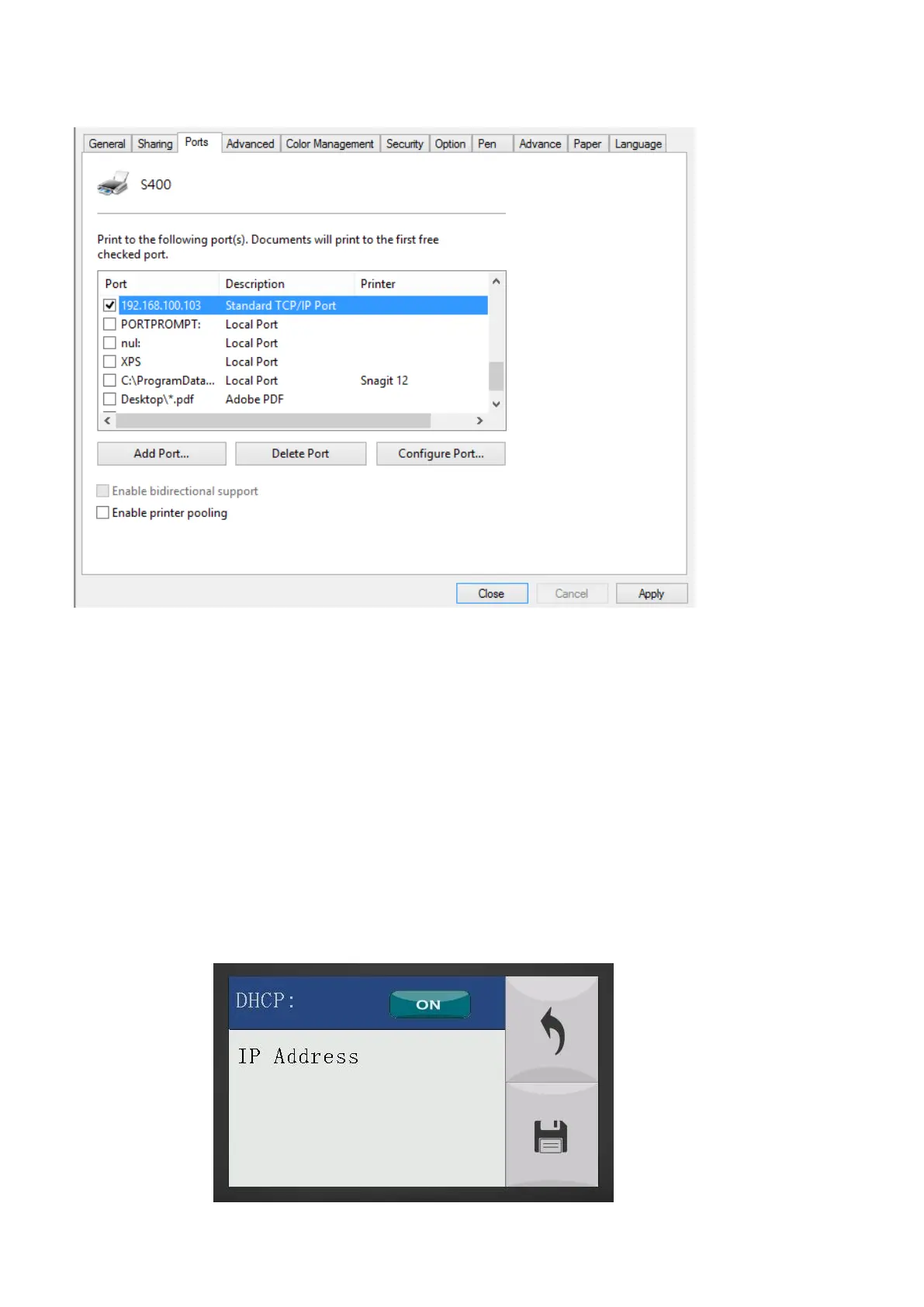
Step 2. Navigate the Touch Screen through <F4> Function <Machine Setting> <LAN Setup
Wizard> DHCP: OFF.
Step 3. Navigate the Touch Screen through <F4> Function <Machine Setting> <LAN Setup
Wizard> IP Address.
Step 4. Enter 192,168,3.X (X refers to 1~255 value which can’t be the same value with IP address
setting in PC or Notebook) for IP, and 255.255.255.0 for MASK with UP/ DOWN keys.



 To Next Page