57 232003110G (03)
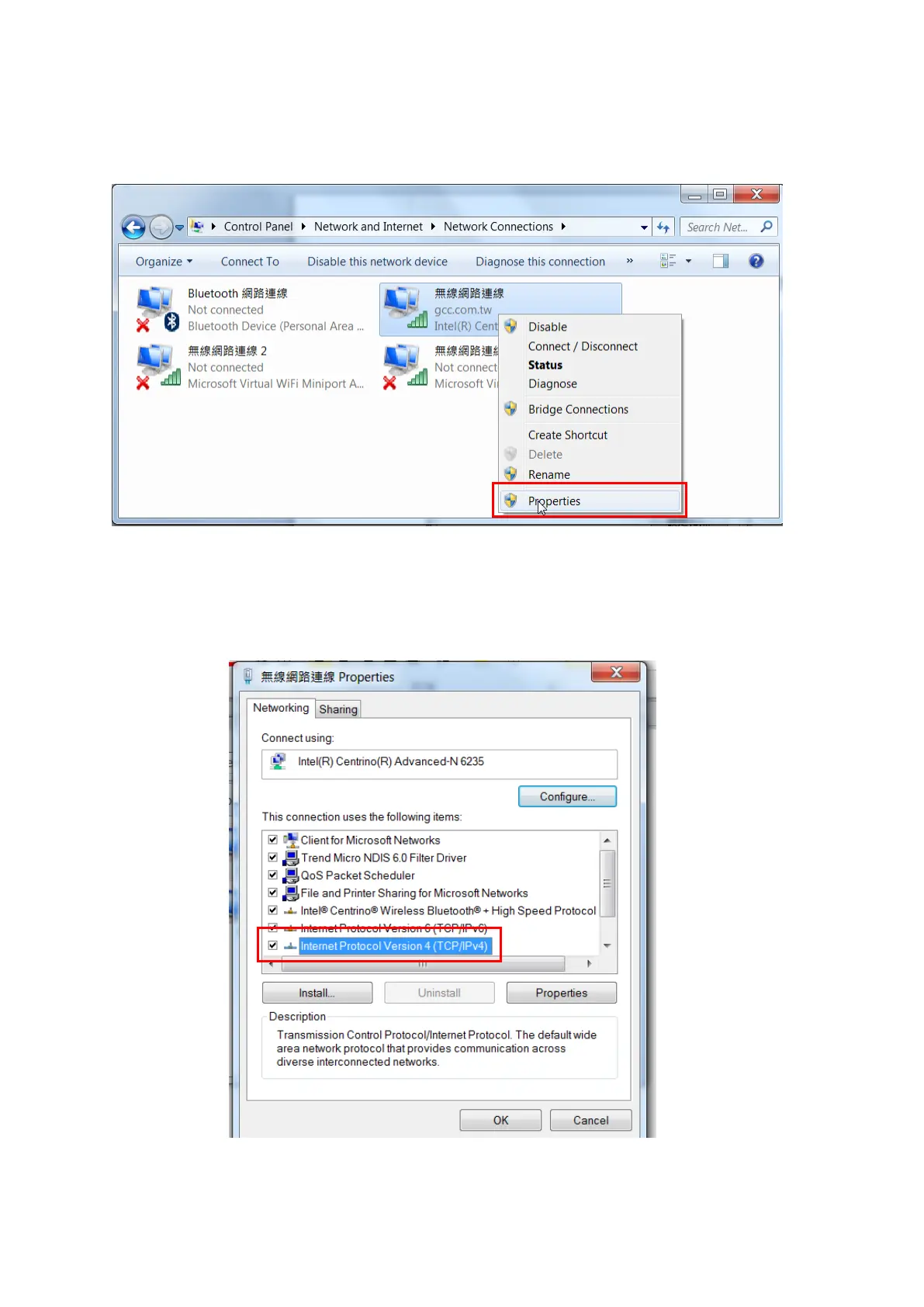
Step 5. Go to <Control PanelNetwork and InternetNetwork Connections> of computer, right click
mouse on the connected internet device, and choose <Properties>
Step 6. Choose the <Internet Protocol Version 4(TCP/IPv4)> and click <Properties> to open up the
setting window.
Step 7. Enter the IP address and Subnet mask setting values, and choose <OK>



 To Next Page