124 232003110G (03)
5.2.3.2 S400 Print Driver >> Pen Page
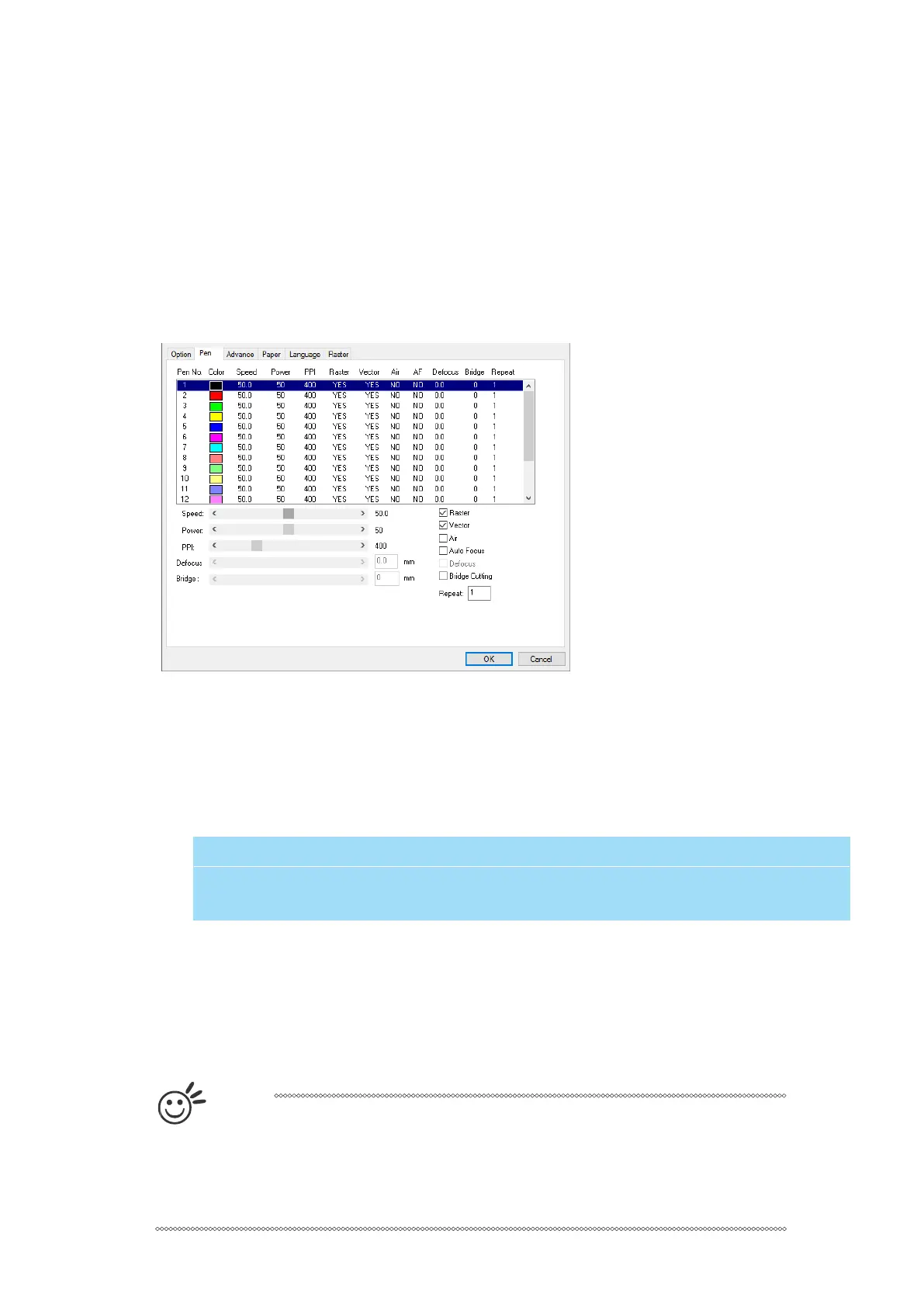
The LaserPro S400 incorporates the use of 16 different colors to represent 16 different laser
power and speed settings when cutting and engraving. These colors are referred to as “Pens”.
Think of each pen as a designated laser setting, rather than as a color. As an example, a black
and white image will use only one power and speed laser setting (Black). An image that is
made up of black, red and blue colors will be processed using the laser settings designated for
each particular color. In order to utilize up to 16 different pens (laser parameter settings), make
sure your graphics software can recognize and utilize the 16 pen colors designated by the
S400 print driver.
If you would like to specify your own colors to designate to a particular laser setting, then all
you have to do is to double-click on that particular pen color from the pen menu and a color
manager window will open where you can select “define custom colors” to define your own
color (shown in the picture below). This is useful when your image is composed of colors that
are not part of the pen menu’s default color selection, and instead of modifying your image, you
simply assign the laser settings based on the existing colors depicted from your current image.
Speed (Pen Page) [DEFAULT SETTING: 50]
The speed slider control the laser’s speed during operation (engraving speed) with settings
ranging from 0.1 – 100%. Keep in mind, the speed setting refers to the lens carriage moves at
when cutting or engraving straight lines. The machine will automatically slow down when
processing curves.
T
i
p
Cutting / engraving depth and quality are determined by a combination of power
and speed. Slower speeds at higher power will produce deeper cuts and
engravings, whereas higher speeds at lower power will produce more shallow
cuts and engravings.
The S400 print driver cannot store more than 16 pen colors or different laser parameter
settings per file.



 To Next Page