66 232003110G (03)
Step 4. Checking the Print to file checkbox and click the Print button.
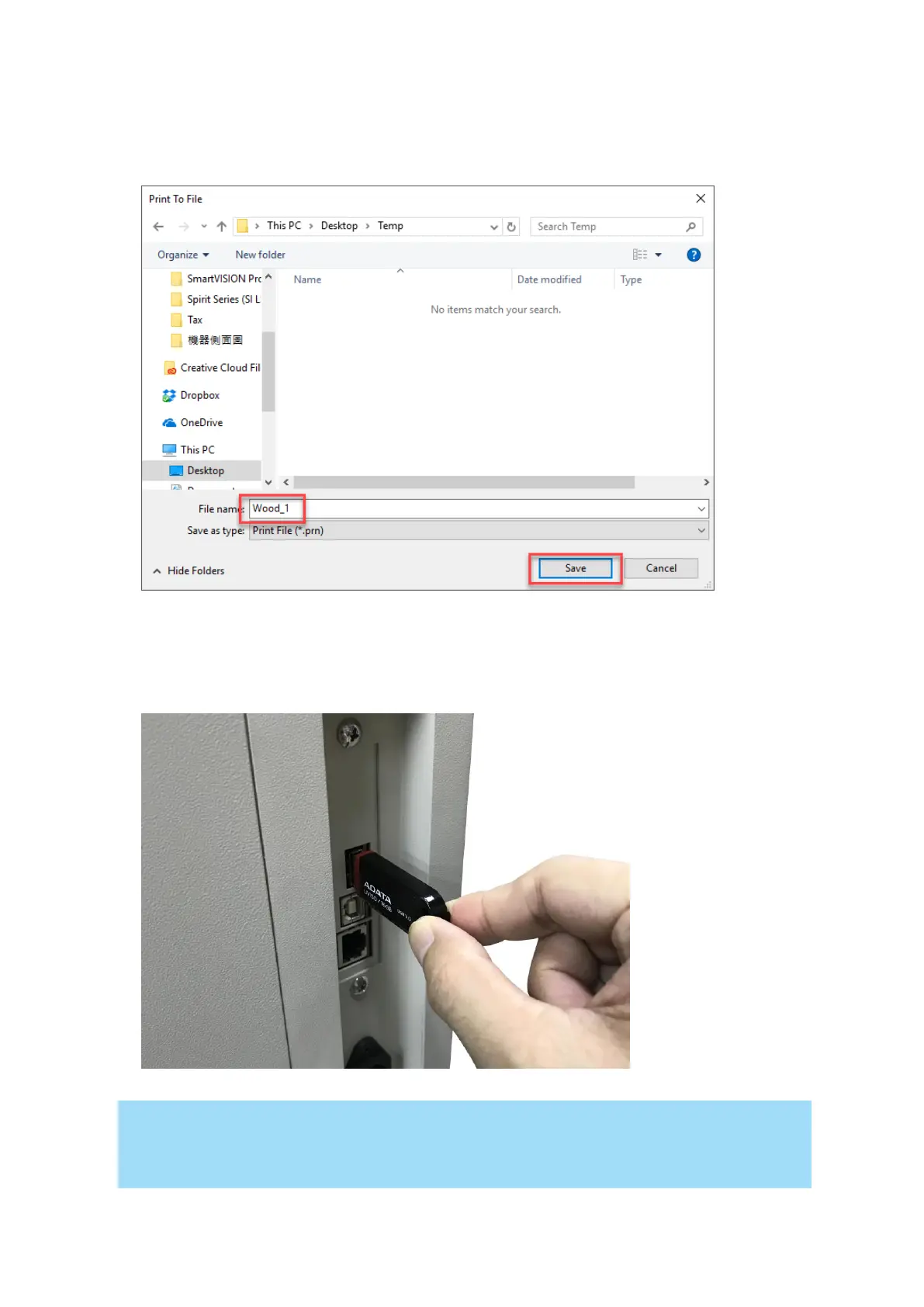
Step 5. Select the save folder and define file name, then click “Save” to convert
Step 6. Move the file to the USB flash drive
Step 7. Insert USB flash drive to the USB Storage port of GCC laser engravers.
• USB storage function only supported for the PRN format, you can convert the file to PRN
format from the GCC LaserPro printer driver.



 To Next Page