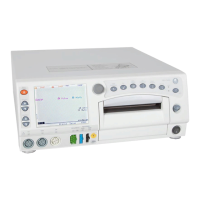
6-26 250 Series Maternal/Fetal Monitor Revision D
2020551-001
Parts List, Drawings, and Replacement: Assembly/Disassembly of FRUs
2025177-023 Keypads
1. Remove top cover. Keep screws aside.
2. Remove two screws fastening DSP board to chassis.
3. Remove DSP board from Main board.
4. Disconnect 8-conductor Inverter cable from DSP board connector J1.
5. Disconnect 20-conductor DSP-to-LCD Decoder ribbon cable from DSP board
connector J2.
6. Disconnect 10-conductor DSP-to-Keypad ribbon cable from DSP board
connector J5.
7. Remove one flat-head screw from each side of the monitor fastening the front
bezel to chassis.
8. Tilt the front bezel forward, away from the chassis.
9. Disconnect 10-conductor Keypad-to-Volume ribbon cable from Volume board
connector.
10. Remove screw fastening Display mounting bracket to front bezel.
11. Remove screw fastening bracket to Display assembly.
12. Remove four screws fastening Volume board and side keyboard pad to front
bezel.
13. Remove Volume board and side keyboard pad.
14. Disconnect Encoder cable from Keypad board.
15. Remove two screws fastening Keypad bracket to front bezel.
16. Remove Keypad bracket.
17. Remove four screws fastening Keypad to front bezel.
18. Remove Keypad board and main keyboard pad.
19. Insert new Keypad board and main keyboard pad into front bezel.
20. Fasten Keypad to front bezel with four screws.
21. Connect Encoder cable to UI Keypad board.
22. Fasten Keypad bracket to front bezel with two screws.
23. Insert new Volume board and side keyboard pad into front bezel.
24. Fasten Volume board and side keyboard pad to front bezel with four screws.
25. Fasten bracket to Display assembly with screw.
26. Fasten bracket to front bezel with screw.
27. Connect 10-conductor UI Keypad-to-Volume ribbon cable to Volume board
connector.
28. Tilt the front bezel back onto chassis. Refasten screws to each side of chassis.
29. Connect 10-conductor DSP-to-Keypad ribbon cable to DSP board connector J5.
30. Connect 20-conductor DSP-to-LCD Decoder ribbon cable to DSP board
connector J2.


 To Next Page
 Loading...