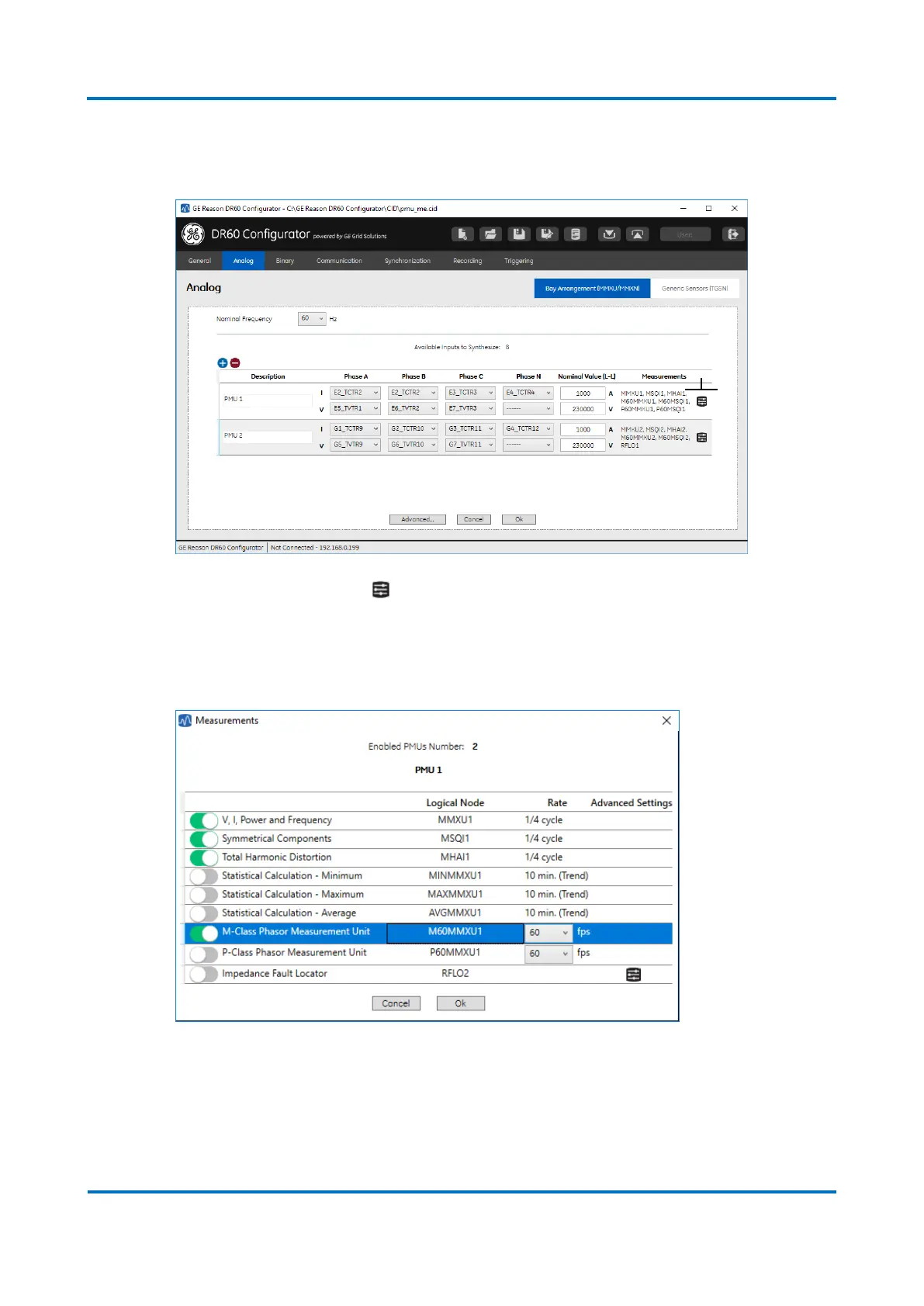
1) Go to the Analog configuration tab and add a new circuit. Configure the physical
inputs and transformer ratios.
2) Click (A in the figure above), the screen below will show up. Activate the
PMU Class and select the fps configuration. Every PMU is mapped in separate IEC
61850 logical node. Fore more detail on these configuration screens, refer to
Chapter 4 – Configuration; 5.2.1 Bay Arrangement (MMXU/MMXN)
3) A new dataset containing the PMU synchrophasor, frequency and rate of change of
frequency will be created automatically for each PMU circuit and class. The
datasets can be access on the Dataset configuration tab shown in the figure below.
For more details on the Dataset configuration tab, refer to Chapter 4 –
Configuration; 5.4.2 Datasets



 To Next Page