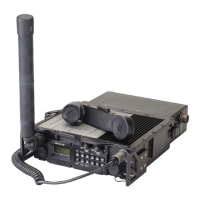
General Dynamics C4 Systems URC-200 (V2)
114
o. Move the cursor to the Pos (Position) position and depress the "move up" or "move
down" soft keys as appropriate to center the displayed scope screen trace. The TUNING
knob on the R2600 panel may be used in lieu of the "move up" or "move down" soft keys.
p. Adjust both the SQUELCH and VOLUME controls on the front panel to their maximum
CCW positions.
5. Setup the URC-200 (V2) as follows:
a. Turn the transceiver on and note the input current. It should be approximately 240mA. If
the current exceeds 330mA, a problem exists in the transceiver. Turn off the power and
troubleshoot the transceiver.
b. Set the frequency presets as listed in Table 22 on the URC-200 (V2). For each preset
channel, adjust the URC-200 (V2) for the following:
AM, LO POWER, CT, SCN OFF, BCN OFF
To configure presets, refer to Paragraph 4.4.6.
6. Transmitter AM CT % Modulation and Distortion Measurements:
a. Set the presets on both the URC-200 (V2) and the R2600 to channel 01. Verify the URC-
200 (V2) is in the LO POWER mode.
b. Key the transceiver into the R2600 test set and read the AM modulation on the R2600
screen. Verify compliance with Table 1. In keying the transceiver the PTT line, pin F, will
be grounded.
c. Observe the scope display on the R2600, it should be showing a square wave 1 kHz
signal.
d. On both the URC-200 (V2) and the R2600 repeat steps A through C for preselect
channels 2 through 9 and channel 0 on the URC-200 (V2) with the R2600 set on preset
channel 10.
5.3.3.6 Beacon
1. Set up the test equipment as shown in Figure 17.
Connect the VERT/SINAD/DIST/DVM/COUNTER IN connector to the DEMOD
connector on the R2600. On the R2600 connect the MOD OUT connector to pin B of the
REMOTE connector on the URC-200 (V2). Do not connect the PTT (Push-to-Talk) line
(pin F) to ground. Note: When the PTT line is grounded the URC-200 (V2)'s transmitter
will key itself ON.
2. Set the input power supply to 28 ±1 VDC.
3. Preset the R2600 by performing the following steps.
a. Press the MEM (Memory) key on the R2600 panel for the preset-screen.
b. Use the CURSOR POSITION keys to highlight preset 08.
c. Press the "view preset" soft key.


 To Next Page