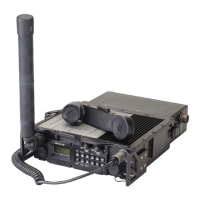
General Dynamics C4 Systems URC-200 (V2)
78
i. Move the cursor to the Display position and depress the "EXT SCOPE" soft key.
j. Move the cursor to the Coupling position and depress the "AC" soft key.
k. Move the cursor to the Trigger position and depress the "AUTO" soft key.
l. Move the cursor to the Trigger Lvl (Trigger Level) position and enter 500 from the
keypad.
m. Move the cursor to the Horiz (Horizontal) position and depress the "500 us" soft key.
n. Move the cursor to the Vert (Vertical) position and depress the "1 V" soft key.
o. Move the cursor to the Pos (Position) position and depress the "move up" or "move
down" soft keys as appropriate to center the displayed scope screen trace. The TUNING
knob on the R2600 panel may be used in lieu of the "move up" or "move down" soft keys.
p. Adjust both the SQUELCH and VOLUME controls on the front panel to their maximum
CCW positions.
5. Setup the URC-200 (V2) as follows:
a. Turn the transceiver on and note the input current. It should be approximately 240mA. If
the current exceeds 330mA, a problem exists in the transceiver. Turn off the power and
troubleshoot the transceiver.
b. Set the frequency presets as listed in Table 21 on the URC-200 (V2). For each preset
channel, adjust the URC-200 (V2) for the following:
FM, PT, SCN OFF, BCN OFF,
To configure presets, refer to Paragraph 4.4.6.
6.
On the R2600, do the following:
a. Verify the "AC VOLTS" is on in the Meter position of the DISP (Display) segment.
b. Verify the "AUTO" is on in the Range position of the DISP (Display) segment.
c. Set the presets on both the URC-200 (V2) and the R2600 to channel 01. Adjust the
Volume control on the URC-200 (V2) to give an output level of 1.0 VAC ±0.1 VAC as
read on the R2600 display.
d. Receiver FM PT Sensitivity Measurement: Move the cursor to the Meter position and
depress the "SINAD" soft key. Depress the RF key on the R2600 panel and move the
cursor to the Output Lvl (RF Output Level) position. Position the highlight to the one-
tenth position by depressing the RIGHT ARROW CURSOR POSITION key three times.
Rotate the TUNING control counter-clockwise on the R2600 panel until an average of 10
dB of SINAD is read on the CRT display. Verify compliance with Table 1.
e. Readjust the Output Lvl back to -50 dBm by rotating the TUNING control clockwise to
-50 dBm. This can also be accomplished by moving the highlight back to the beginning of
the Output Lvl position by using the CURSOR CONTROL keys and then entering -50
dBm on the keypad.
f. Receiver FM PT Distortion Measurement: Depress the DISP (Display) and move the
cursor to the Meter position. Depress the "EXT DIST" (External Distortion) soft key. The


 To Next Page