Appendix C: TDES Key Installation Operator Manual
G1900™
© Genmega 2011
C.7
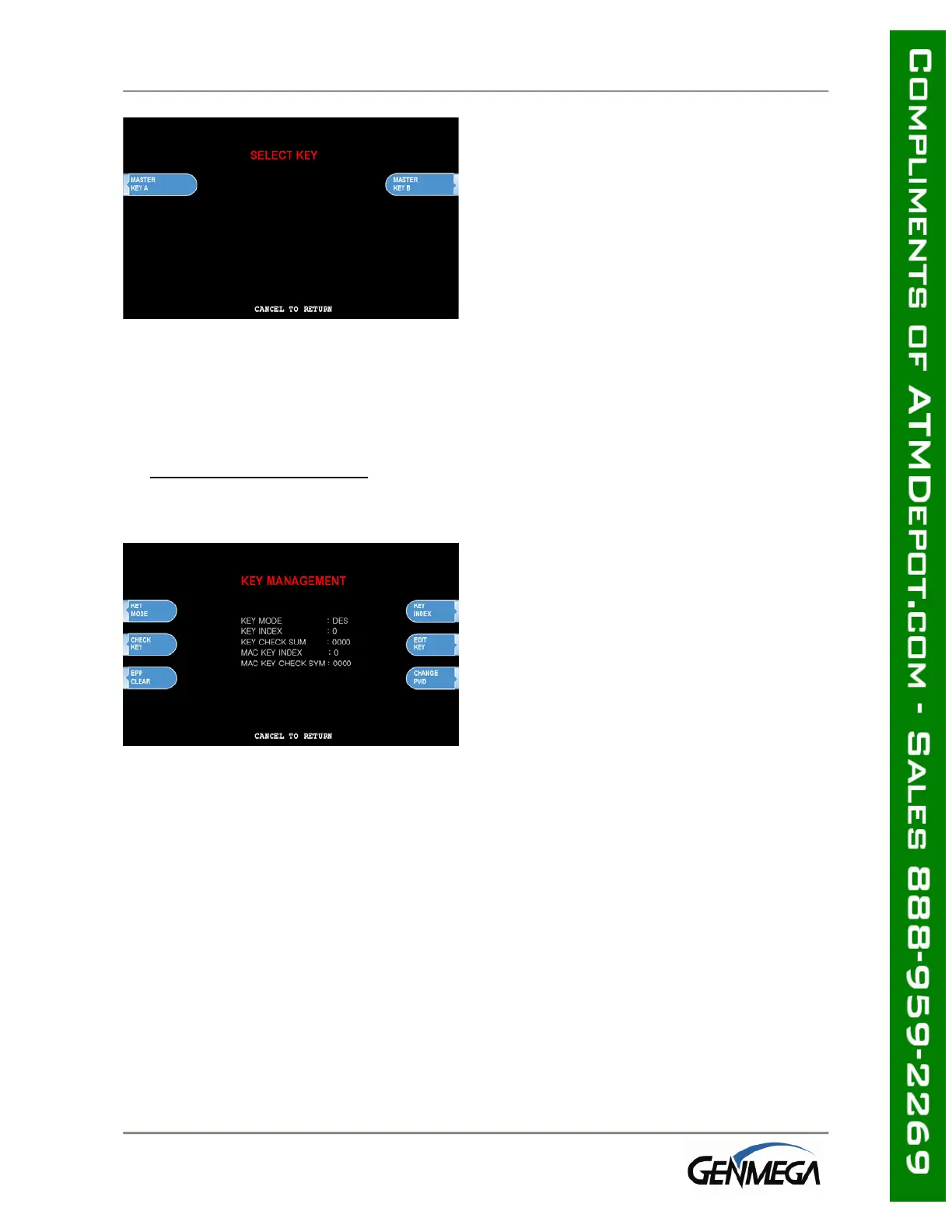
After successfully entering both the left and
right portions of Part A, you’ll be returned to
the Edit Master Key menu.
At this point you can proceed with Part B, or
if Part B is to be entered at a later time you
can exit the menu and power off the
machine until both halves of the key are
entered.
Part B is entered with the same procedure given for Part A. Enter the left and right (for
TDES) portions of the keys and verify the check digits against what has been provided by
the processor.
3) Verifying Master Key
Once both Part A and Part B have been
entered successfully, the key management
menu will display a check digit for the key
index where the master key was entered. If
no check digit is entered, use the check key
screen to determine where the key parts
were entered, then re-enter the keys as
necessary.
At this point, the master key is successfully entered. If all other parameters have been
entered properly, power off the ATM and power on to connect to host and initialize the
keys.



 To Next Page