22
796688 (4188-657)_i2 _06/03
Hardware link
P19
C128
P1
1
2
3
EEPROM
enable
Electronic module
To allow data to be saved to
EEPROM
P1
1
2
3
EEPROM
enable
To write protect EEPROM
P1
1
2
3
EEPROM
enable
On making changes to the panel set up the modified
entries must be saved to the EEPROM located inside the
panel. To allow the changed data to be saved to the
EEPROM, a hardware link must first be configured.
A trained engineer must carry out any changes
to the system configuration.
Open the panel door using the
allen key
supplied in
the spares pack.
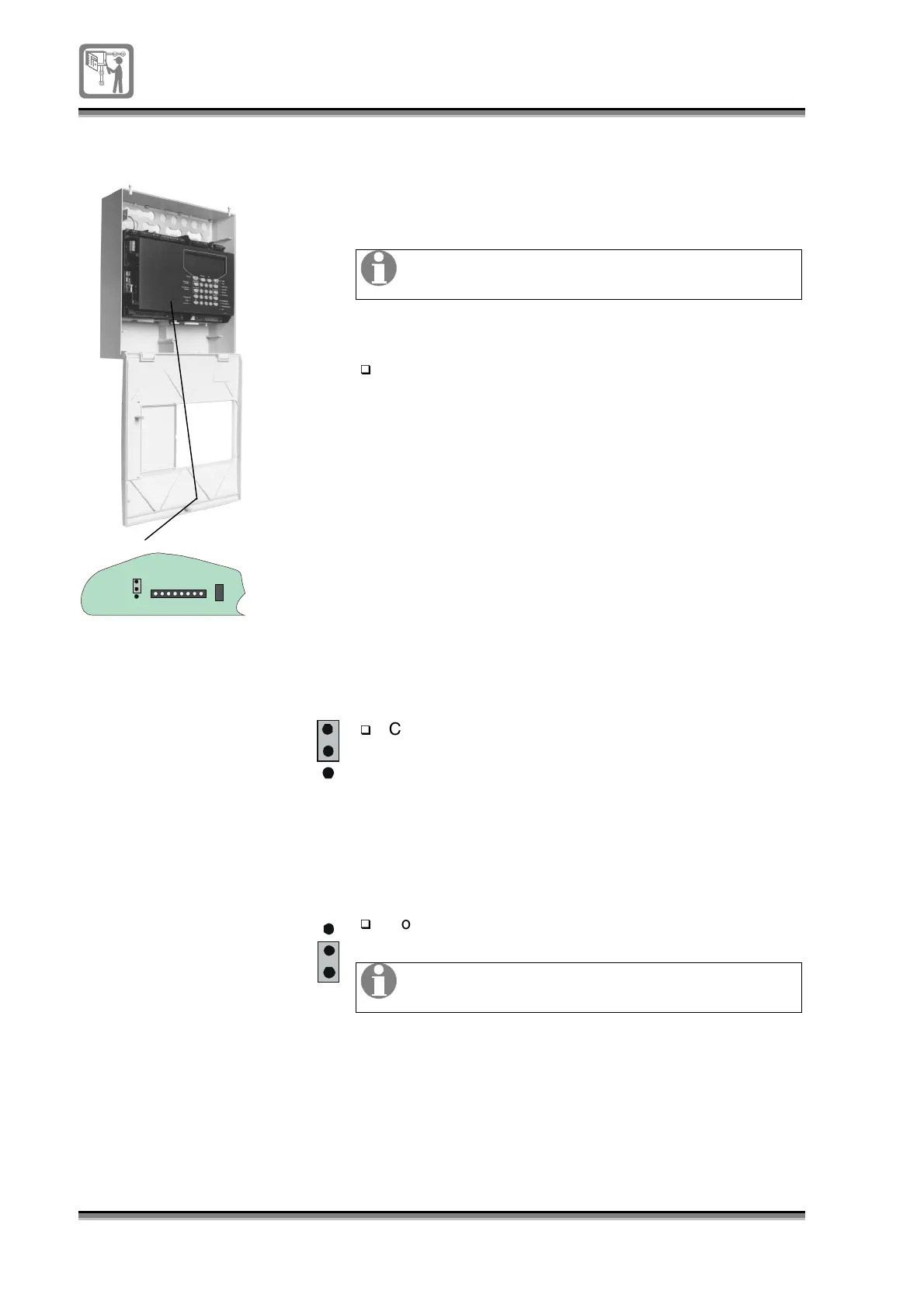
The hardware link is located mid-way on the bottom
face of the electronic module.
Configure the link to position 1-2.
Configure the link to position 2-3.
Always leave the EEPROM link in the protected
position after saving data.


 To Next Page