42
796688 (4188-657)_i2 _06/03
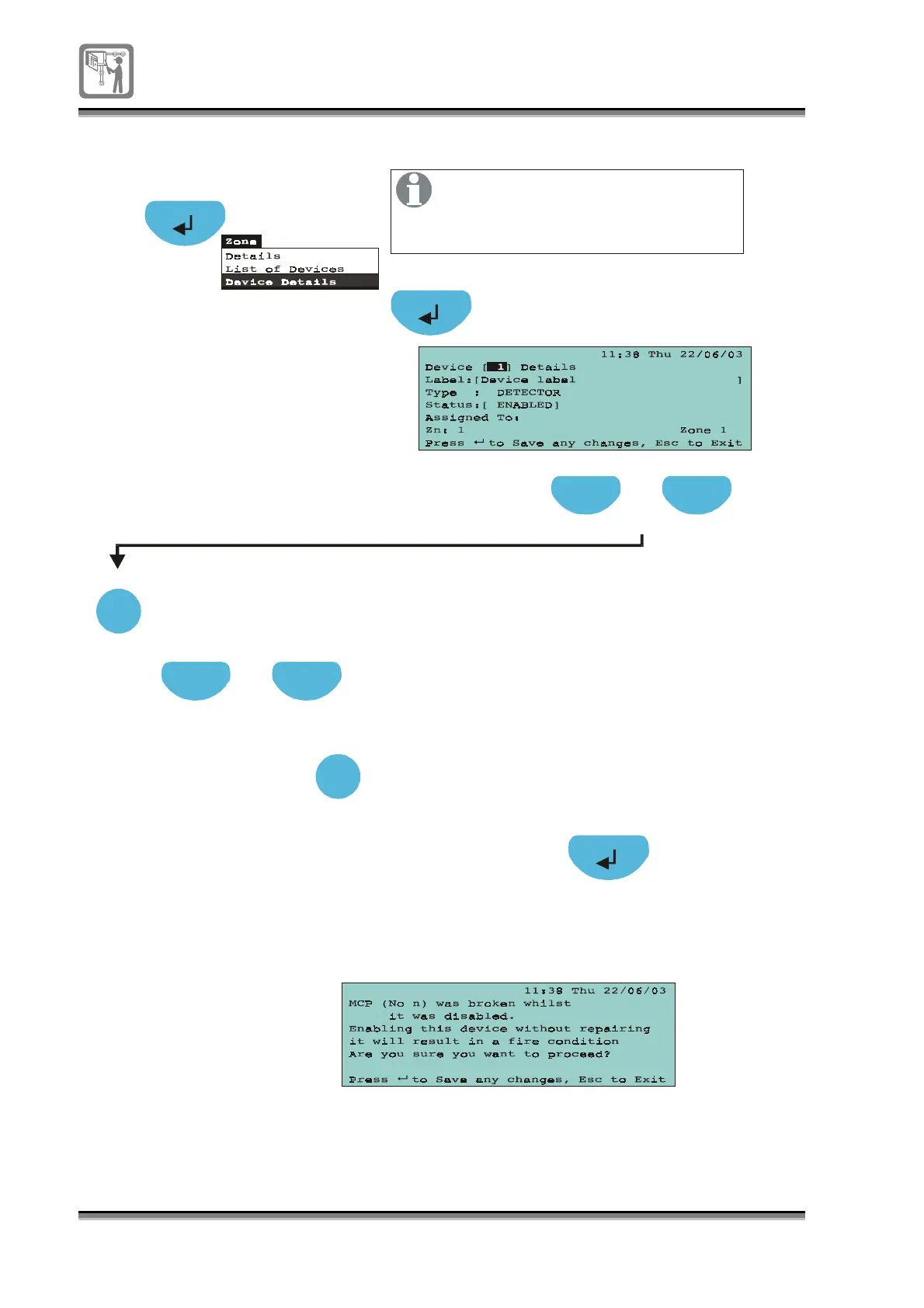
To enable / disable a device
A2
Press select to chan
e to a
required device number
Select
Press to select [Status] field
Previous Next
Press to select [Device] field
Previous Next
Press select to to
le
ENABLE/DISABLE
Select DISABLE to disable the device
or ENABLE to enable the device
Select
Select
Previous Next
Select
I
essa
e
appears on enablin
the device
f the call point
lass
is broken durin
disablement,
then the followin
m
This operation will allow disablement
and enablement of devices like
detectors and manual call points
on the loop.


 To Next Page