36
796688 (4188-657)_i2 _06/03
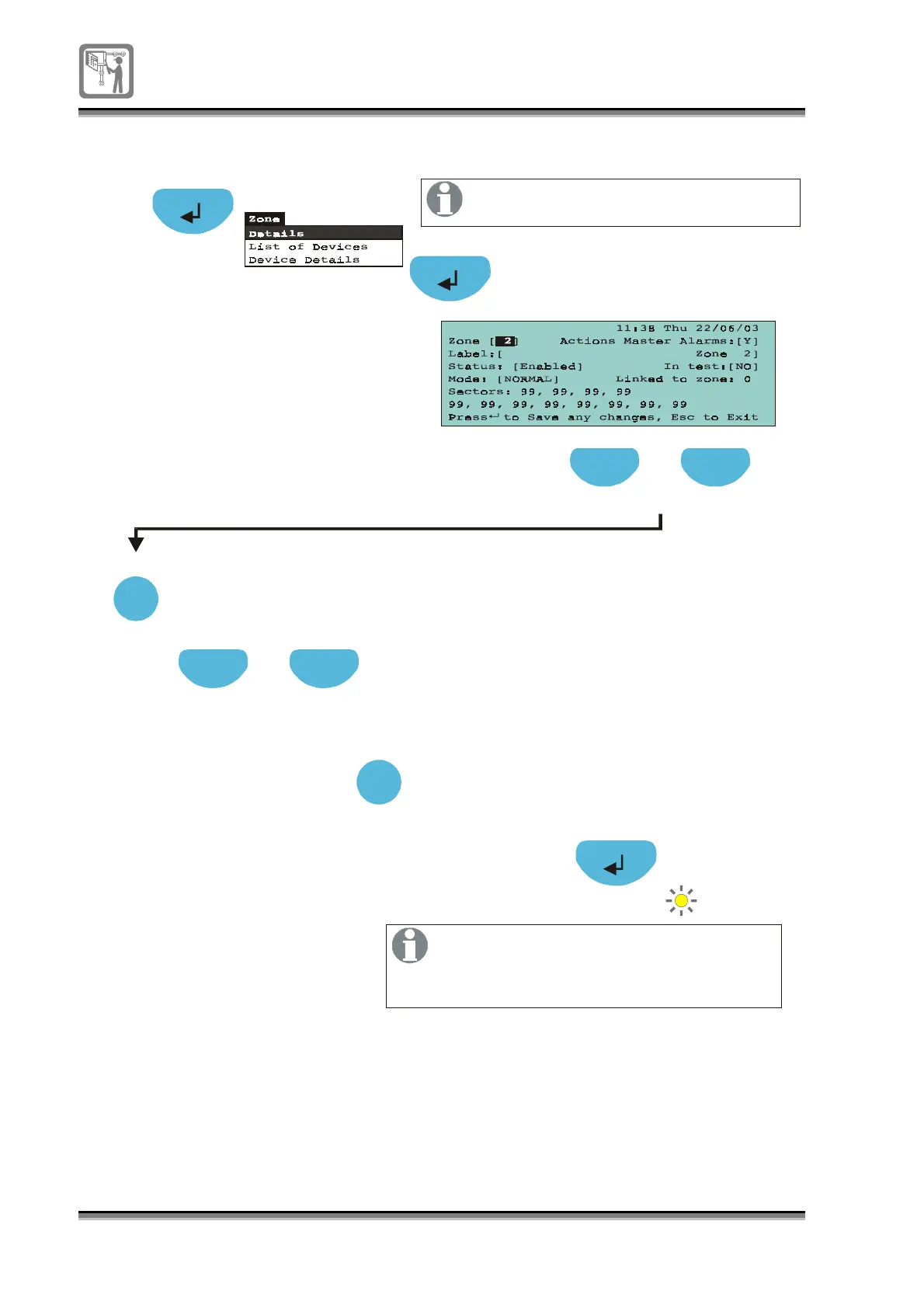
To put a zone in and out of Test mode
Press to select a [Zone] field
Press select to chan
e to a required
zone number
Previous Next
Select
A2
Press to select In Test field [ ]
Previous Next
Press select to to
le
NO/YES
Select NO to take zone out of test
or YES to put the zone in test
Select
Test
If a zone is put into test mode the panel
will see the zone fire events as test fires.
When a zone is in the test mode and a
device in the zone is put into fire condition,
the alarms will sound for a short duration
and the device is reset thereafter.


 To Next Page