38
796688 (4188-657)_i2 _06/03
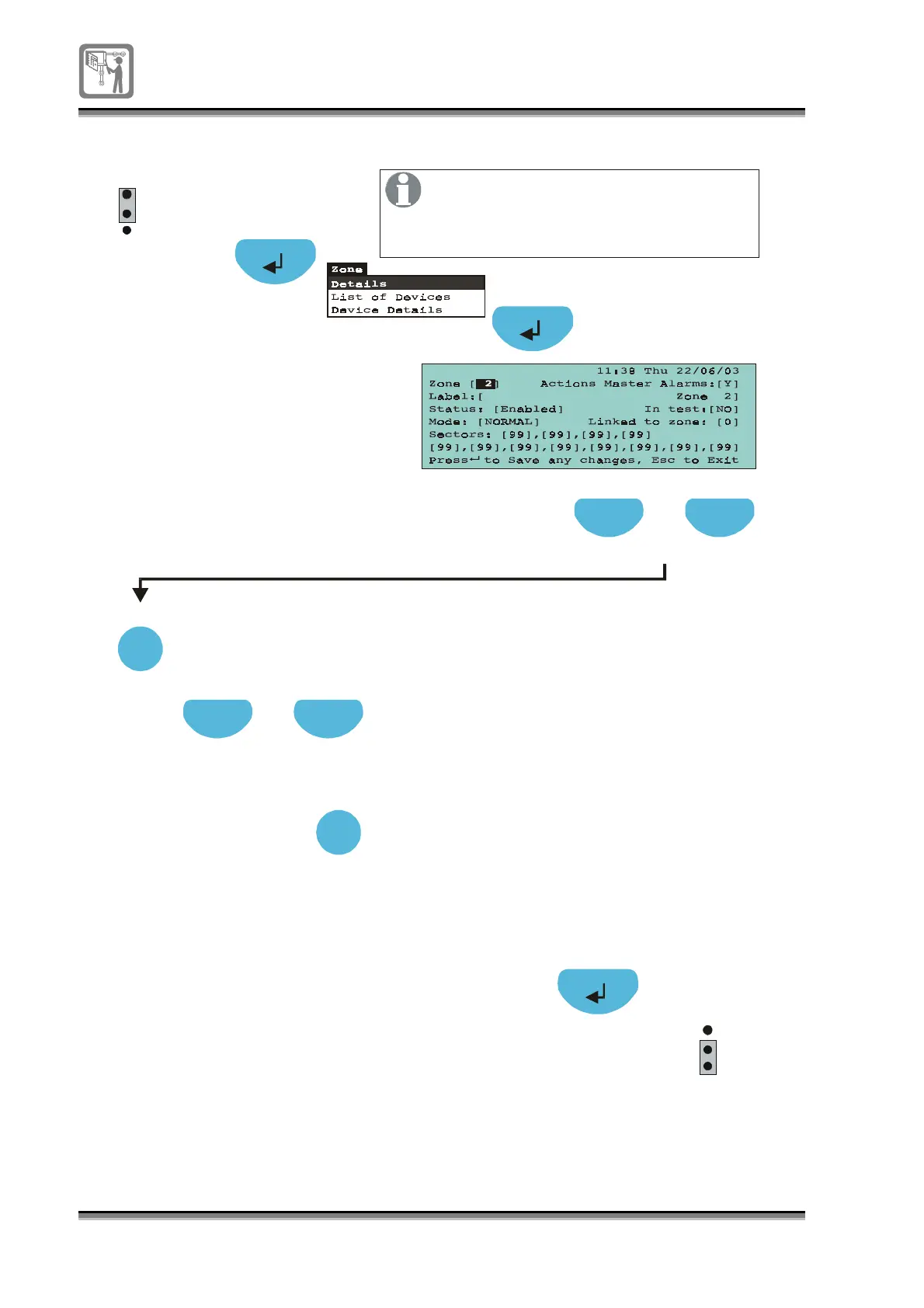
To put a zone in false alarm rejection mode
Press to select [Zone] field
Press Select to chan
e to a required
zone number
Previous Next
Select
A4
Press to select [Mode] field
Previous Next
Press S elect to to
le
NORMAL / FA-REJECTION
2-DETECTOR / 2-ZONES
Select
1
2
3
P1
EEPROM
enable
1
2
3
P1
EEPROM
enable
Where a zone is susceptible to false
alarms, a greater immunity to spurious
alarms is possible by putting the zone
in FA rejection mode.
Select NORMAL for normal operation,
FA-REJECTION for false alarm rejection,
to give greater immunity to spurious alarms,
# 2 DETECTOR for two detector coincidence,
# 2 ZONE for two zone coincidence.
# expained later


 To Next Page