26
796688 (4188-657)_i2 _06/03
Operating instructions
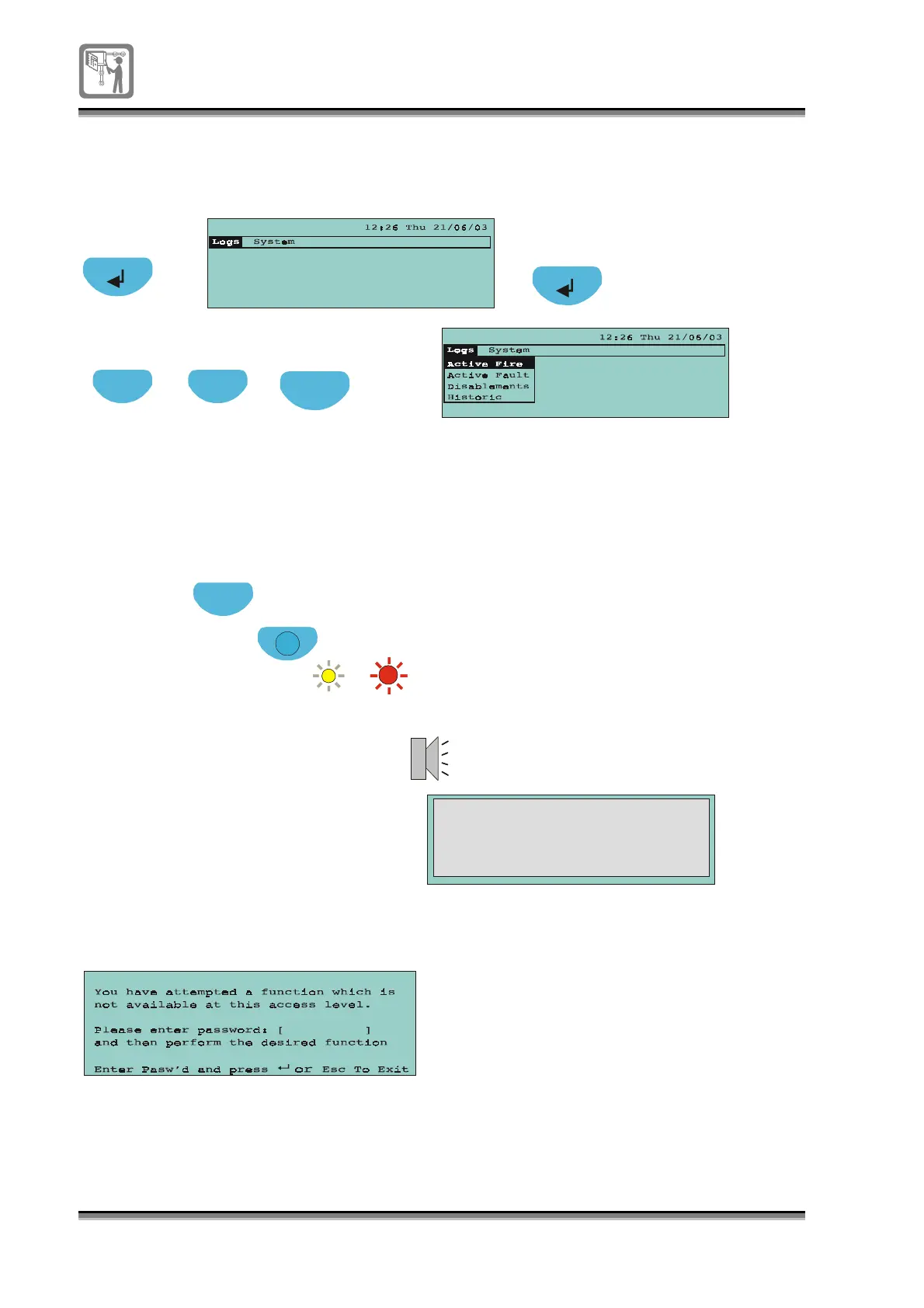
To select a menu option
To carry out a display test
Press to view
top level menu
Previous Next
Press to hi
hli
ht option
Press to enter
a selection
Esc
Press to return to
previous menu level
Display Test
Functions that are not accessible at an access level
All the LEDs illuminate
for a short duration
Esc
Display Test
All the LEDs illuminate
for a short duration
A2 A1
or
if configured
If you select a function that is not accessible at the current access level
then you will
et the followin
messa
e:
Esc
(A coded entry may be required for this command)
NOTE: is not possible if the menu or a form is displayed.
Display test


 To Next Page