GA5000 gas analyser OMGA5KN4.4
Copyright Geotech Page 31 of 113
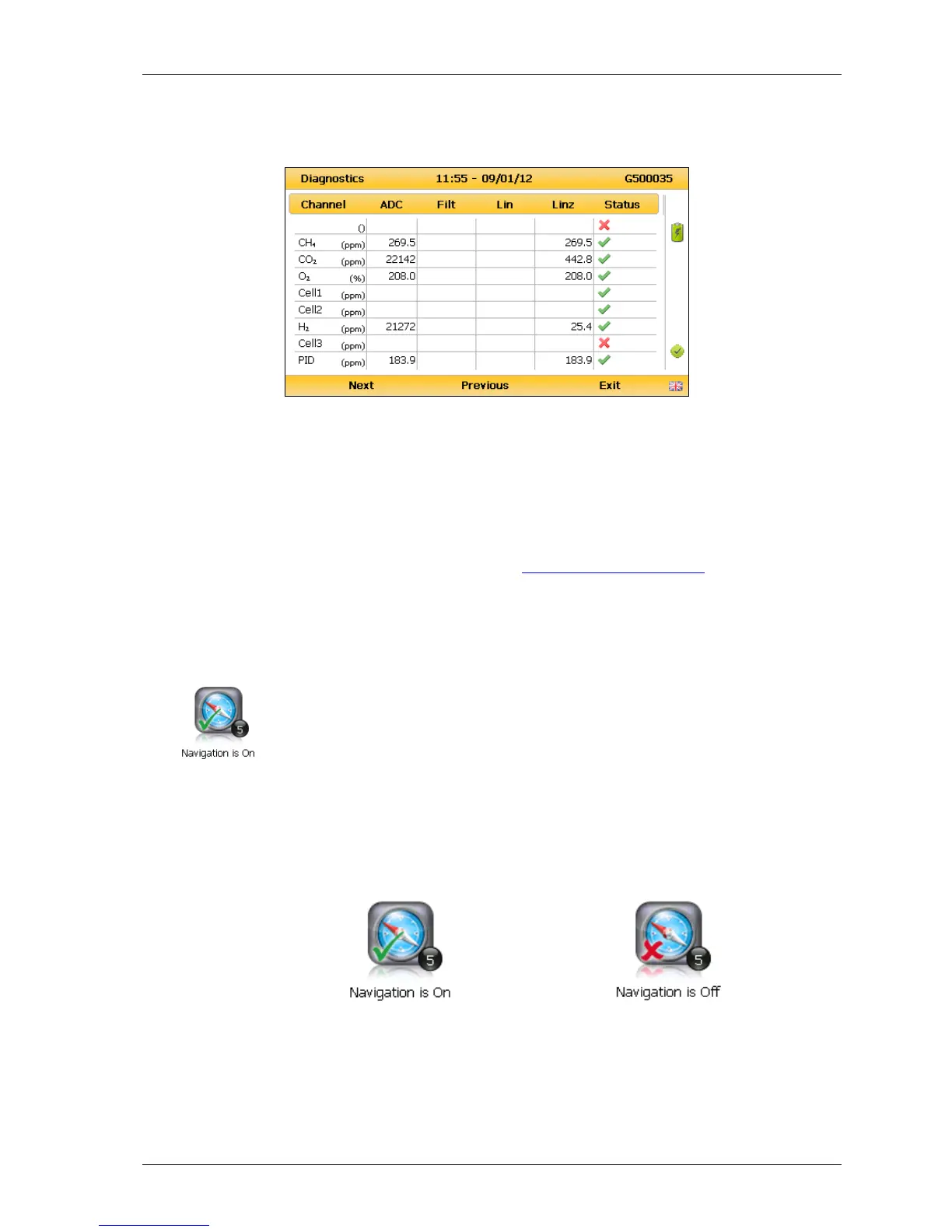
2) Select ‘Key 4 – Diagnostics’ and the following screen is displayed:
Diagnostics
3) Select soft-key ‘Next’ to display the next screen, ‘Previous’ to return to the previous
screen, or select soft-key ‘Exit’ to exit this screen and return to the ‘Device
Settings’ menu.
Note: For further information please contact Technical Support at Geotech on
+44(0)1926 338111 or email technical@geotech.co.uk.
7.2.1 Navigation (optional)
This option enables the operator to switch the ‘GPS Navigation’
functionality on or off. (This is optional and dependent upon
purchasing the navigation option).
1) Select the ‘Menu’ key and the ‘Device Settings’ menu is displayed.
2) Select ‘Key 5 – Navigation On’ to switch on the GPS navigation functionality or ‘Key
5 – Navigation Off’ to switch the GPS navigation functionality off.



 To Next Page