OMGA5KN4.4 GA5000 gas analyser
Page 36 of 113 Copyright Geotech
7.3.4 Routes
Using the optional Gas Analyser Manager Software (GAM) you can upload a route, this is
a predefine list of IDs that you can go through in an order. This feature is useful if you
have a certain order to complete your IDS in.
Furthermore if your GA5000 has v1.12 or higher firmware it will strike through your IDs
once you have used them.
Note: If the analyser is set to “route mode” (v1.12 and above), the filter box
will no longer be there, as you cannot filter in this mode. It will be
replaced by “Route” and the route name.
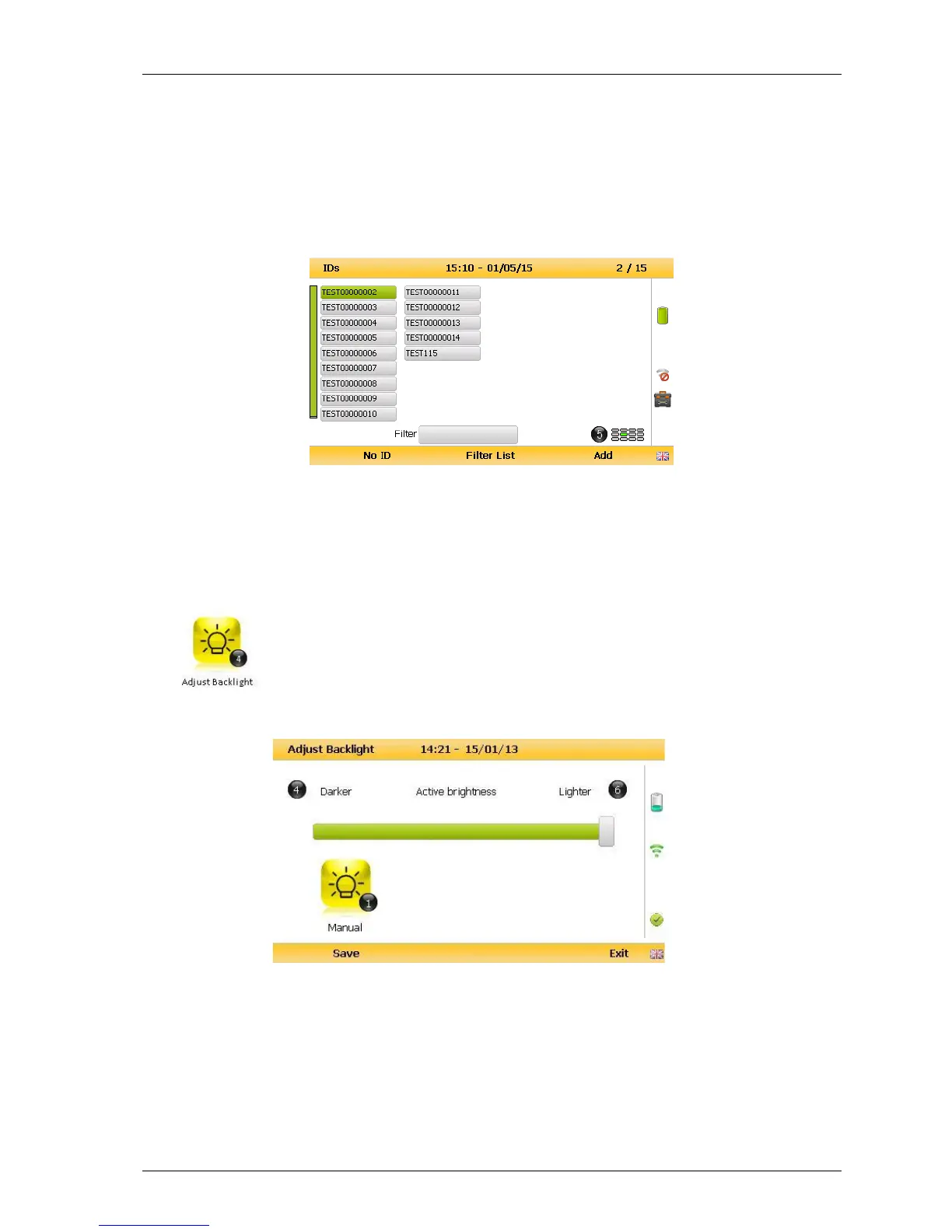
7.3.5 Adjust backlight
This option enables the operator to adjust the backlight (brightness).
Having this set to a darker setting will help preserve the battery power
1) Select ‘Key 4 – Adjust Backlight’ and the following screen is displayed:
2) Keys 4 and 6 can be used to adjust the brightness of the display screen.
‘Manual’ disables the backlight timeout.
3) Select the soft-key ‘Save’ to store the setting or select soft-key ‘Exit’ to exit the screen
without saving the change.



 To Next Page