OMGA5KN4.4 GA5000 gas analyser
Page 42 of 113 Copyright Geotech
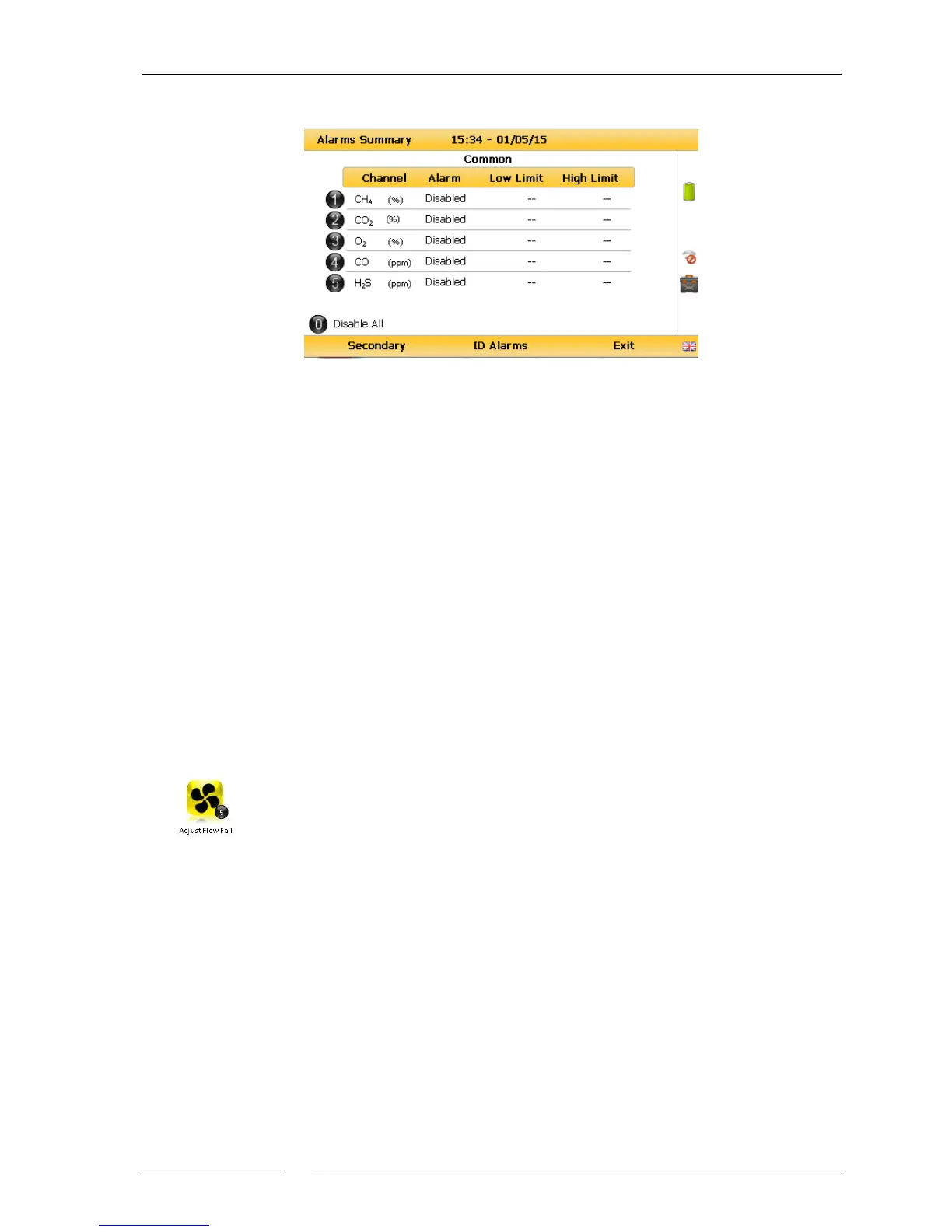
2) Select ‘Key 4 – Set Alarms’ and the following menu is displayed:
Set primary alarms
3) Select the corresponding key to select the gas for which you wish to set an
alarm/target trigger for, followed by ‘Key 1’ to change the trigger condition of an
alarm.
4) To manually adjust the alarm/target set press (<) ‘Key 4 – Scroll left’ or ‘Key 6 –
Scroll right’ (>) and enter the trigger value. Once you are happy, press the middle soft
key for ‘save’.
5) For pressure, temperature and flow alarms, press the left soft key for ‘Secondary’ and
then select the corresponding key to select the channel for which you wish to set an
alarm trigger for, followed by ‘Key 1’ to change the trigger condition of an
alarm/target. Once you are happy, press the middle soft key for ‘save’.
6) To disable all alarm settings select key 0 – ‘Disable All’
Note: ID specific alarms cannot be added/edited on the analyser, to add/edit
ID specific alarms, please use the optional Gas Analyser Manager (GAM)
Software.
7.4.5 Adjust flow fail
This option enables the operator to adjust the flow fail tolerance of the
instrument, i.e. the operator can adjust the sensitivity for when the pump
will stop operating on the presence of a blockage or low flow.
1) Select the ‘Menu’ button on the front of the analyser to display the ‘Device Settings’
menu. Press the soft-key to display ‘Operation Settings’.
2) Select ‘Key 5 – Adjust Flow Fail’ and the following screen is displayed:



 To Next Page