OMGA5KN4.4 GA5000 gas analyser
Page 50 of 113 Copyright Geotech
8.6 How to use the Internal Flow (Optional)
The internal flow is an optional feature and must be specified at the time of manufacture
or the analyser can be upgraded at service.
The GA5000 gas analyser has the capability to measure the gas flow from a borehole
without the need for an additional flow pod.
This function can be selected as ‘on’ or ‘off’ for each ID using Gas Analyser Manager. If it is
off the user will not be prompted to measure the flow. However, if Gas Analyser Manager
is not being used, flow measurement is automatically measured.
If the analyser is fitted with the internal flow feature the internal flow option works on a
principle of a pressure drop across a known restrictor.
Instructions for Use:
1) From the ‘Main Gas Read’ screen select the centre soft-key for the ‘Special Actions’
command, this will open a sub-menu. Select Option number “4” for Flow.
2) Making sure the sample tube is not connected to the blue port, select soft-key ‘Zero
Flow’.
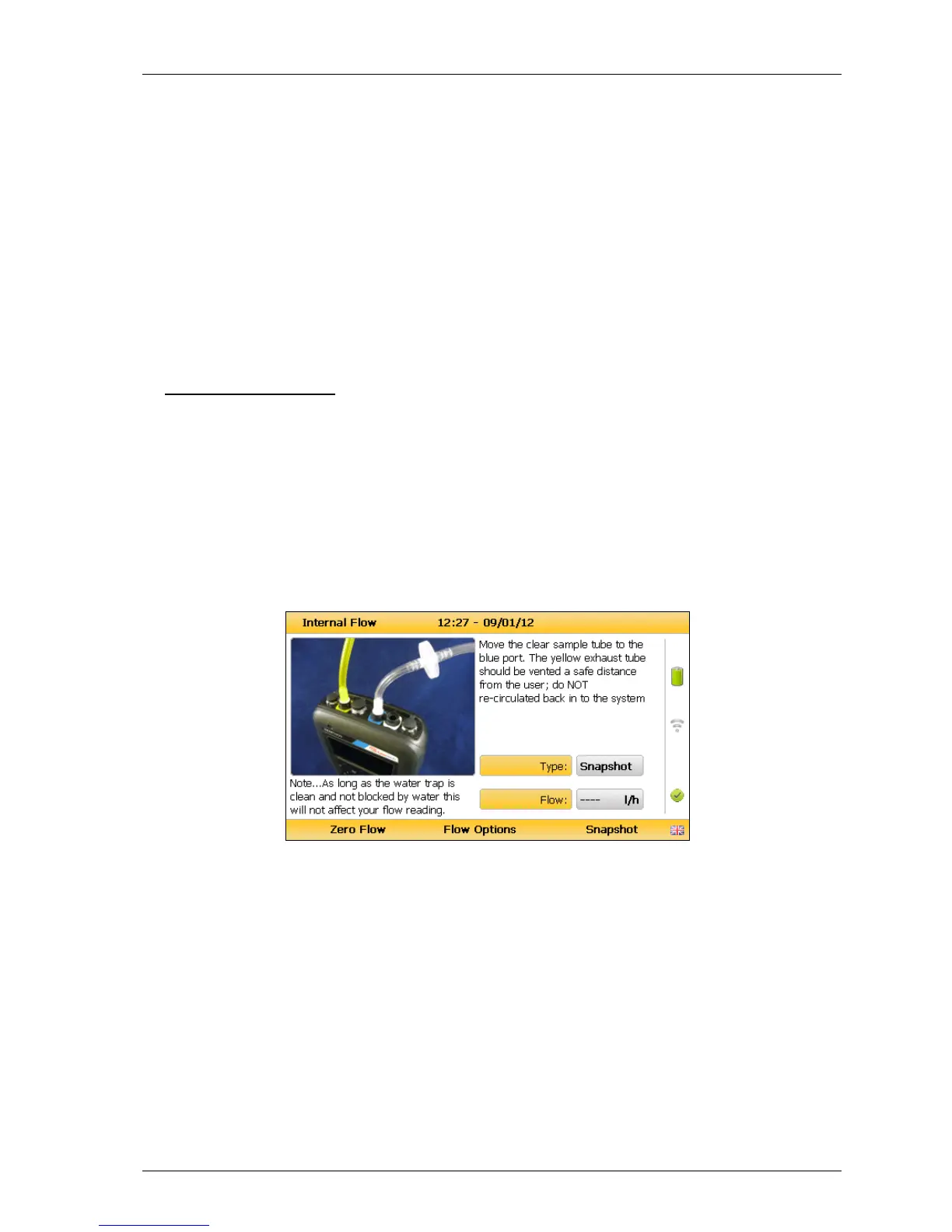
3) Move the sample tube from the white port to the blue port. The yellow exhaust hose
can be vented a safe distance from the sample point; do NOT re-circulate back into
the system.
Internal flow
4) Select soft-key ‘Flow Options’ to toggle through and select type:
The highest value recorded over the duration.
The reading recorded at the point at which the ‘Store’ key
is pressed.
Multiple flow measurements recorded over the duration at
a user changeable interval (seconds).



 To Next Page