OMGA5KN4.4 GA5000 gas analyser
Page 48 of 113 Copyright Geotech
This action enables the operator to update ID
questions specific to sample points prior to taking a
reading.
This action enables the operator to measure
internal flow first when taking a reading. Connect
the blue hose to the sample point. The yellow
hose can be vented a safe distance from the
sample point or re-circulated back into the system.
Select either soft-key ‘Zero Flow’,’ Flow Options’ or
‘Start’ to commence internal flow. Select soft-key
‘Store’ to store and record the reading.
Key 5 – Enter Temperature
This action enables the operator to manually enter
a temperature reading if not using a temperature
probe prior to taking a gas measurement.
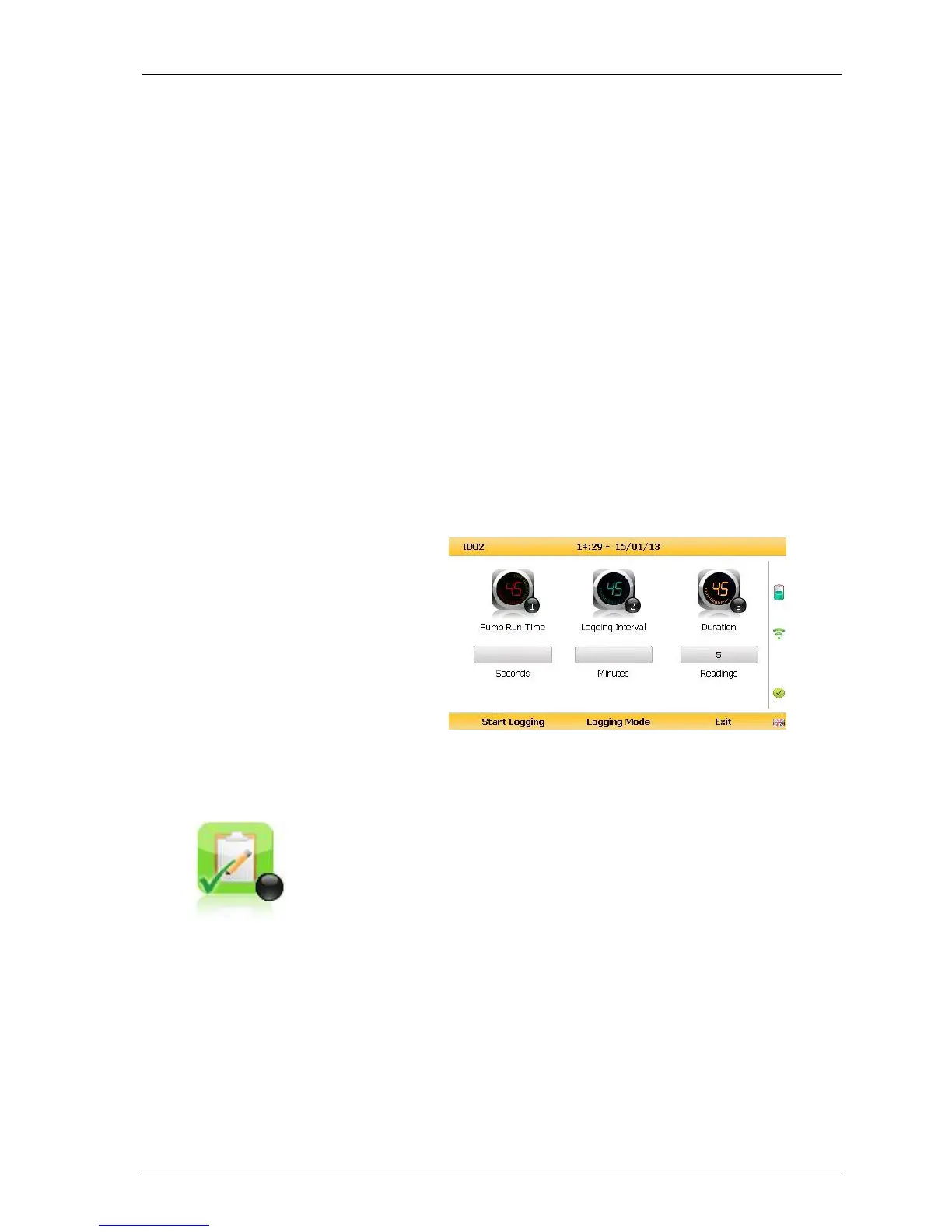
This action enables the operator to leave the
analyser unattended to take samples at a
predetermined time. The reading interval and
pump run times may be edited prior to
commencing the logging cycle.
8.4.1 Configuration of the data logging option
1) Connect the blue hose to the sample point. The yellow exhaust hose can be vented a
safe distance from the sample point; do NOT re-circulate back into the system.
2) By selecting ‘Next ID’ the operator can select the ID which is being sampled at
present.
3) Once the ID has been chosen the analyser will commence & complete its clean air
purge cycle.
4) To gain access to the data logging option the operator will be required to select the
’Special Action’ key to obtain the special user options. The data logging option can
then be selected via ‘Key 6’ to configure the logging parameters.
5) Once the operator has confirmed the logging parameters, select soft-key ‘Start
Logging’.
6) Once the logging function has been activated the analyser will carry out a 30 second



 To Next Page