3) Select soft-key ‘Exit’ to exit this screen and return to the ‘User Settings’ menu.
7.3.3 ID selection
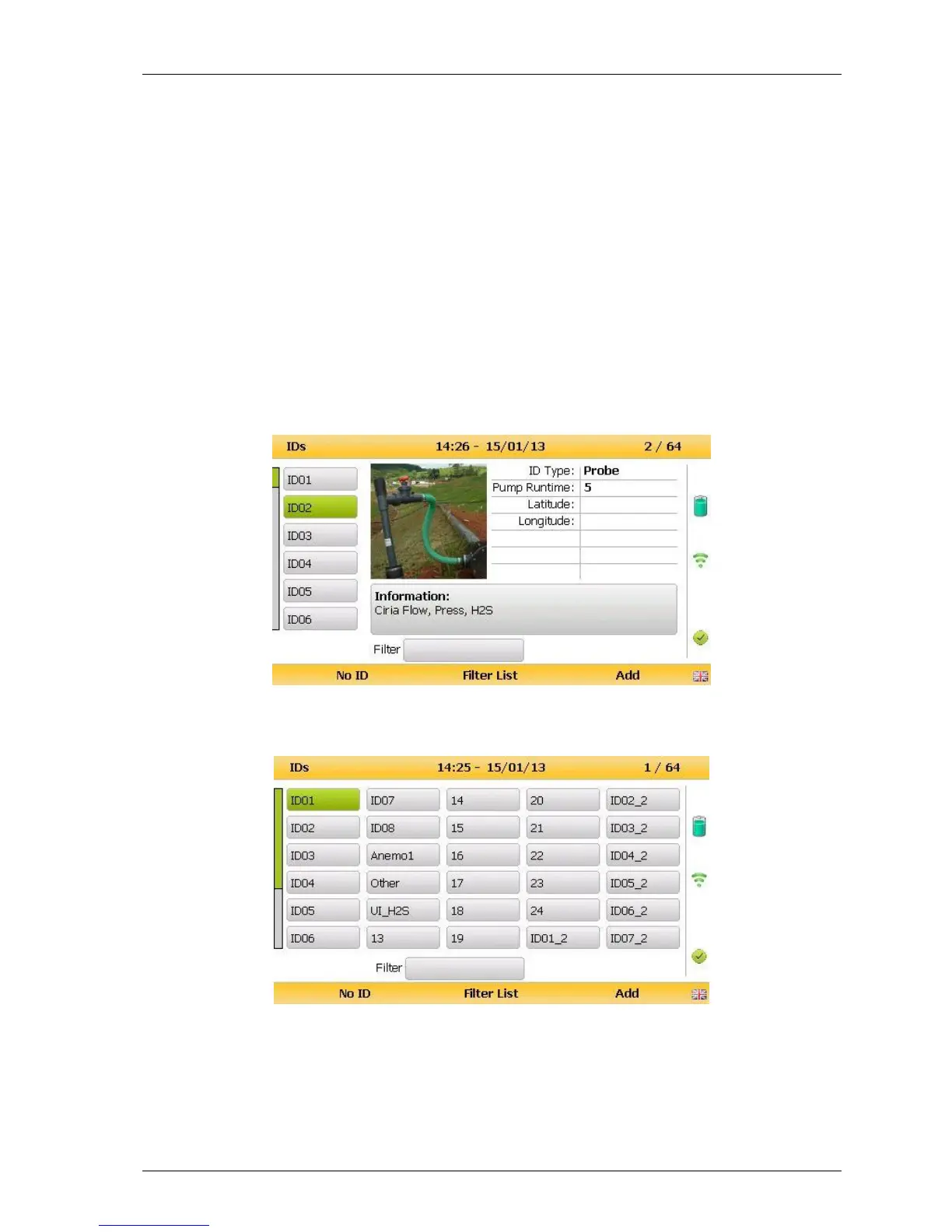
The ID selection screen allows the operator to scroll through all IDs, including those uploaded
from GAM and added directly onto the instrument, and then make a selection. Detailed
information regarding the currently selected ID, such as flow device type and pump runtime,
are displayed below:-
By selecting ‘Key 5’ the operator can toggle between showing 30 IDs and showing 5 IDs with
more detailed information relating to the chosen ID.
The technician can scroll between the IDs using the following keys on the instrument keypad:
Two (2) and eight (8) move the selection up/down
Four (4) and six (6) move the selection left/right on the list view
One (1) and three (3) move the selection left/right a page in the list view only



 To Next Page