58 GS15
plus
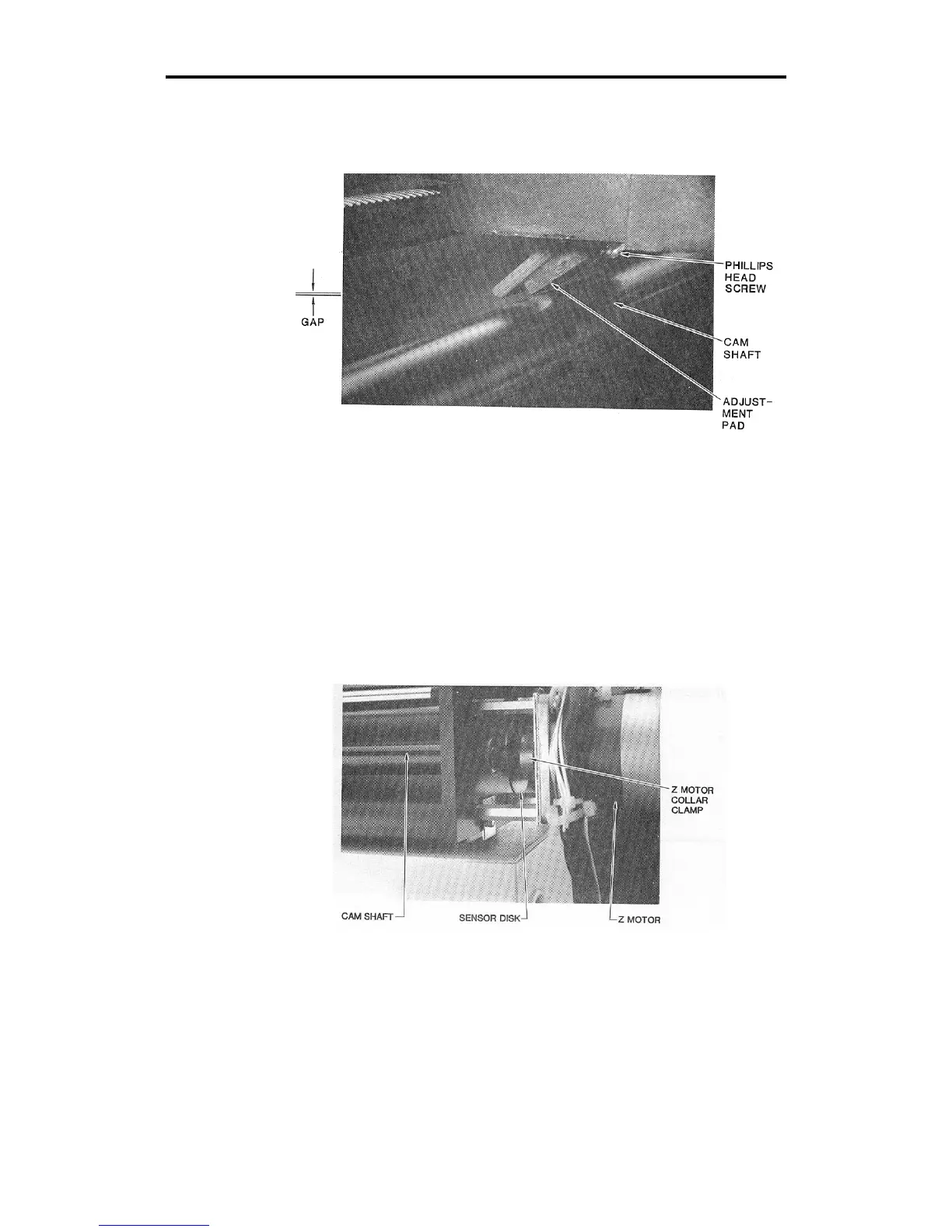
5. Locate the adjustment pad. There should be a gap of .003" to .010"
(about the thickness of a piece of paper) between the pad and the
cam shaft. If not, go to step 11.
6. If the gap is correct, remove the rear cover (with molded tool rack).
Lay the plotter on its left side. Remove (2) Phillips head screws
from the bottom edge. Stand the plotter upright. Lift the rear cover
straight up.
CAUTION: Do not rest the plotter on its right side. Do not use the
way shaft to lift or turn the plotter.
7. Locate the Z motor collar clamp between the sensor disk and the
drive motor at the end of the cam shaft. Use the Allen wrench to
ensure that the set screw in the collar clamp is tightened securely.



 To Next Page