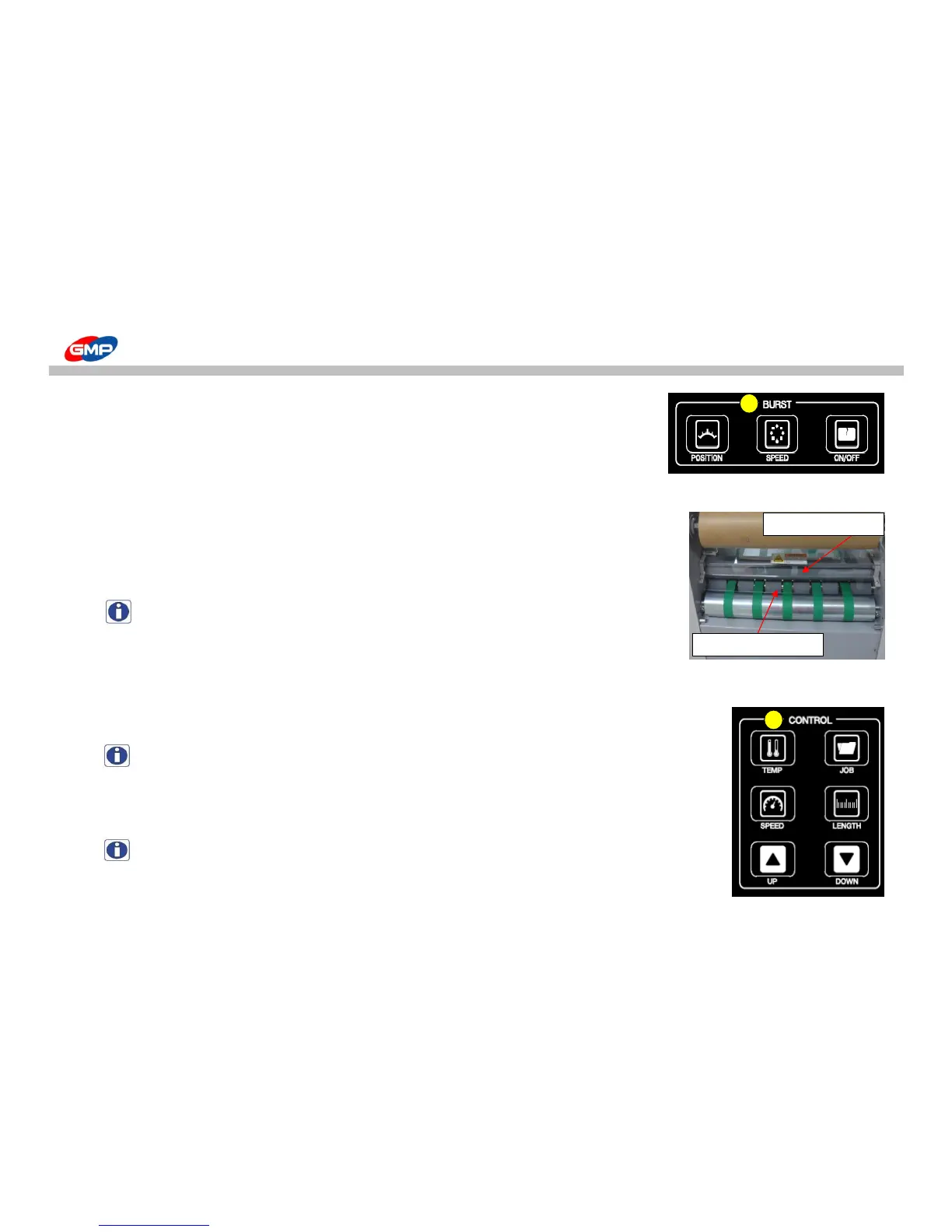
In case of the lamination using NYLONEX(NYLON) & PERFEX(PET), rotate the bottom bursting roller
in high speed to increase the film bursting quality. If the lamp is lit by pressing the button,
the bottom roller run in high speed. But one more press of button makes the bottom roller run
at normal speed.
"ON/OFF" :
It is button that moves the upper roller upward/downward.
After selecting the button, if the lamp is lit on, the upper roller is operated.
If pressing the button one more to turn off the lamp, the upper roller stops.
NOTE : In the RUN state, the button is activated. The button is not activated in STOP state.
E. CONTROL
"TEMP" :
It is to set the roller's temperature.The temperature setting is "0 ~ 150"C.
- Temperature setting : After pressing the button, set the desired temperature with UP/DOWN buttons in state of "(ON)".
NOTE : In the state of 'STOP', if pressing "TEMP" BUTTON for over 3 seconds, reset "DAILY COUNTER".
To adjust the setting value of laminating speed. Speed setting range is "1 ~ 15".
- Speed Setting : press "SPEED" button and adjust the speed with UP/DOWN buttons.
NOTE : Speed is changed in "RUN" status only.



 To Next Page