☞ Preparation for Lamination
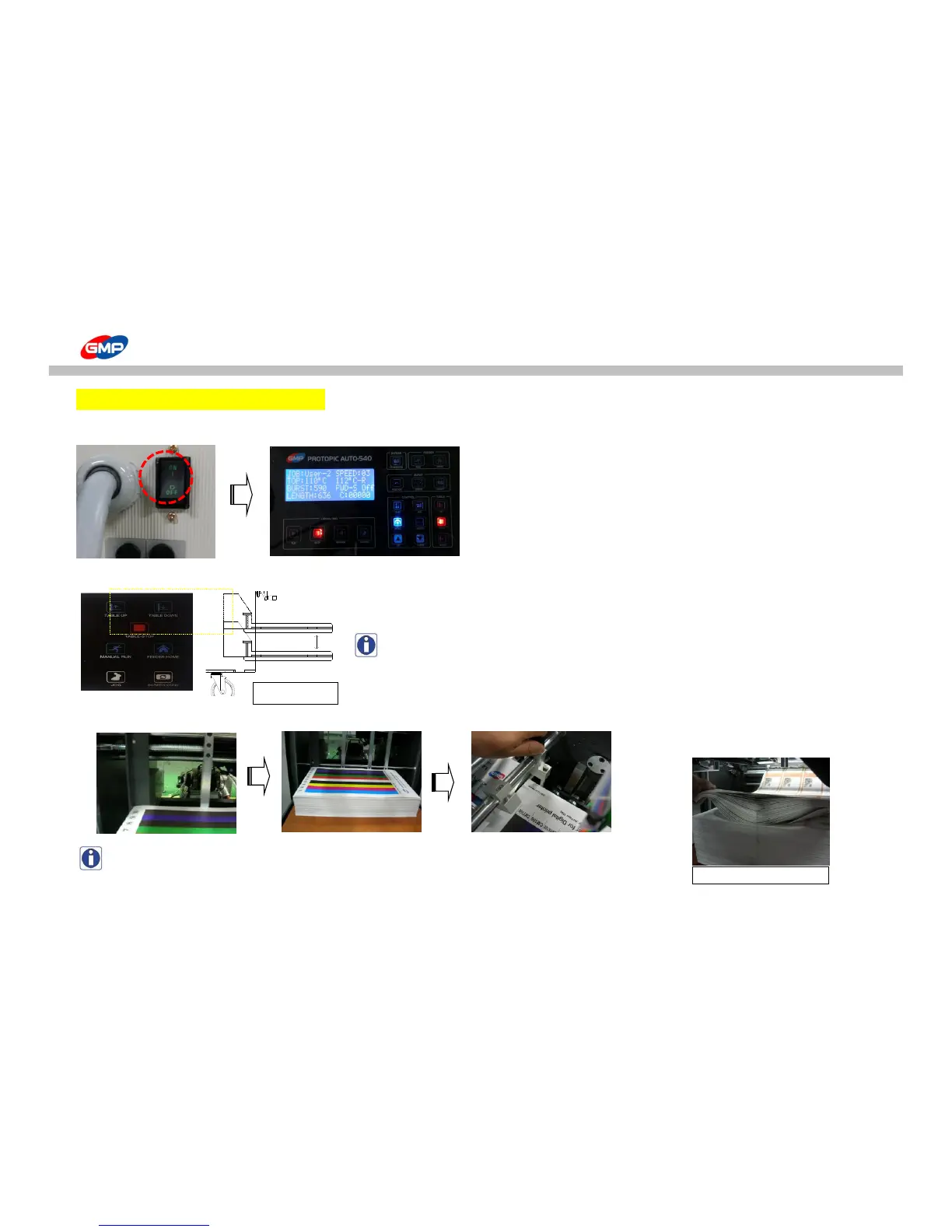
1. Turn on the machine and the system is operated.
2. As the picture <1_1>, press "FEEDER TABLE UP/DOWN" on control panel to position the feeding table at the proper height.
NOTE : If the feeder would not be at the origin point,
the feeding table would not be moved upward.
Press "FEEDER HOME" on the control panel to position the Feeder at Origin Point.
3. Adjust Substrate Guide for substrate width and pile up substrates on feeding table.
NOTE : For stacking of substrates, as the picture<1_2>, make air layer in-between the sheets.
This is to prevent substrates stick each other and to prevent feeding error by static.
Stacking status is very important to minimize feeding error.



 To Next Page