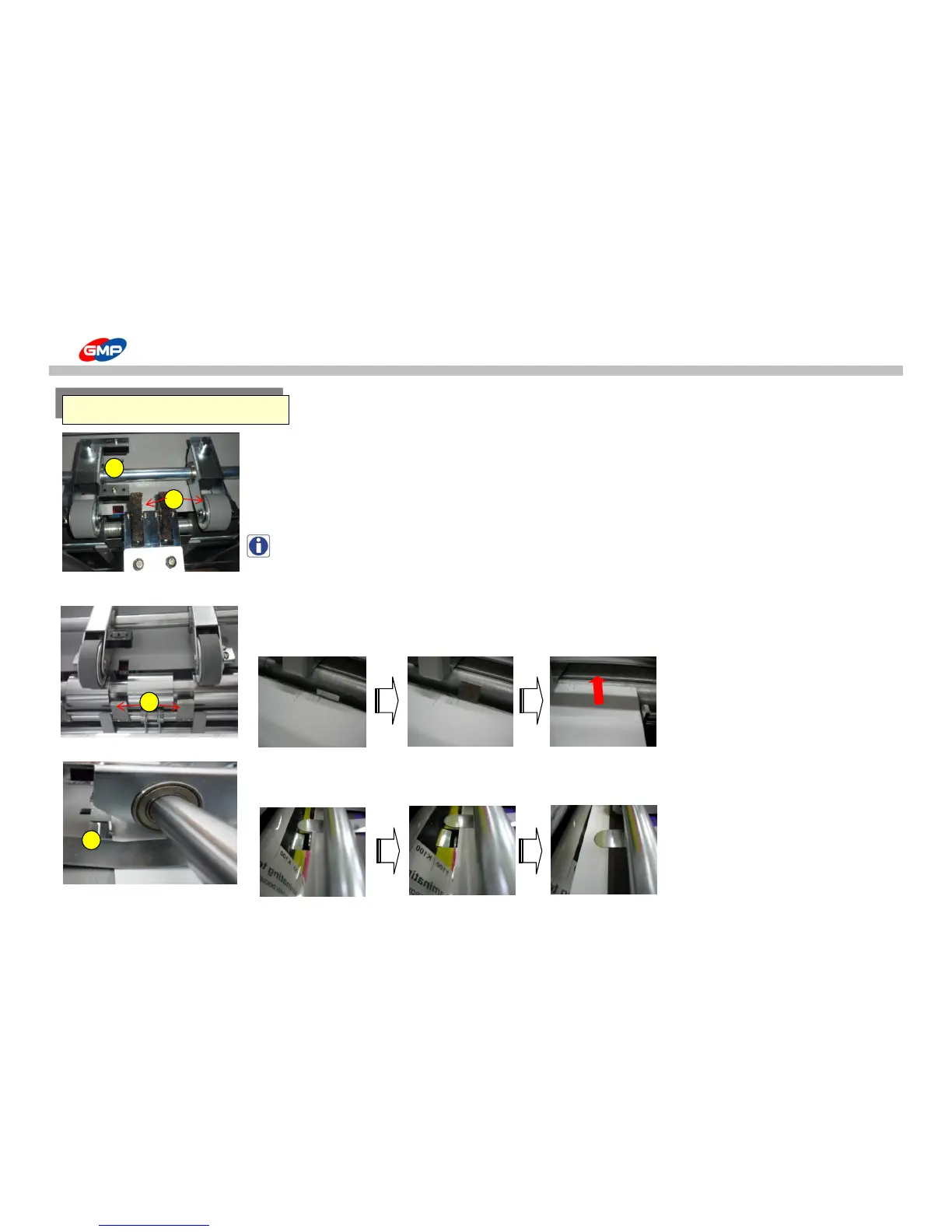
How to use the Main Devices
① - Misfeeding Sensor
To prevent contamination on laminating roller, if an error for feeding is occurred.
When the feeding is stopped by feeding error, it stops machine operation.
② - Feeding Wheel & Brush
To feed substrates to the Laminating Roller.
NOTE : Conditions of substrates could require adjustment of left/right pressure on feeding wheel.
Ex) If a pressure on right feeding wheel is higher, substrates will be moved to the left to the laminating roller.
In this above case, loosen the right wheel fixing bolt.
③ - Substrate Stopper
To make substrate stand-by for feeding. It make substrate in stand-by & aligned status
for a certain period and at the feeding time, the shutter is opened for feeding.
To align substrates. Align substrates from the feeder and when the feeding wheel is operated,
the shutter is opened to move substrate to the laminating roller.



 To Next Page