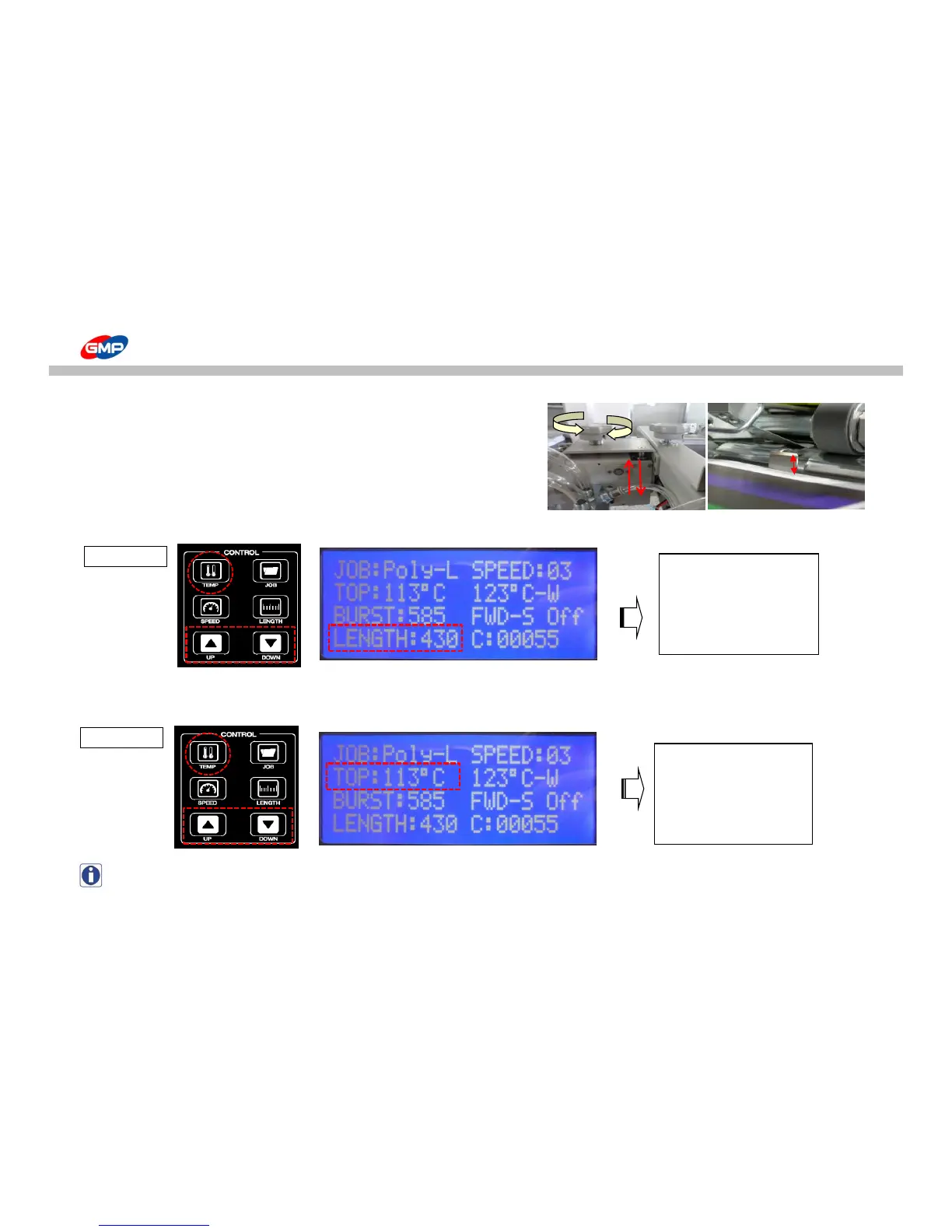
2. To set up the feeder, adjust height distance between substrates top and shutter
by 3~5mm.
If substrate top height is too higher than the shutter, this will make 2~3 sheets
to feed and if it is too lower than the shutter, this will make feeding error.
◐ Set up for Control Panel
1. As the picture<1_4>, press the "PAPER LENGTH" on control panel and set up the length of substrate with UP/DOWN buttons.
2. As the picture <1_5>, set up a required temp for laminating roller.
Press "TEMP" on control panel and set up temp. with UP/DOWN buttons.
NOTE : Basically, set temperature for POLYNEX FILM is 100~115℃, for NYLONEX(PERFEX)FILM is 110~130℃.



 To Next Page