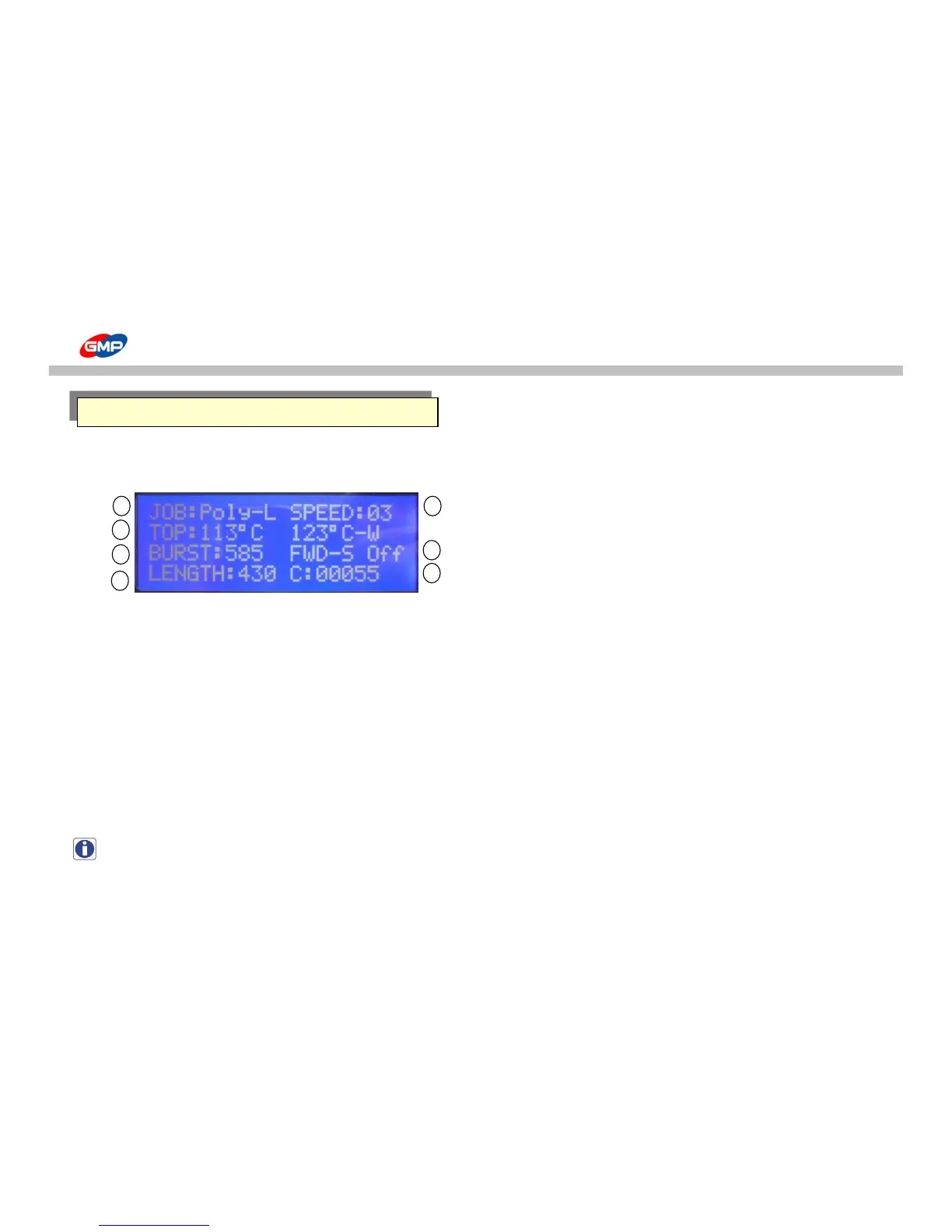
☞ Display Screen is composed of 3 kinds of screens, that is, Main Screen, Sub Screen 1 and Sub Screen 2.
☞ Main Screen : To check the main setting status in the laminator easily.
① "JOB:Poly-L" - for JOB Mode
To save values (temp. / speed for each films) that was set by operator.
This is composed of the below 13 kinds of modes.
JOBS
- Poly-L : Low Temp. operation for Polynex Film (set temp. 100℃) - MICRO : Job with Micronex Film (set temp. 120℃)
- Poly-H : High Temp. operation for Polynex Film (set temp. 120℃) - FOIL-L : Low Temp. operation for Metallic Foil (set temp. 115℃)
- Nylon : Job with Nylonex Film (set temp. 130℃) - FOIL-H : High Temp. operation for Metallic Foil (set temp. 125℃)
- PET-L : Low Temp. operation for Perfex Film (set temp. 90℃) - User-1 : Setting Job by operator 1
- PET_H : High Temp. operation for Perfex Film (set temp. 110℃) - User-2 : Setting Job by operator 2
- FUS-L : Low Temp. operation for Fusing(Sleeking) Film (set temp. 125℃) - User-3 : Setting Job by operator 3
- FUS_H : Hight Temp. operation for Fusing(Sleeking) Film (set temp. 135℃)
NOTE : Refer to the "JOB" button functionality to check / save setting values.



 To Next Page