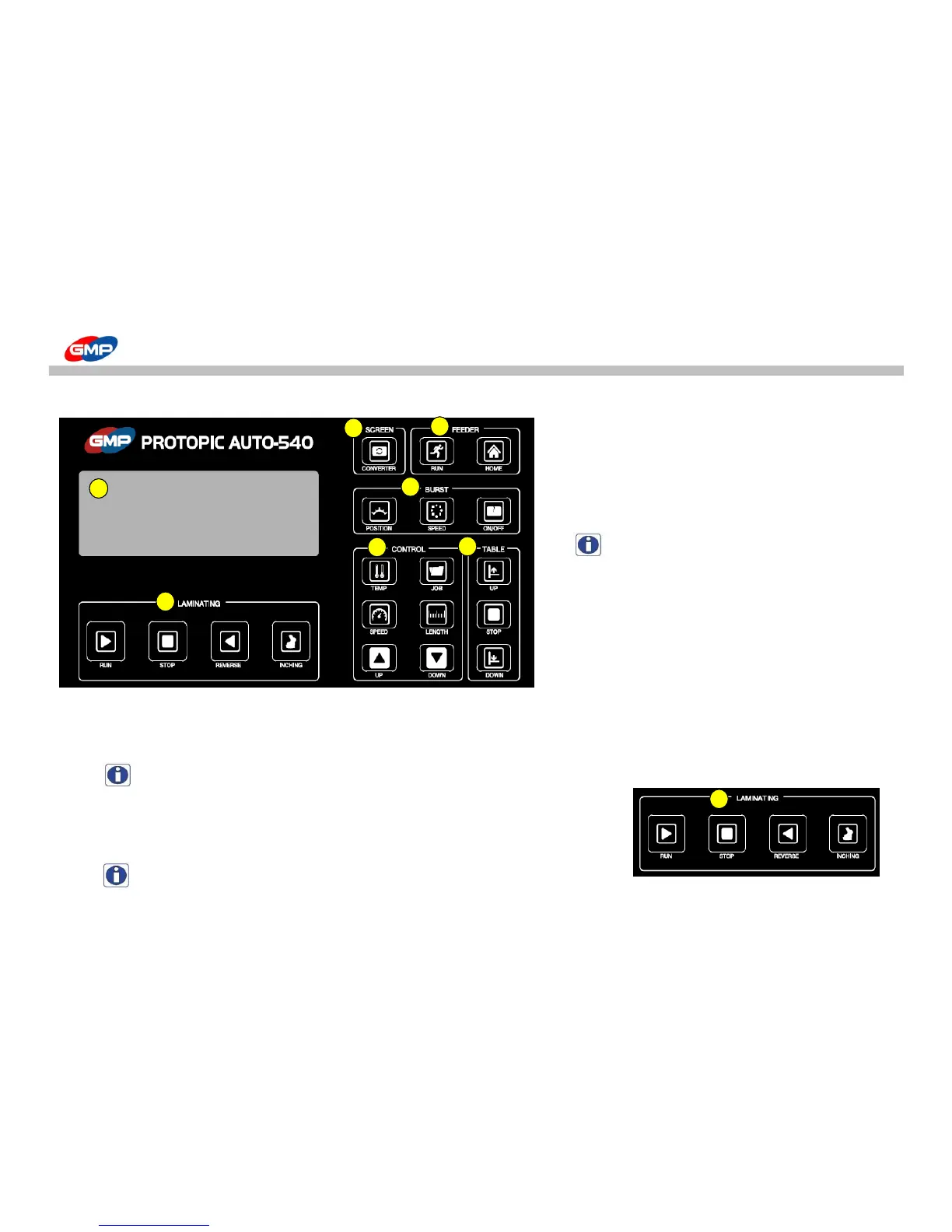
☞ Individual Buttons' functionality : In state of the machine turning on, the buttons' functionality are explained.
"RUN" : It is to activate the machine.
If pressing the button, the laminating roller starts
to be pressurized and rotates, and also the vacuum pump
and feeding device are activated.
NOTE : In the stop mode, the excessively high
speed of rotation can result in the job error.
"STOP" : It is to stop the operation of machine.
If pressing the button, the pressure state of
laminating roller is lifted, then the roller's
rotation & feeding operation stops.
"REVERSE" : It is to rotate the roller reversely.
While the button is pressed, the roller rotates reversely with state of pressurization.
If the button is not touched, the reverse rotation stops and the laminating roller is depressurized.
NOTE : this function is not activated during the operation.
"INCHING" : It is to rotate the laminating roller, pull roller except for the feeding device.
As long as the menu is selected, each roller rotates. If the selection is lifted, the rotation stops.
NOTE : Please use this menu for the roller cleaning or laminating job preparation.



 To Next Page