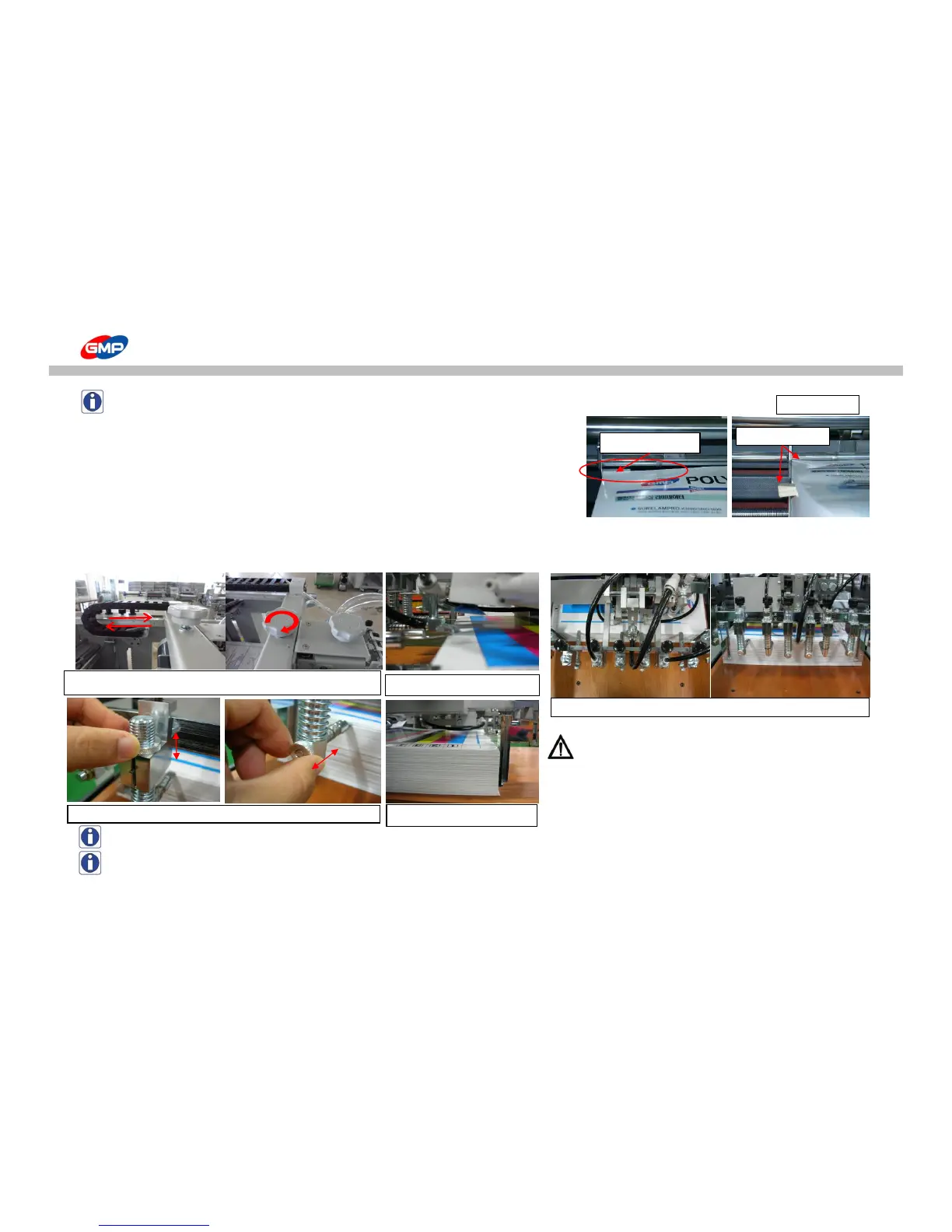
NOTE : If stacking height is different due to deformed substrate, make it level with wedge type wooden piece.
If an height is not leveled, this is the cause of feeding error.
- Do not recommend to use the below conditioned substrate.
This will bring feeding error or creasing on laminated results.
1. Corner or Cut area is curled or creased.
2. Substrate that is sensitive for heat.
4. Press "FEEDER TABLE UP" on control panel to move feeding table upward at feeder.
◐ Set up for Feeder
1. Position the feeder as the below pictures.
WARNING : After feeder is positioned, turn the fixing knob
to the right to fix it.
If the feeder is not fixed and it would be operated,
this is a cause of damage on the feeder.
NOTE : SEPARATOR is composed of thin metal plate, then if high pressure on it, the part could be damaged.
NOTE : If the REAR GUIDE would be stuck to substrate, this could be a cause of feeding error.
Height Difference
Height Adjustment
Position of SEPARATOR : Knob for adjust position (front / rear)
Adjust position with substrate length and fix the feeder.



 To Next Page