110
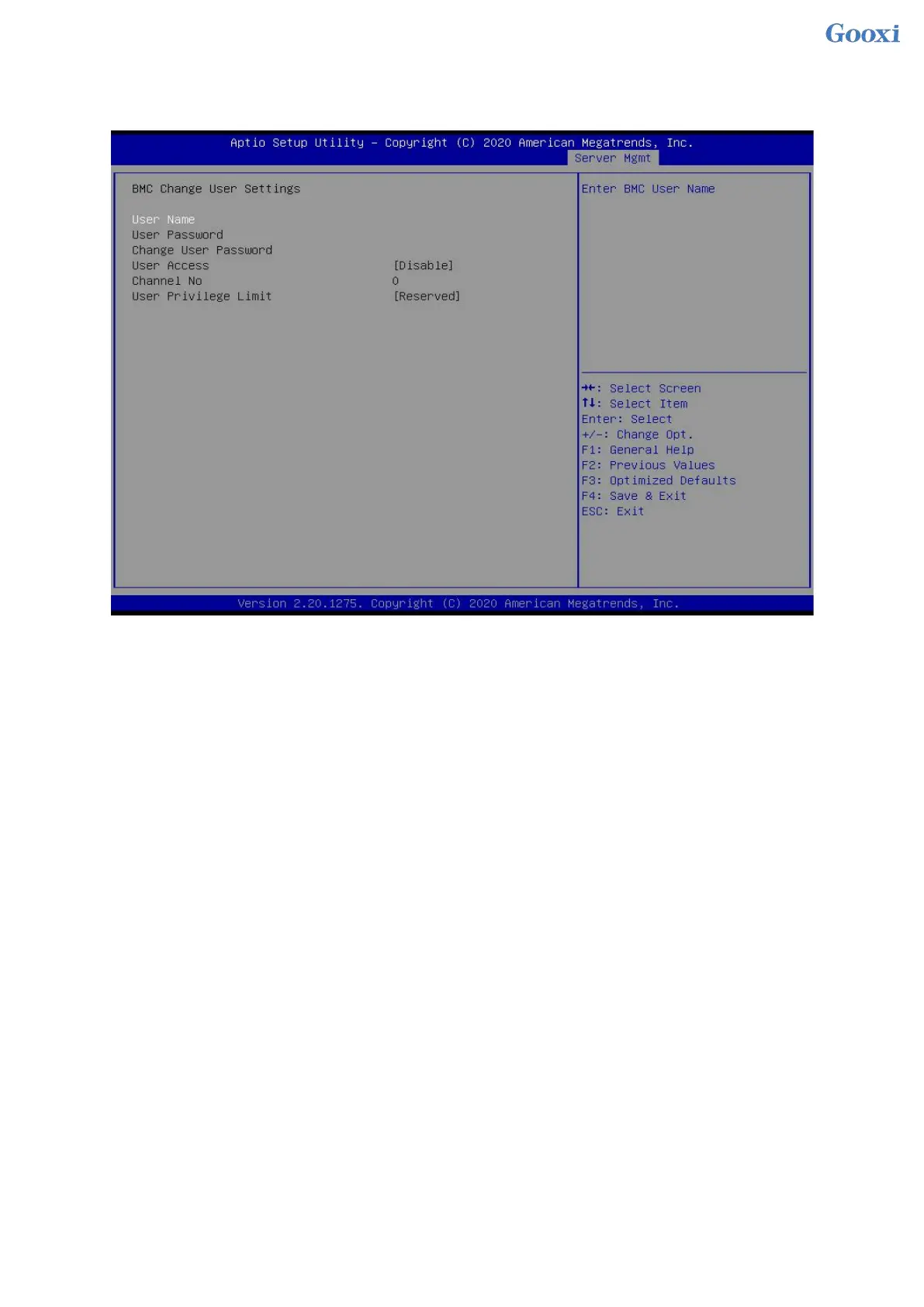
5.2.45 Change User Setting
Figure 5- 48
User Name : Enter the user name to be modified.
User Password : Enter to modify the user password, the following options can be modified only if the name and
password are entered correctly.
User
User permission switch settings, menu options are:
Enabled
Disabled
Default: Disabled
Change User Password : Change the user password. The input password must contain uppercase and
lowercase letters, special characters and numbers, with a minimum of 8 characters and a maximum of 20
characters.
Channel NO : BMC channel setting, input 1 or 8.
User Privilege Limit
To modify user permission settings, the menu options are:
Reserved
Callback
User
Operator
Administrator


 To Next Page
 Loading...






