64
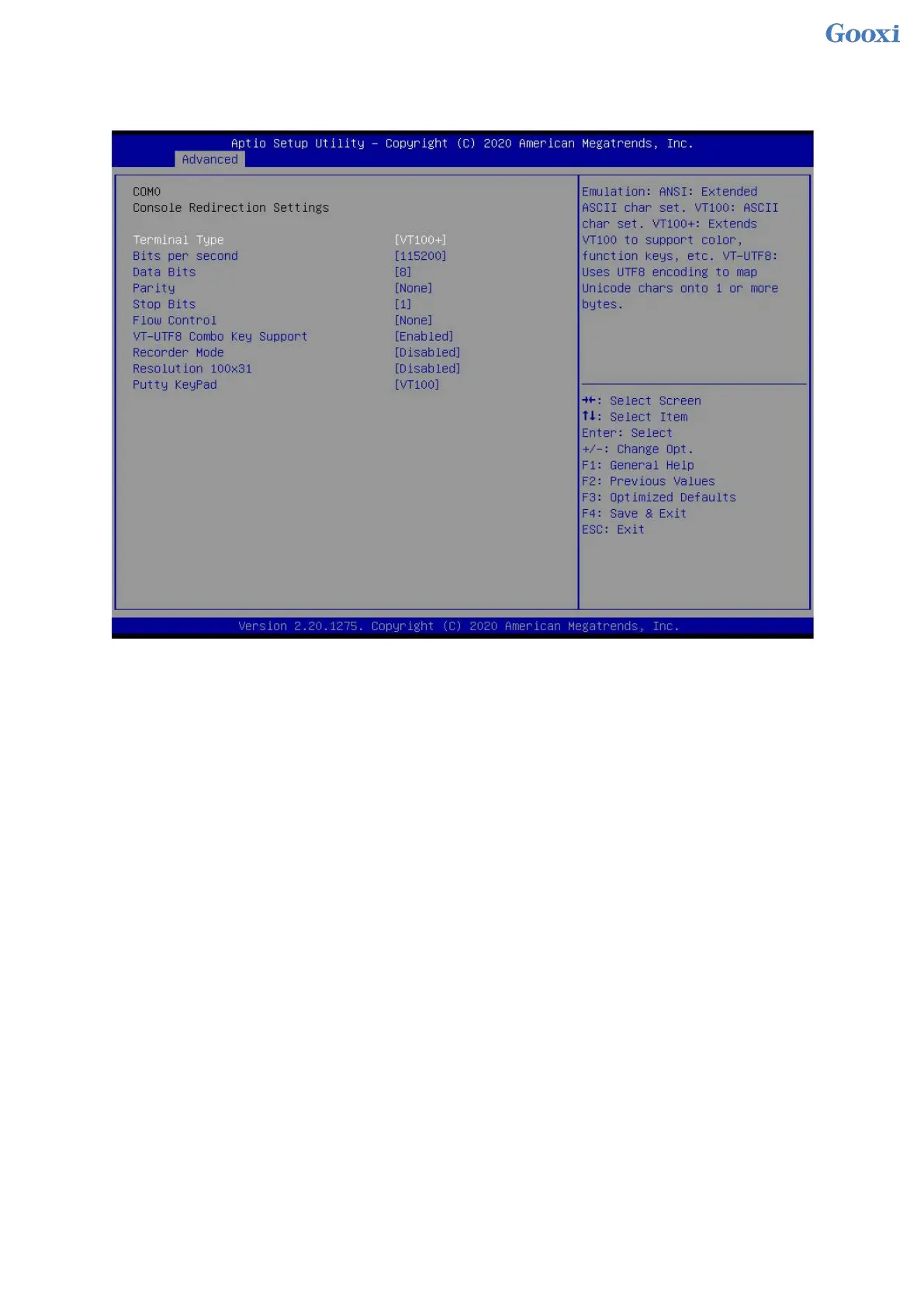
5.2.6 Console Redirection Settings
Figure 5- 5
Terminal Type
This option selects the emulation type, the BIOS emulation type must match the mode selected in the
terminal program. The menu options are:
VT100
VT100+
VT-UTF8
ANSI
Default: VT100+
Bits per second
Serial port redirection rate, the value range is 9600~115200
Default: 115200
Data Bits
Serial port redirection data bit length, menu options are: 8, 7
Default: 8
Parity
Serial port redirection verification switch, the menu options are:
None: no verification
Even: Even parity
Odd: odd parity
Mark: The check digit is always 1
Space: The check digit is always 0
Default: None
Mark and Space checks are not allowed to detect errors.


 To Next Page
 Loading...






