75
Default: Enabled
Hot Plug
Control the hot plug function of SATA Port X device on and off, the menu options are:
Disabled: Disable the SATA Port X hot-plug function.
Enabled: Enable SATA Port X hot plug function.
Default: Enabled
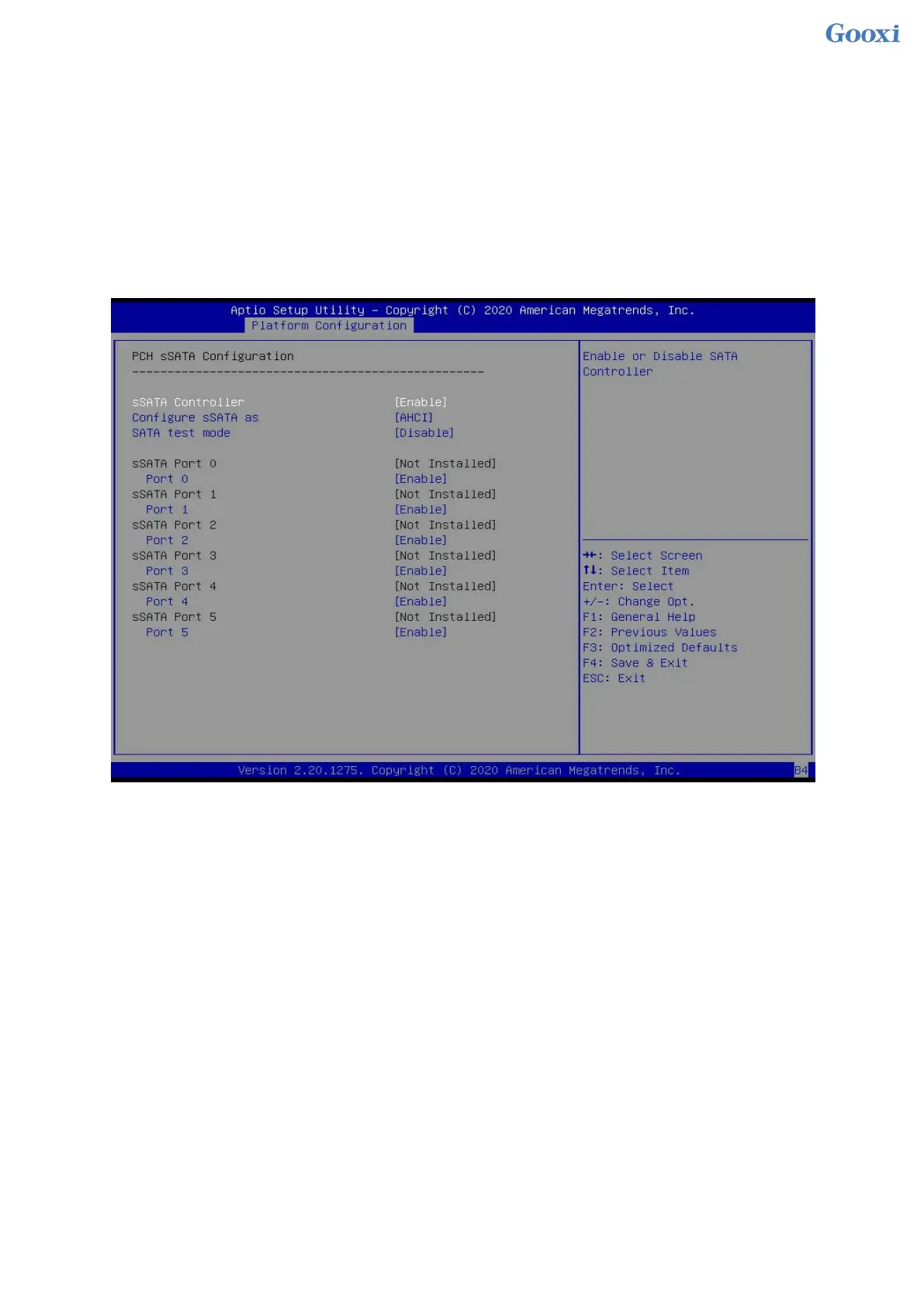
5.2.17 PCH sSATA Configuration
Figure 5- 17
sSATA Controller
sSATA controller switch, control to turn on and off the sSATA controller, the menu options are:
Disabled: Disable the sSATA controller.
Enabled: Enable the sSATA controller.
Default: Enabled
Configure sSATA as
sSATA mode selection, the menu options are:
AHCI: Select sSATA mode as AHCI mode.
RAID: Select sSATA mode as RAID mode.
Default: AHCI
SATA test mode
SATA test mode switch, the menu options are:
Disabled
Enable
Default: Disable
sSATA Port X
Displays device information on sSATA Port 0~7, and displays Not Installed when no device is


 To Next Page
 Loading...






