Cleanup
3A6748B 35
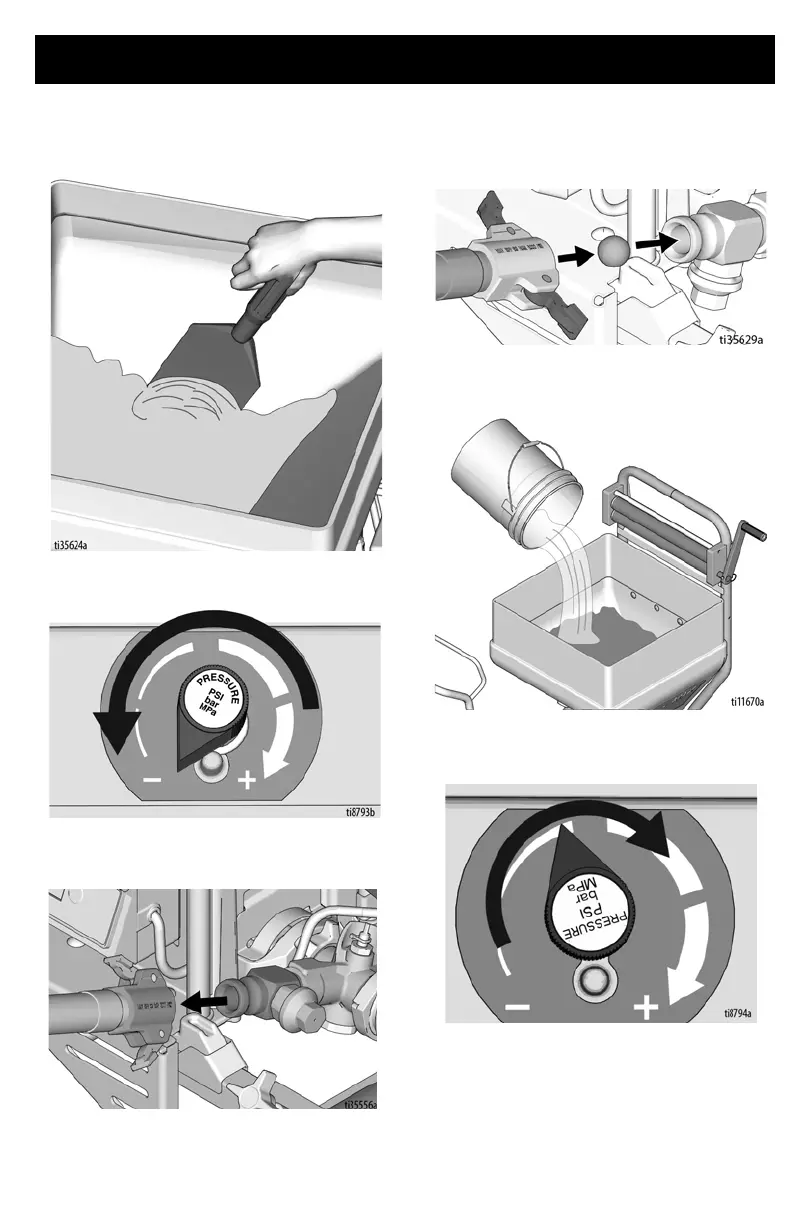
4. Scrape remaining texture in hopper into
pump to be pumped from sprayer.
5. Rotate pump control to shut pump OFF.
6. Disconnect material hose from pump
outlet.
7. Insert two wet cleaning balls into pump
outlet. Connect material hose to pump
outlet.
8. Fill material hopper with water and clean
sides.
9. Rotate Pressure Control Knob clockwise
to start pump.





 To Next Page