Preventive maintenance
3. Execute a composition in the engraving software, indicating the parameters of the reference ring.
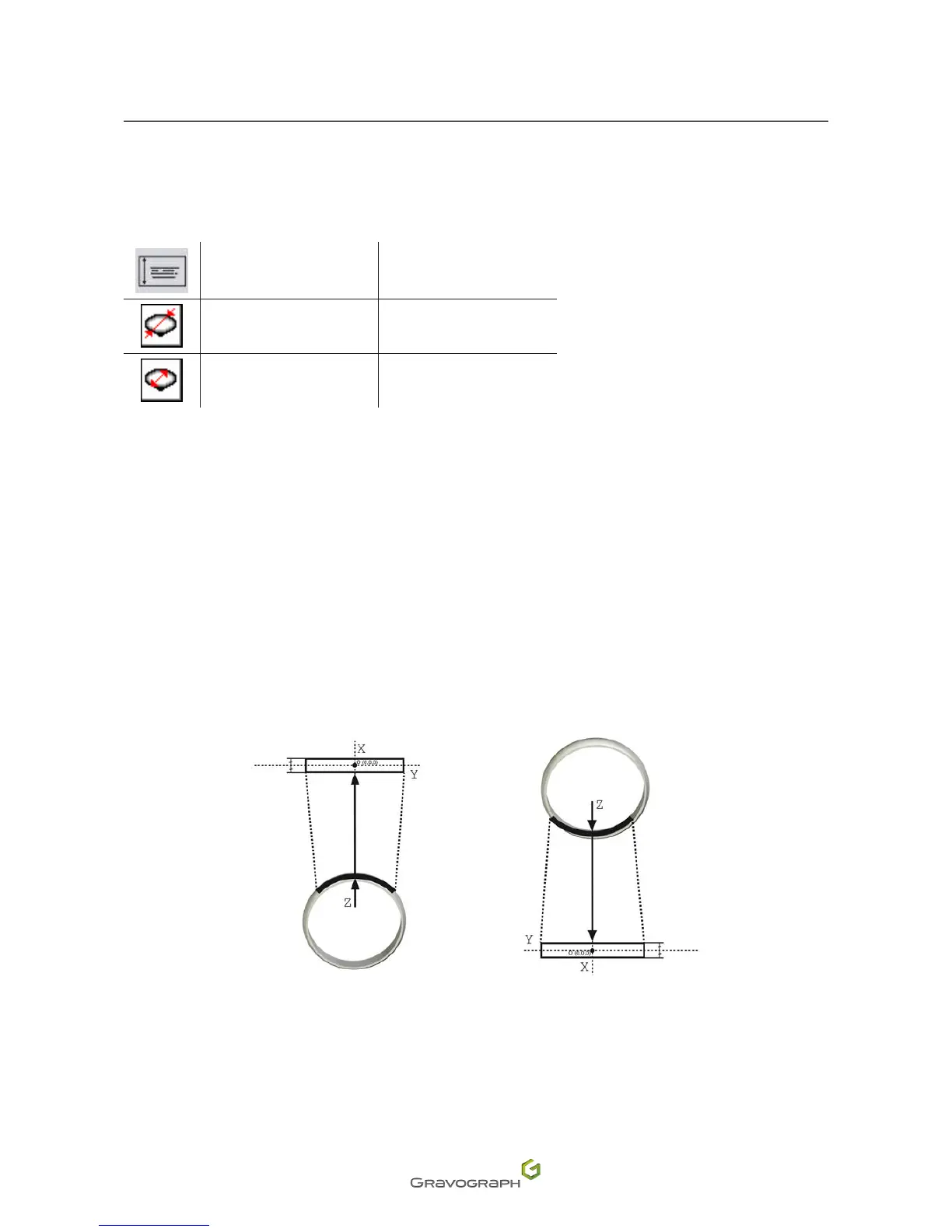
Select outside or inside engraving. Indicate the diameter and width of the reference ring according to the
desiredmarking.
Width 6 mm (0.236 in)
External diameter 23 mm (0.906 in)
Internal diameter 21 mm (0.827 in)
4. Ensure that the ZRef. auto functions and center origin are selected in the engraving program.
5. Transfer the composition to the machine from the program.
6. Presssimultaneouslyonthe2keys:Pause-Leftarrow.
Thediamondholdermovestothezeropoint.
7. SetthezeropointintheXaxisofthemachineusingthefollowingkeys:Rightarrow/Leftarrow.
Outside engraving Inside engraving












 To Next Page