Preventive maintenance
2. Adjusting the machine
Thecenteroftheengravingareaofthemachinemustbealignedwiththeclampingsystem.
TheM20seriesmachineshaveamachinereferencepointadjustmentsystemwhichcanbedeployedbythe
user.
M20ABC:torestorethefactory-setzeropointoftheSDcard,consulttheusermanualfortheprogram.
Adjustthesesettingsevery3monthsorwheneverthemachinehasbeenmoved.
XY setting of the machine with vice
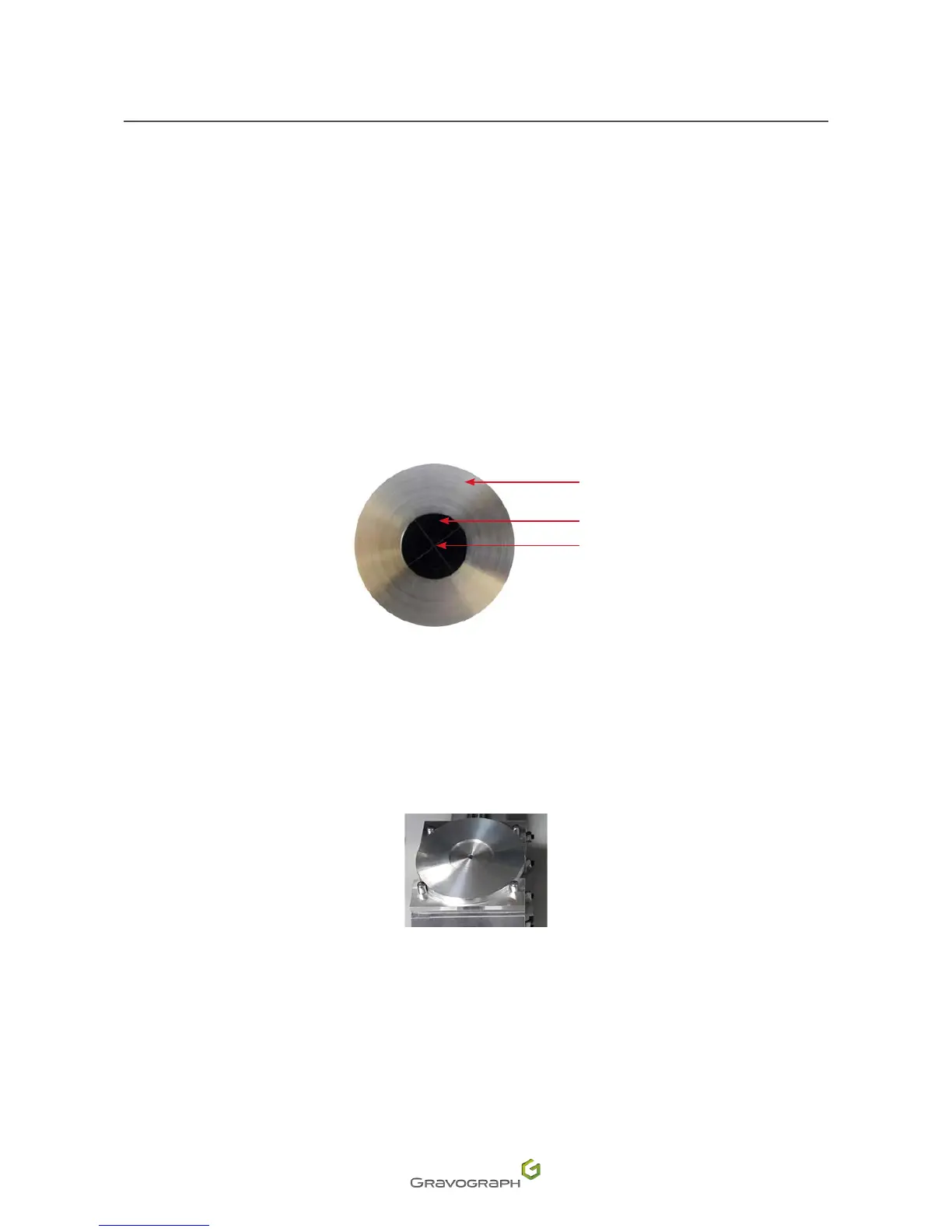
TosettheXYzeropoint,use2centeringwashers(suppliedwiththemachine).
1
2
3
1.
Centering washer(s)
2.
Washerforcenteringthediodezeropoint
3.
Zero point
1. Switch on the machine.
2. Placethecenteringwasherbetweenthejawsofthevice.Tightenusingthetighteningknob.
3. Presssimultaneouslyonthe2keys:Pause-Leftarrow.
M20 ABC: refer to the user manual for the ABC program.
Thetoolholdermovestothecenteroftheviceinordertosetthezeropointofthetool.Itmustmatchthezero
point hole in the centering washer.












 To Next Page