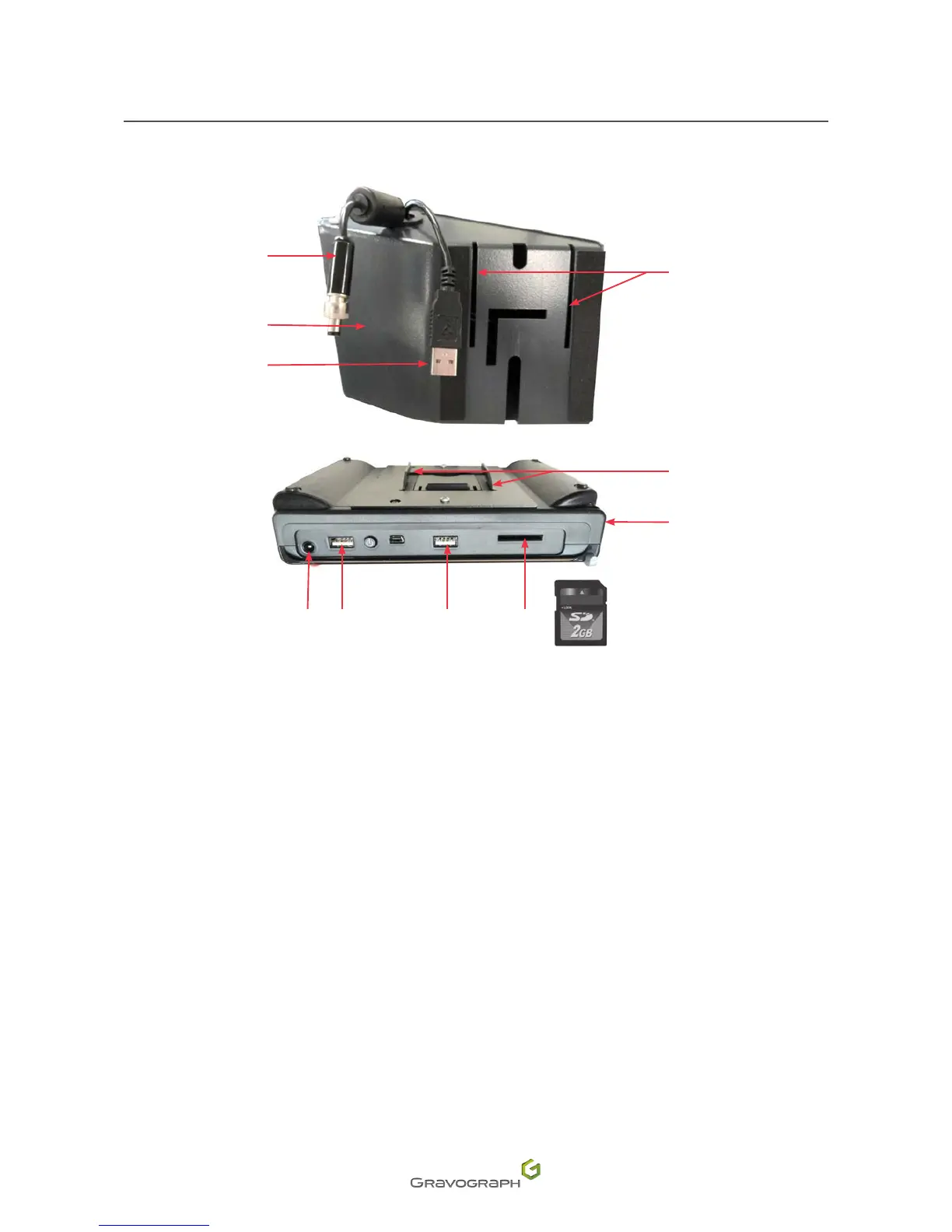
Connections - Installation
Connections and cabling
1
2
4
11
10
5 6 7 8 9
3
1.
Power cable
2.
Touch Pad mount
3.
CCU/USB connection cable
4.
Slot
5.
Powersupply
6.
USB machine connector
7.
USBportforexternalkeyboard(notsupplied)
8.
SD card reader
9.
SD card
10.
Touch Pad
11.
Hook(s)
1. Position the Touch Pad on the mount by sliding the hooks into the slots.
2. Connect the CCU/USB connection lead to the Touch Pad.
3. Connect the power supply lead to the Touch Pad.
4. Connect the external keyboard to the USB port (not supplied).
5. Insert the SD card into the reader.












 To Next Page