User Manual
21
• Tilt the LCD screen backward till you view the image comfortably
Detaching the LCD screen:
• Rotate the tightening gear anticlockwise to loose the LCD screen foot
• Keep the LCD screen depressed and slide the LCD screen foot from the mount
Notes for the LCD screen:
• Although the LCD screen utilizes hot shoe technology, it is still advisable to switch off the
camera before attaching or detaching the LCD screen
• Do not force the LCD screen into or out of the mount to avoid damage of the contact pins
under the LCD screen foot
• When sliding the LCD screen out of the mount, do keep it depressed to avoid damage of
the contact pins
• The tightening gear must be rotated into place after the LCD screen has been slid into the
mount
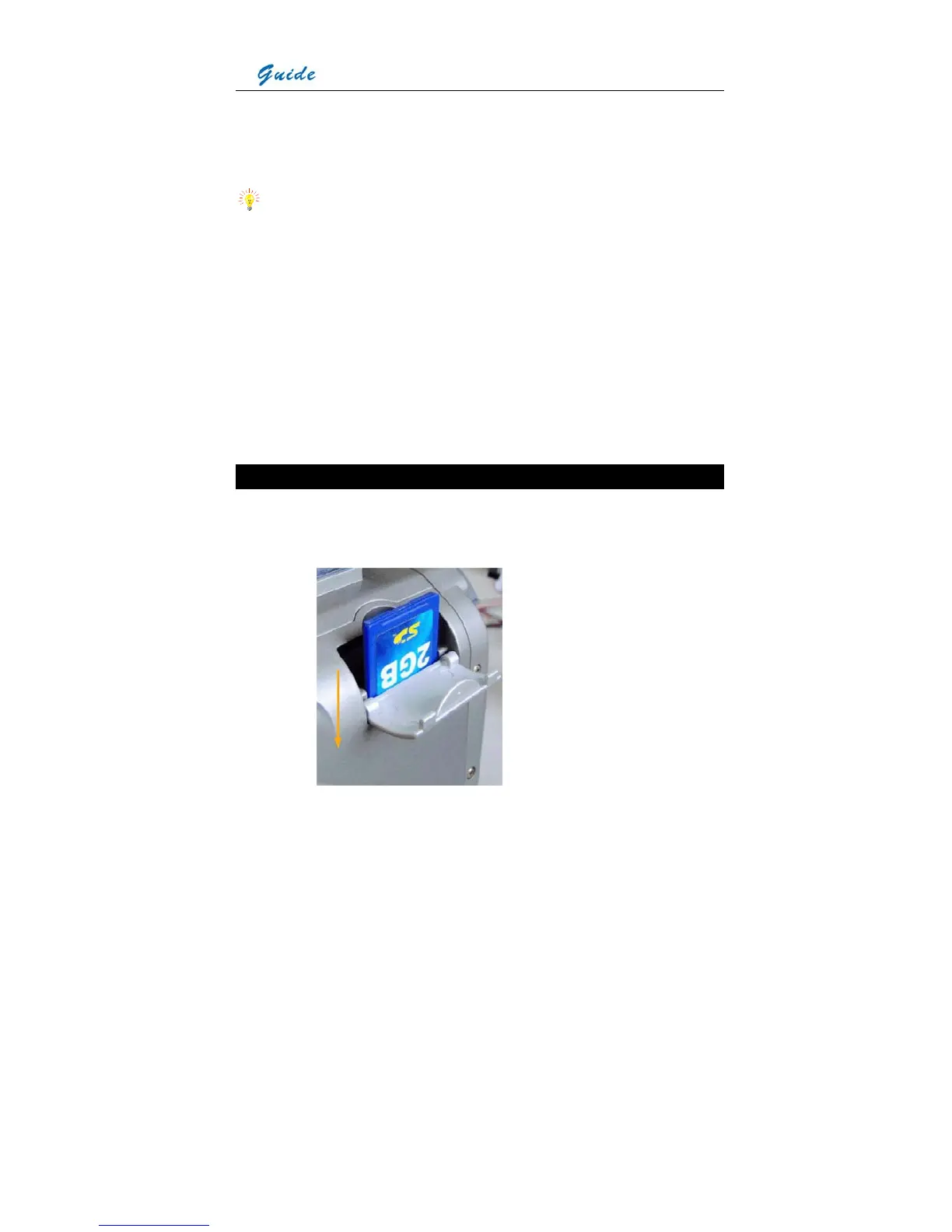
Inserting / Removing the SD Memory Card
• To insert or remove a SD memory card, open the SD memory card door
• To insert a SD memory card, slide the card with the terminals pointing downwards and the
obverse outwards till you hear a slight sound, as shown in the figure below



 To Next Page