User Manual
63
• AlarmTemp: To set the scene temperature threshold above which the audio alarm will
sound
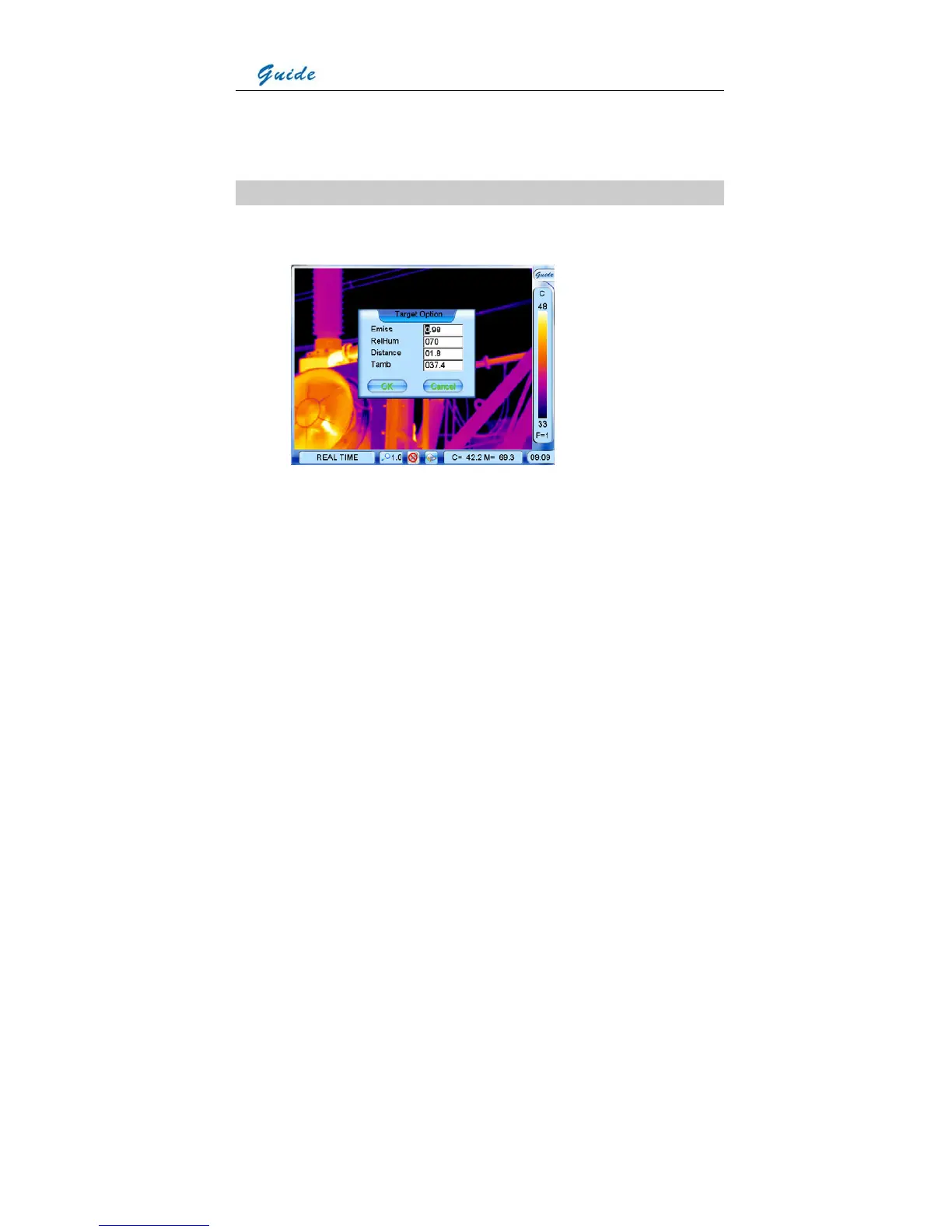
Option Target
• Click option Target with the touch pen or press the joystick to select it. Then the Target
dialog box appears on the screen
• Clicking each option box with the touch pen or pressing button S can toggle between the
options. Moving the joystick up or down can alter values of the option. Moving the joystick
left or right can toggle between each digit of the option values.
• Emiss: To set emissivity value between 0.01 and 1.00
• RelHum: To set relative humidity percentage value between 0 and 100
• Distance: To set distance for target (meters)
• Tamb: To display the real-time ambient temperature
• Choose button OK or press the joystick directly to save the change; choose button Cancel
or press button C directly to cancel change. Then the dialog box will be closed and the
original image status will be resumed.



 To Next Page