User Manual
56
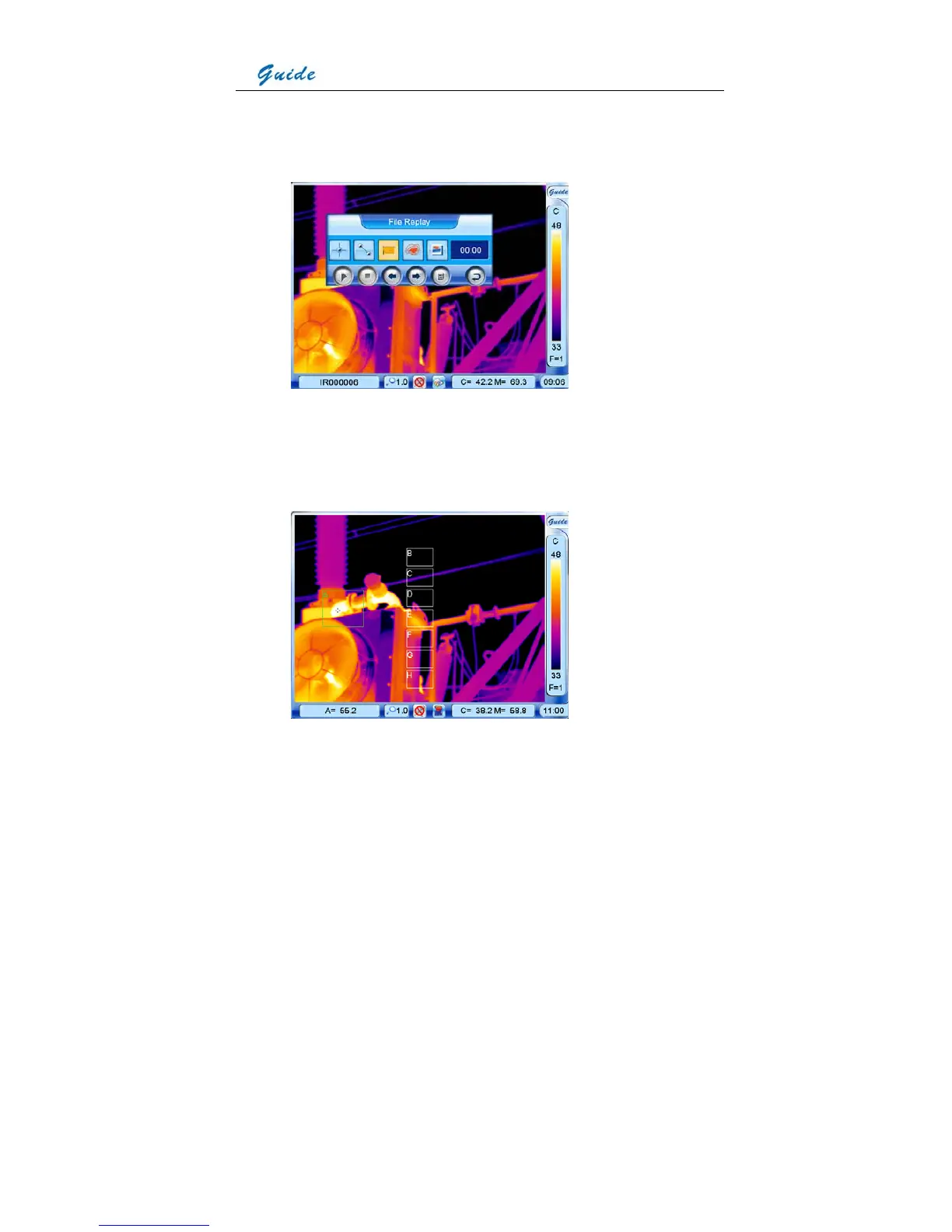
replay toolbar with the touch pen or joystick. Click the icon Area analysis with the touch
pen to select it; or move the joystick to highlight the icon Area analysis first and then press
the joystick to select it.
• 8 areas marked from A to H will appear. Clicking with the touch pen or pressing button S
can toggle between them. Temperature of the selected area as well as the temperature
measurement type, Minimum, Average or Maximum will be displayed in the status bar
under the image screen.
• To move each area after selecting it, click at its center with the touch pen, move it to a
desired position and then release it; or move the joystick up, down, left or right to a desired



 To Next Page