HQ Pro-Stitcher User Manual07/23/123.12 Installation Instructions
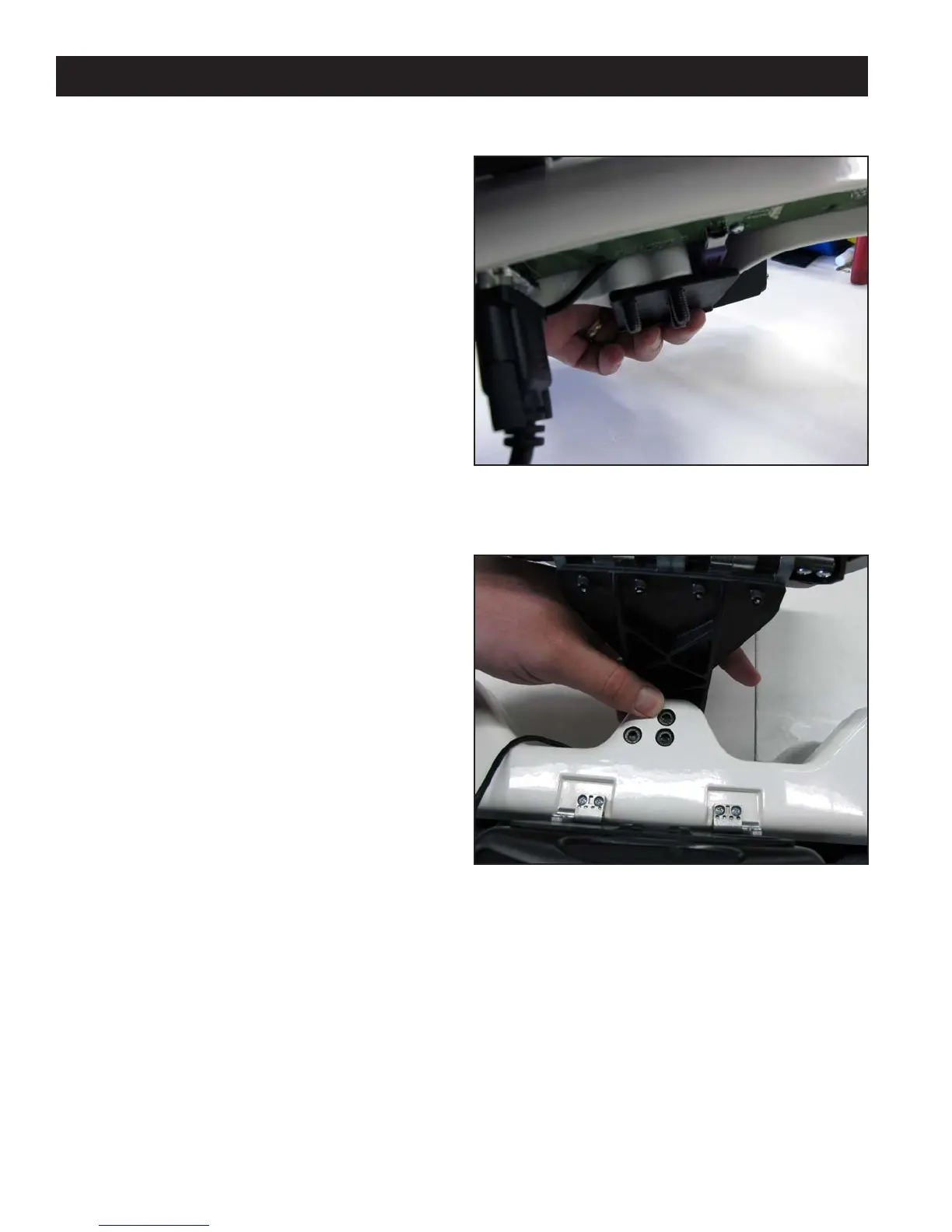
Figure 3.22
Figure 3.23
1. Remove the front handlebar from the front of
the HQ quilting machine, making sure to rst
disconnect the handlebar cable from the side of
the head and then remove the three hex-head
bolts with a 5mm Allen wrench.
If it is dicult to remove the cable on the HQ
quilting machine, rst remove two of the hex-
head bolts and then loosen the third. Next, rotate
the handlebar slightly to allow easier access to the
handlebar cable.
2. Make sure the three handlebar bolts are in the
front handlebar and protruding out the bottom of
the handlebar (Figure 3.22).
3. Position the handlebar over the computer bracket
such that the screws go through the three holes in
the bracket (Figure 3.23).
4. Secure the handlebar and bracket in place on the
machine head using the three handlebar bolts.
Computer/Touch Screen Monitor Assembly












 To Next Page