www.HandiQuilter.com/ProStitcher 07/23/12 Overview 4.1
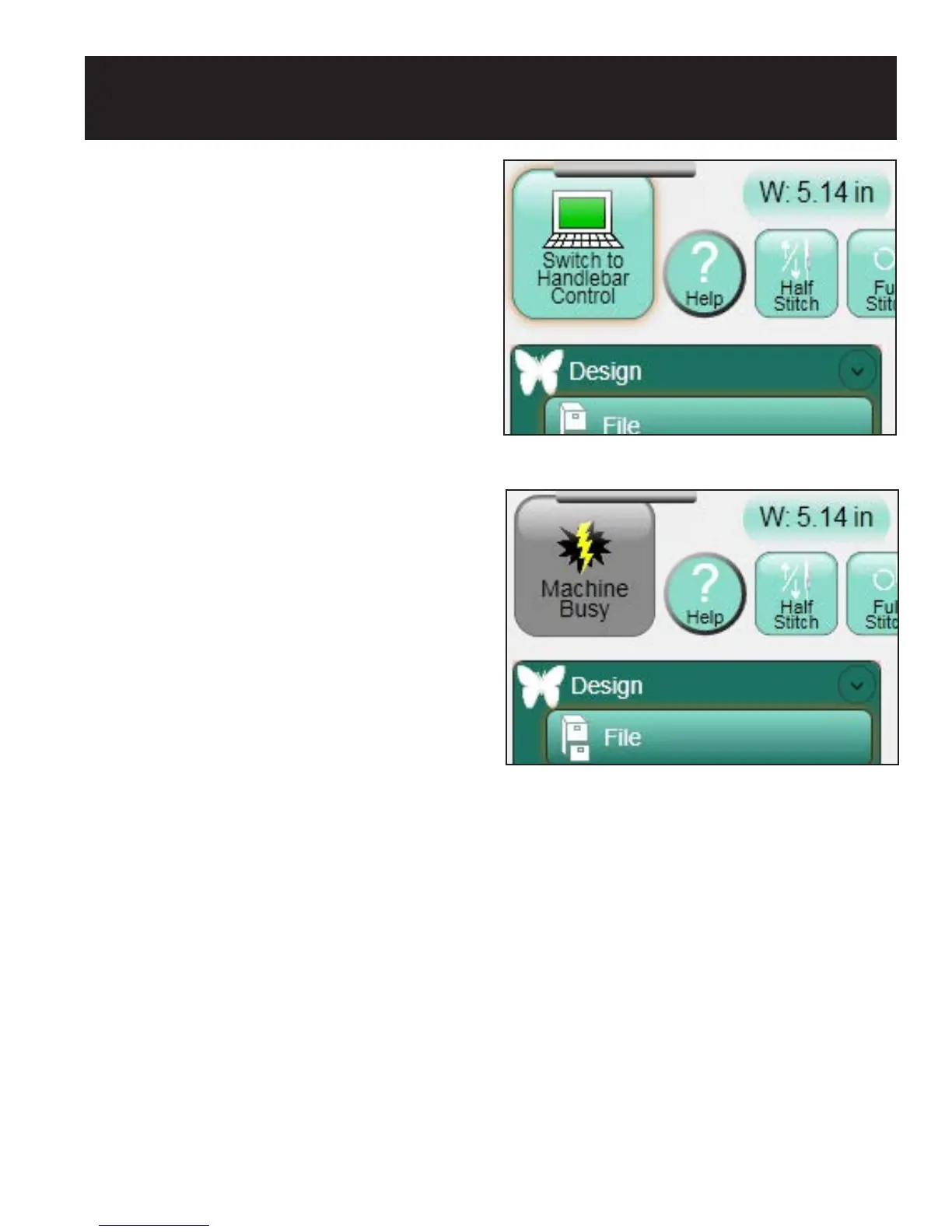
Figure 4.1
Figure 4.2
HQ Pro-Stitcher Operating System
e HQ Pro-Stitcher runs on a touch-screen
computer with Microso’s Windows 7 operating
system.
Because the Pro-Stitcher soware is running in a
Windows 7 environment, there may be times that
the quilter will notice things such as the Windows
desktop or the Windows taskbar.
ose who are unfamiliar with the Windows 7
operating system or computers in general, will
benet by taking a class or nding other ways to
learn more about the basics of Windows 7.
In order to maintain the integrity of the Pro-Stitcher
soware, it is best to avoid using the Pro-Stitcher
computer as a typical desktop or tablet computer.
Connecting to the Internet without the direction
or tools provided by Handi Quilter may result in
Windows 7 attempting to perform updates that
could potentially be incompatible with the Pro-
Stitcher soware. It also may lead to unintentional
exposure to viruses and other malware that may
compromise the integrity of the Pro-Stitcher system
or lead to other problems that may not be covered by
the warranty.
To get the most of your HQ Pro-Stitcher system,
Handi Quilter recommends using the Pro-Stitcher
computer only as directed to run the Pro-Stitcher
soware, the Art & Stitch soware, and other soware
provided by or recommended by Handi Quilter.
Handlebar Control
e HQ Pro-Stitcher computer communicates with
two pieces of equipment: the quilting machine and
the carriage motors. e HQ Sixteen version of
the Pro-Stitcher has a large Switch to Handlebar
Control button at the top le-hand corner of
the screen (Figure 4.1) which enables the user to
turn on or o the communications to the quilting
machine. is enables HQ Sixteen owners to use the
4. HQ Pro-Stitcher Overview
handlebar buttons. Turning the communications
back on prevents them from using any of the
handlebar buttons.
If the Switch to Handlebar Control button is
gray with a lightning bolt (Figure 4.2), the HQ
Pro-Stitcher is unable to communicate with the
quilting machine. Press the button to reestablish
communications. On the HQ
18
Avanté and the
HQ
24
Fusion, the user has handlebar control
regardless of whether the HQ Pro-Stitcher is
communicating with the quilting machine, so
this button is removed from the main screen and
only available under the Settings -> Advanced ->
Communications menu.












 To Next Page