www.HandiQuilter.com/ProStitcher 07/23/12 Installation Instructions 3.31
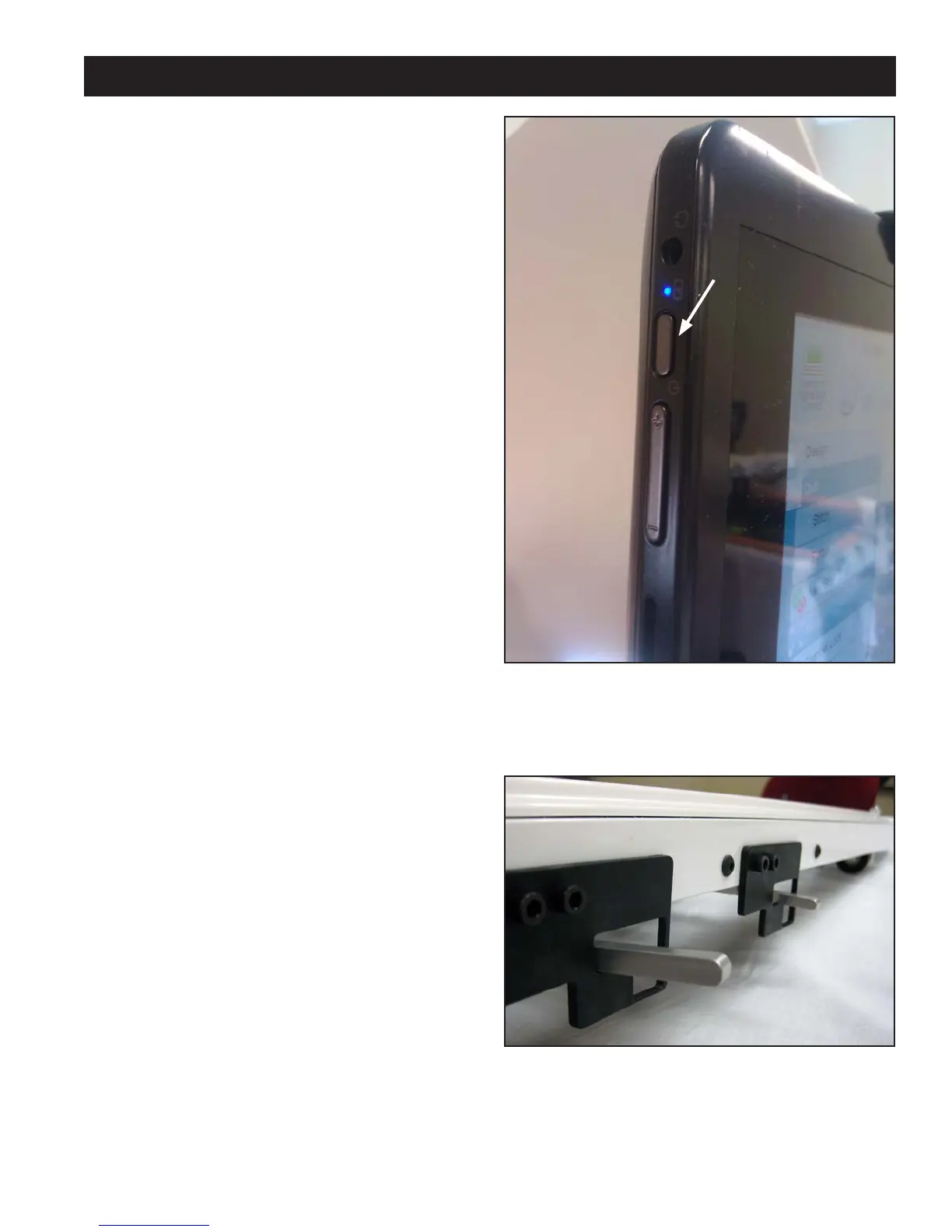
Figure 3.61
Levers Up = Gear Disengaged / Free Motion
Powering Up and Shutting Down
1. Make sure power is reaching the computer by
checking that the power cord is plugged into the
power supply located at the back of the carriage.
e barrel-shaped power connector should
then be plugged into the bottom of the black
box behind the computer, and the short power
cord connects the black box to the computer.
e computer will run on AC power as long as
this connection is made. If the cable becomes
unplugged, the computer will continue to run on
battery power until the battery dies.
2. e tablet computer can be turned on by pressing
the power switch at the top le-hand side of the
screen (Figure 3.60).
3.
Shutting down the computer should be done
using the “Shut Down” button in the Pro-Stitcher
soware. If needed, the power switch may be
pressed in order to begin a shut-down sequence.
is should only be used if the “Shut Down”
button cannot be accessed or does not work.
4.
Leaving the HQ Pro-Stitcher computer powered
on with the power cord unplugged will result
in the battery discharging and the computer
eventually shutting itself down.
5.
If the HQ Pro-Stitcher computer is le on for a
long period of time, the screen may turn black
and enter a sleep mode. It can be revived by
tapping on the screen or pressing the Windows
button at the bottom le-hand side of the
computer if it is glowing orange.
Carriage Quick Release Levers
To move the HQ quilting machine around on
the table aer the program has loaded, press the
“Engaged” button on the top right-hand side of
the touch screen. is toggles the motors between
being “engaged” and being “disengaged.” Use the
mechanical disengagement levers on the right-hand
side of the carriage to physically disengage
the white carriage gears from the blue racks
(Figure 3.61). is allows true “free motion”
quilting with no added resistance from the HQ
Pro-Stitcher. For both levers, the Down position is
“Engaged” and the Up position is “Disengaged.”
Figure 3.60
Power Button












 To Next Page