HQ Pro-Stitcher User Manual07/23/125.20 Design Menu
Vertical Alignment
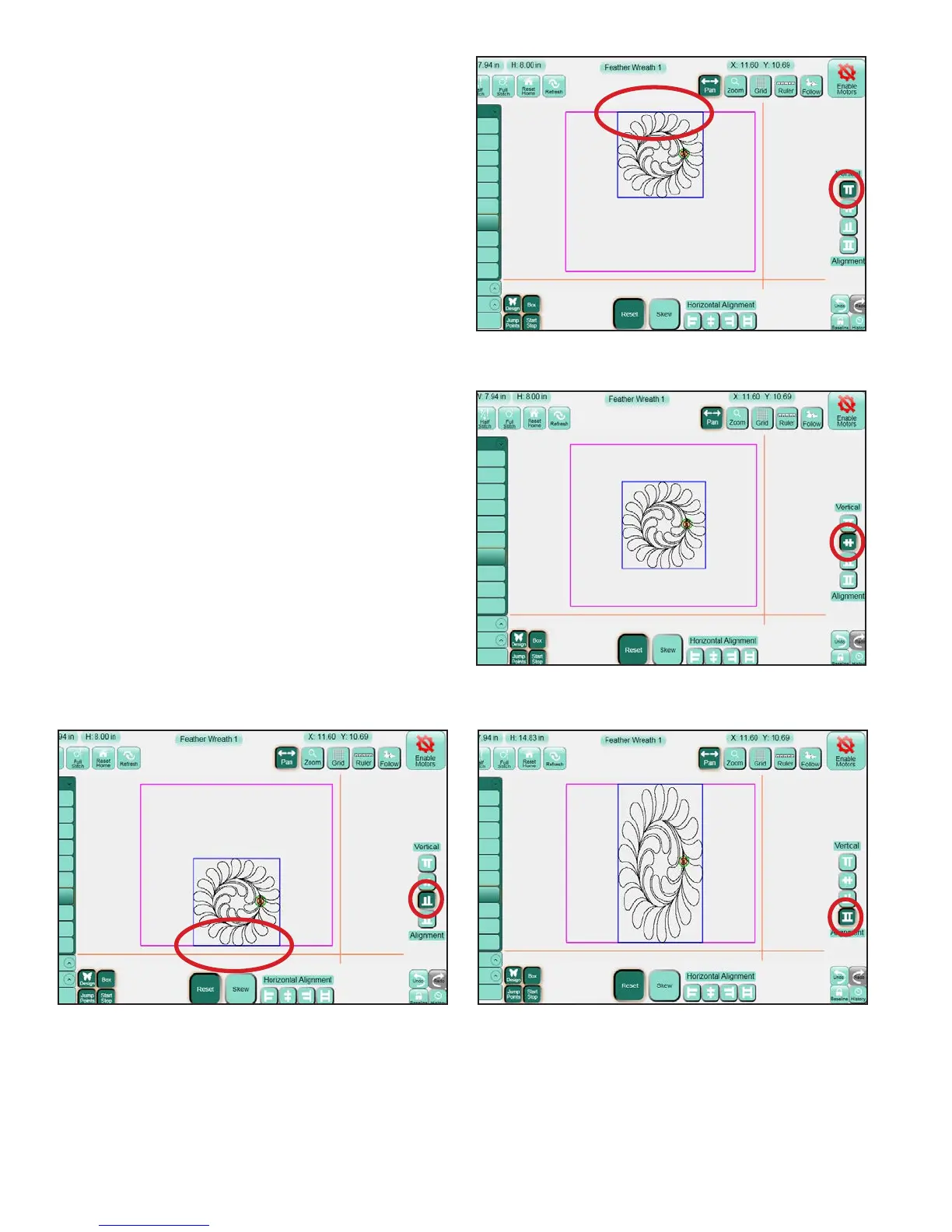
Align Top: (Figure 5.67) e top of the design’s
bounding box (the light blue box) aligns with the
highest point of the Area (represented by the purple
lines).
Align Vertical Center: (Figure 5.68) e vertical
center of the design’s bounding box aligns with the
vertical center of the Area.
Align Bottom: (Figure 5.69) e bottom of the
design’s bounding box aligns with the lowest point
of the Area.
Vertical Stretch: (Figure 5.70) e current design
will be stretched (or shrunk) so the top of the bounding
box aligns with the highest point of the Area and the
bottom of the bounding box aligns with the lowest
point of the Area.
Figure 5.67
Figure 5.68
Figure 5.69 Figure 5.70












 To Next Page