www.HandiQuilter.com/ProStitcher 07/23/12 Design Menu 5.21
Freehand
e HQ Pro-Stitcher can record the movement of
the quilting machine using the functions available
in the Freehand panel. Because the Pro-Stitcher
is reading the motion of the carriage motors, the
Freehand function requires that the carriage levers
be in the engaged (down) position. If the motors
are enabled (i.e. the quilting machine is locked in
position), press the Disable Motors button at the top
right-hand corner of the screen.
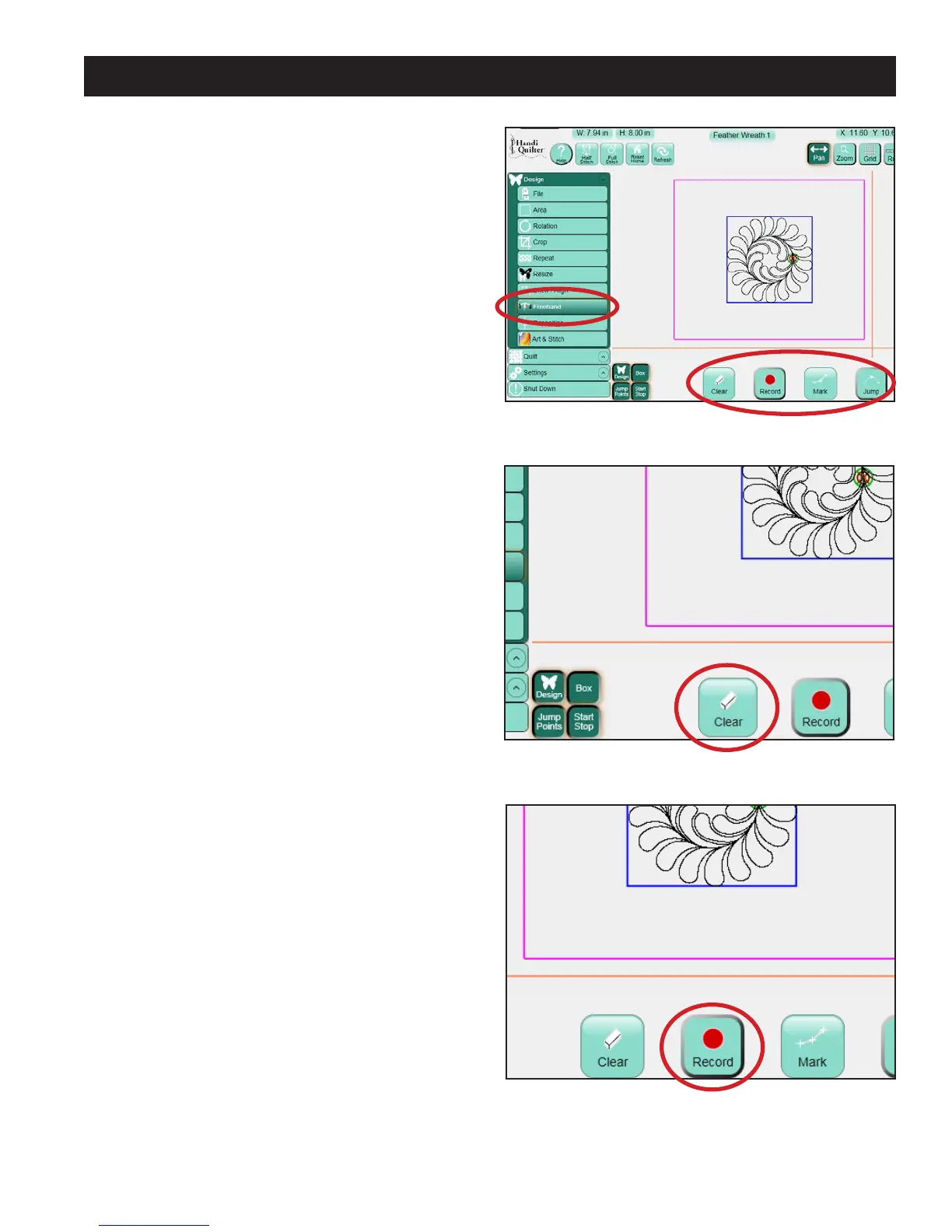
Select the Design menu and then press the
Freehand sub-menu button to reveal the Freehand
panel, which includes four functions (Figure 5.71).
Clear
Press the Clear button to clear any designs from the
Work Area (Figure 5.72). is also clears anything
that has been recorded with the Record button.
When adding to an existing design using Freehand
rather than clearing the screen, the Pro-Stitcher will
rst Baseline the design to treat the current state of
the design as a single design.
Record
Press the Record button to start recording the
motion of the quilting machine (Figure 5.73). If a
design was le on the Work Area, a stitch line will
be placed between the end point of the current
design and where the crosshairs are when the
Record button is pressed. is enables a quilter to
add additional stitching to the end of the design
if desired. For those quilters who are accustomed
to free-motion long-arm quilting, there will be
some added drag due to the carriage motors being
engaged and it may take some practice to get
accustomed to this feel.
Figure 5.71
Figure 5.72
Figure 5.73












 To Next Page