HQ Pro-Stitcher User Manual07/23/125.12 Design Menu
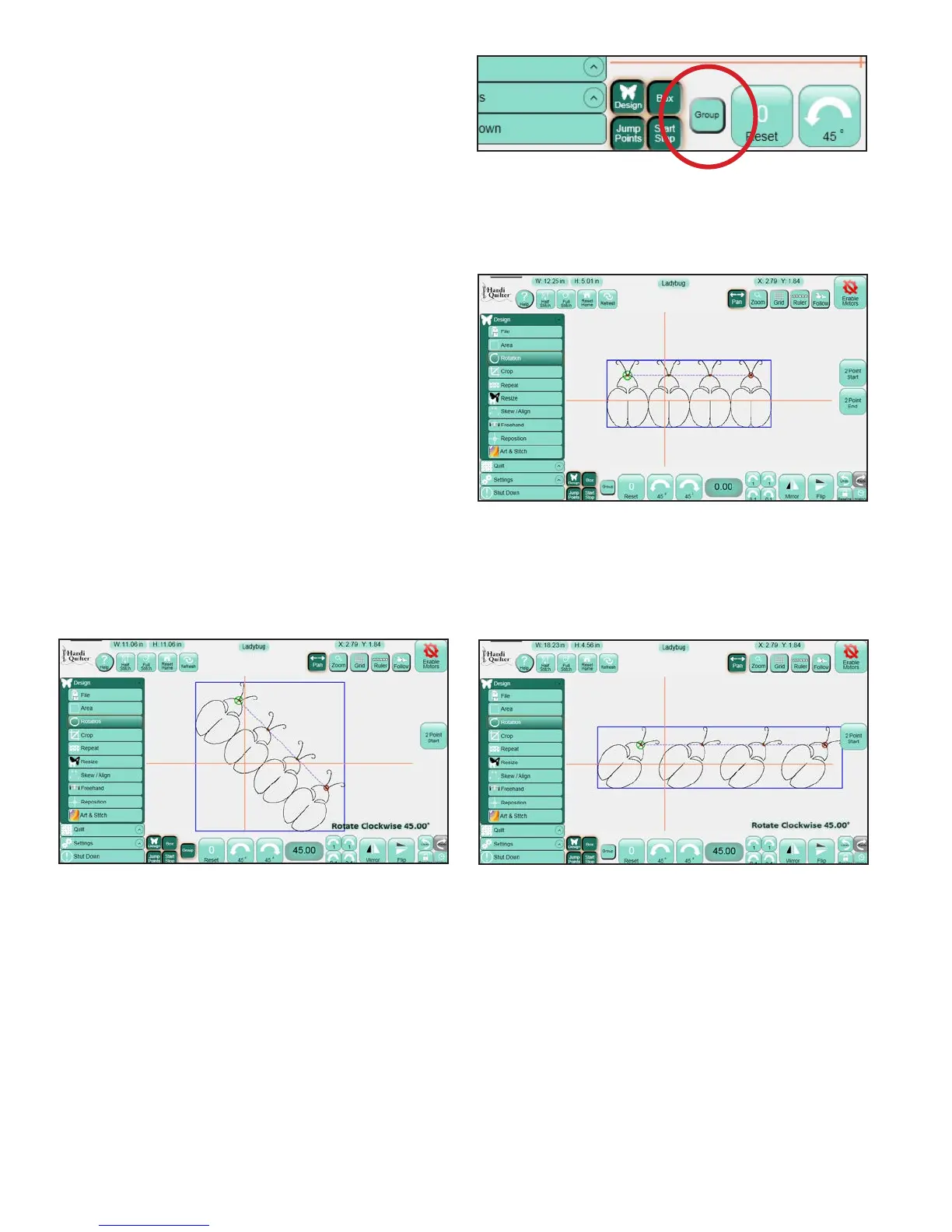
Group
e Group button on the Rotation panel
(Figure 5.38) allows each of the above rotation
options to be applied to repeated designs
(Figure 5.39) individually or as one large design. If
Group is selected and the design in the Work Area
has been repeated, the entire selection gets rotated
(or mirrored, etc.) as a single entity
(Figure 5.40). If it is not selected, then each
individual design element will be rotated (or
mirrored, etc.) Individually and not as a group
(Figure 5.41).
Figure 5.39
Figure 5.40
Figure 5.38
Figure 5.41












 To Next Page